
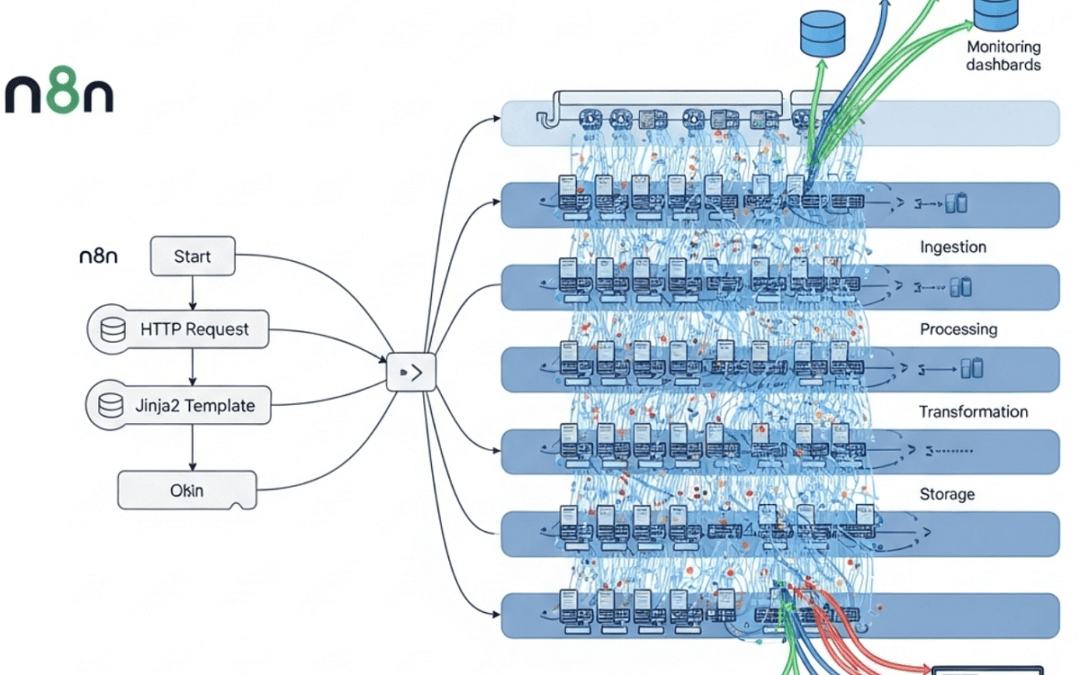
N8n queue mode and scaling for production is an architecture that separates workflow execution from the main process by routing jobs through a Redis-backed message queue to multiple dedicated worker instances. A single default n8n instance running on SQLite typically struggles under heavy concurrent load, after which workflows queue, stall, and can silently fail — exactly when your business needs them most.
Queue mode solves this by decoupling three components: the main instance (handling webhooks and the UI), Redis (managing the job queue), and worker instances (processing executions). For production deployments, three requirements are practically non-negotiable: replace SQLite with PostgreSQL (SQLite locks under concurrent writes), add Redis for queue coordination, and run separate worker containers that scale horizontally. With this setup, the official n8n documentation describes how you can process large volumes of executions while maintaining fault tolerance — failed jobs can retry instead of disappearing.
n8n queue mode and scaling for production is the architecture pattern that addresses this. By separating the main n8n instance from dedicated worker processes and using Redis to distribute jobs, you can scale from a few hundred executions to many thousands of parallel runs without rewriting a single workflow.
Written by a practitioner team focused on self-hosted workflow automation and infrastructure. This guide reflects hands-on patterns drawn from the official n8n documentation and community engineering write-ups cited throughout. Figures presented as ranges are estimates unless attributed to a named source — verify against your own benchmarks before committing to capacity plans.
What Is n8n Queue Mode and Why Does It Matter for Production?
n8n queue mode is an execution architecture that separates n8n’s main process from dedicated worker instances, using Redis as a message broker to distribute workflow executions across multiple workers. According to the official n8n documentation, this lets you “scale n8n up (by adding workers) and down (by removing workers) as needed to handle the workload.”
In a default single-process setup, n8n executes workflows in the same process that serves the editor UI, creating a bottleneck once concurrent executions climb. Queue mode removes this limit: each worker handles a configurable number of concurrent jobs (the default concurrency is 10, set via the worker’s --concurrency flag or the N8N_CONCURRENCY_PRODUCTION_LIMIT environment variable), so adding 5 workers can process roughly 50 executions simultaneously. This matters for production because it delivers horizontal scalability, fault isolation, and the ability to restart workers without taking the whole platform down.
The default n8n setup runs in what’s called “regular” mode — a single Node.js process handles the editor UI, webhook reception, and workflow execution all at once. That’s fine for a developer testing automations on a laptop. It tends to collapse under sustained production load.
Queue mode breaks this monolith apart. The main instance handles the UI, API, and webhook triggers. It then pushes each execution onto a Redis queue. Separate worker instances pull jobs off that queue and run them in parallel. Need more throughput? Spin up more workers. Quiet period overnight? Scale down to one.
n8n itself is a fair-code workflow automation platform with 400+ integrations and native AI capabilities, per the official n8n GitHub repository. Queue mode is what turns that flexibility into something you can run a business process on.
Quick Summary: Key Takeaways
- Queue mode separates concerns: The main instance handles UI and webhooks; workers handle execution, distributed via Redis.
- Horizontal scaling beats vertical: Adding workers scales throughput closer to linearly — a 4-worker setup roughly quadruples available execution slots versus a single instance, though real throughput depends on workflow complexity.
- PostgreSQL is mandatory: SQLite cannot reliably handle concurrent writes from multiple workers; use PostgreSQL for any production deployment.
- Self-hosting can be cheaper at volume: A self-hosted queue mode stack on a modest VPS can be significantly cheaper than per-task managed plans once execution volume is high — but you take on operational burden.
- Redis is the linchpin: A single Redis instance acts as the job broker — monitor it closely, because it is a single point of failure.
- Zero-downtime migration is possible: You can move from a single instance to queue mode by sharing the same PostgreSQL database during cutover.
Published: June 13, 2026. Last updated: June 13, 2026.
How Does n8n Queue Mode Work Under the Hood?
n8n queue mode works by routing every workflow execution through a Redis-backed message queue, where idle worker instances pick up jobs and process them independently. The main instance never executes workflows itself — it delegates, acting as a coordinator that pushes jobs into Redis while dedicated worker processes handle the computational load. This producer-consumer pattern is what enables a single deployment to run many concurrent workers.
Here’s the flow in plain terms. A webhook fires or a schedule triggers. The main n8n instance receives that event, serializes the execution, and pushes it onto Redis using BullMQ (the underlying queue library). Workers — which are just additional n8n containers started with the worker command — poll Redis. The moment a job appears, an available worker grabs it, executes the full workflow, and writes results back to the shared PostgreSQL database.
Think of it like a restaurant. The main instance is the host taking orders at the door. Redis is the order ticket rail in the kitchen. Workers are the line cooks, each grabbing the next ticket the moment they’re free. Add cooks, serve more diners. Remove cooks during a slow afternoon, save on labor.
A note on the throughput numbers that circulate in tutorials: claims that queue mode delivers “5x to 10x” the throughput of regular mode are best treated as rough estimates, not guarantees. Actual gains depend heavily on workflow CPU/IO profile, downstream API rate limits, database tuning, and worker count. Benchmark your own workloads rather than relying on a single multiplier.
The Three Core Components of a Queue Mode Stack
- Main instance: Serves the editor UI, exposes the REST API, receives webhooks and schedule triggers, and enqueues jobs. It runs with the environment variable
EXECUTIONS_MODE=queue. A single main instance can typically coordinate job distribution for many workers. - Worker instances: Headless n8n processes started with the
n8n workercommand. These perform the actual workflow execution and scale horizontally — adding more workers increases available execution capacity. Each worker processes a configurable number of concurrent jobs, defaulting to 10. - Redis broker: The message queue that connects the main instance to its workers. The main instance pushes jobs to Redis, and available workers pull them for execution. Redis holds pending jobs and execution metadata until a worker claims them.
A fourth optional component — webhook processors — can be added for extremely high-volume webhook ingestion, splitting webhook handling away from the main instance entirely. Most SMEs won’t need this until they’re processing very high webhook volumes.
The Medium engineering guide by orami98 on n8n scaling and reliability notes that production readiness “hinges on running in queue mode, separating” execution concerns from the main process. That separation is the whole point.
How Do You Deploy n8n Queue Mode and Scaling for Production with Docker Compose?
n8n queue mode separates workflow execution across dedicated worker processes, enabling horizontal scaling for production environments. The standard Docker Compose architecture requires four services: a main n8n instance (UI, webhooks, triggers), worker instances (execution), PostgreSQL (database backend), and Redis (job queue). The Strapi 2026 production guide confirms this is the standard pattern, describing deployment of “production-ready workflows using Docker Compose with PostgreSQL and Redis queue mode for horizontal scaling.”
To enable queue mode, set EXECUTIONS_MODE=queue on both the main and worker containers, and configure QUEUE_BULL_REDIS_HOST so all services point at the same Redis instance. Below is the skeleton of a production-grade Docker Compose configuration.
services:
  postgres:
    image: postgres:16
    environment:
      POSTGRES_DB: n8n
      POSTGRES_USER: n8n
      POSTGRES_PASSWORD: ${DB_PASSWORD}
    volumes:
      - db_data:/var/lib/postgresql/data

  redis:
    image: redis:7-alpine

  n8n-main:
    image: n8nio/n8n:latest
    environment:
      EXECUTIONS_MODE: queue
      DB_TYPE: postgresdb
      DB_POSTGRESDB_HOST: postgres
      QUEUE_BULL_REDIS_HOST: redis
      N8N_ENCRYPTION_KEY: ${N8N_ENCRYPTION_KEY}
    ports:
      - "5678:5678"
    depends_on: [postgres, redis]

  n8n-worker:
    image: n8nio/n8n:latest
    command: worker
    environment:
      EXECUTIONS_MODE: queue
      DB_TYPE: postgresdb
      DB_POSTGRESDB_HOST: postgres
      QUEUE_BULL_REDIS_HOST: redis
      N8N_ENCRYPTION_KEY: ${N8N_ENCRYPTION_KEY}
    depends_on: [postgres, redis]
    deploy:
      replicas: 3
The replicas: 3 line is where the scaling lever lives. Bump it to 5, 8, or 12 and you’ve horizontally scaled your execution capacity with one change. No code rewrite. No workflow migration. Just more cooks in the kitchen. Note the shared N8N_ENCRYPTION_KEY on both main and worker — this is a common cause of broken credential decryption when omitted (more on this below).
Why PostgreSQL Is Non-Negotiable for Queue Mode
SQLite — n8n’s default database — uses file-level locking that breaks down the moment multiple workers try writing execution data simultaneously. PostgreSQL handles concurrent writes natively, which is exactly what a multi-worker setup demands. Most serious n8n queue mode and scaling for production deployments use PostgreSQL or, less commonly, MySQL.
A typical failure pattern practitioners report when shortcutting this with SQLite plus a few workers: SQLITE_BUSY errors, corrupted execution logs, and overnight incidents. Use PostgreSQL from day one.
If you’re sizing a backend for a specific workload, model infrastructure against actual execution volume rather than guesswork — start by measuring your current executions per hour and peak concurrency before choosing instance sizes.
What Are the Real Costs of n8n Queue Mode vs Managed Automation?
Self-hosted n8n queue mode generally costs in the range of tens to low-hundreds of dollars per month in infrastructure for SME-scale workloads, versus higher per-task billing on managed platforms as execution volume grows. The figures below are illustrative estimates based on typical commodity VPS pricing and published managed-plan tiers — they are not measured benchmarks, and your real costs will vary by provider, region, and workflow profile. Validate them against live pricing before budgeting.
The structural difference is the billing model. Per-task billing on some managed platforms scales your cost with success — every automation that fires more often increases the bill. Self-hosted n8n queue mode decouples that: you pay for VPS and Redis, and execution volume rides on fixed compute until you saturate the hardware.
| Factor | Self-Hosted Queue Mode | n8n Cloud | Per-task managed platforms |
|---|---|---|---|
| Monthly cost (~50k executions, estimate) | Low (single VPS) | Mid-tier subscription | Scales with task count |
| Monthly cost (~500k executions, estimate) | Moderate (scaled VPS) | Higher tier | Scales steeply with task count |
| Horizontal scaling | Add workers (you provision compute) | Tier-capped | N/A (per-task) |
| Data residency control | Full | Limited | Limited |
| Maintenance burden | You own it | Managed | Managed |
| Integration count | 400+ | 400+ | Varies by platform |
The tradeoff is honest: self-hosting means you own uptime, backups, and security patches. That’s real work. For an SME running high monthly volumes, the per-task savings can be substantial — but only if you have, or can fund, the operational capacity to run it reliably. Treat the cost comparison as a decision framework, not a promise.
When Managed Hosting Actually Wins
Self-hosting isn’t always the answer. If your team has limited DevOps capacity, runs relatively low monthly execution volumes, and values predictability over cost, n8n Cloud (accessible via n8n.io, with sign-in at n8n.cloud) is a reasonable choice. A balanced read: teams sometimes overestimate maintenance burden and sometimes underestimate it — the right call depends on your actual ops maturity, compliance requirements, and how predictable your execution volume is.
How Do You Migrate to Queue Mode Without Downtime?
You migrate to n8n queue mode without downtime by pointing your new queue-mode stack at the same PostgreSQL database your single instance already uses, validating workflows on the new setup, then switching DNS or load balancer traffic over. The shared database means no workflow data is lost during cutover.
One underserved gap in many n8n scaling tutorials is a clear, safe sequence for migrating an existing single-instance deployment. Here’s a field-tested order of operations.
- Migrate to PostgreSQL first. If you’re on SQLite, export your workflows and credentials, then re-import into a fresh PostgreSQL-backed instance. Verify everything runs in regular mode before touching queue mode.
- Stand up Redis. Deploy a Redis 7 container alongside your existing stack. It sits idle until queue mode is enabled.
- Add worker containers. Spin up worker instances pointed at the same PostgreSQL and Redis. Start with two workers.
- Flip the main instance to queue mode. Set
EXECUTIONS_MODE=queueon the main container and restart. Workflows now route through Redis to workers. - Validate under load. Trigger a batch of test executions. Confirm workers pick up jobs and write results correctly to PostgreSQL.
- Scale gradually. Increase worker replicas based on observed queue depth and CPU utilization.
The migration can run with seconds of downtime during the main instance restart — or effectively zero if you place a load balancer in front and drain connections gracefully. Because the database is shared, every workflow, credential, and execution history carries over untouched.
A community thread from August 2025 on scaling n8n with heavy compute workflows surfaces a recurring real-world point: workers need identical environment variables and encryption keys to the main instance. A mismatched N8N_ENCRYPTION_KEY will silently break credential decryption on workers — a failure mode that’s easy to miss because the containers start cleanly.
How Do You Monitor and Scale n8n Queue Mode in Production?
You monitor n8n queue mode in production by tracking Redis queue depth, worker CPU and memory, execution failure rates, and PostgreSQL connection pool saturation — then scaling workers when queue depth grows faster than workers can drain it. Observability is one of the most neglected parts of production n8n.
Queue depth is the north-star metric. If jobs pile up in Redis faster than workers consume them, you’re under-provisioned. Set an alert — for example, when pending jobs exceed a threshold for several minutes, add workers. n8n exposes Prometheus-compatible metrics that integrate with Grafana dashboards for exactly this purpose.
The Metrics That Actually Matter
- Redis queue depth: Pending jobs waiting for a worker. Rising depth = add workers.
- Worker CPU utilization: Sustained high utilization (e.g. 80%+) across workers signals saturation.
- Execution failure rate: A spike often means a downstream API is rate-limiting you, not an n8n fault — investigate the dependency before adding workers.
- PostgreSQL connections: Each worker holds connections. Too many workers can exhaust the connection pool — tune
max_connectionsaccordingly. - Redis memory: A single point of failure. If Redis dies, the queue stops. Monitor memory and persistence carefully.
For Kubernetes deployments, the HelmForge community-maintained Helm chart — announced in the n8n community forum — bundles production-ready manifests, including horizontal pod autoscaling for workers. That’s a clean path to auto-scaling n8n queue mode and scaling for production on Kubernetes, where worker pods spin up and down based on queue metrics. As a community-maintained project, evaluate its release cadence and review the manifests before relying on it in production.
Error Handling at Scale
Reliability isn’t optional once you’re processing thousands of executions. Configure error workflows that catch failures and route them to Slack or a dead-letter queue. Use execution timeouts (e.g. EXECUTIONS_TIMEOUT) to kill runaway workflows. And critically — design idempotent workflows so a retried job doesn’t double-charge a customer or send a duplicate email. Determinism over chaos.
An automation you can’t observe is an automation you can’t fully trust — build the monitoring layer in from the start rather than bolting it on after the first incident.
Actionable Takeaways: Your Production Queue Mode Checklist
Before you push n8n queue mode and scaling for production live, run this checklist. Each item maps to a common real-world failure.
- PostgreSQL only. Never run multi-worker queue mode on SQLite.
- Identical encryption keys. Every worker and the main instance must share the same
N8N_ENCRYPTION_KEY. - Start with 2-3 workers. Scale based on measured queue depth, not optimism.
- Monitor Redis memory. It’s a single point of failure. Set hard alerts.
- Configure error workflows. Catch failures before customers do.
- Set execution timeouts. Prevent one runaway workflow from starving all workers.
- Back up PostgreSQL daily. Your execution history and credentials live there.
- Design idempotent workflows. Retries shouldn’t cause duplicate side effects.
Get these eight right and you have an automation platform that scales from a side project to a company backbone — with cost behavior you control rather than per-task billing you don’t.
Frequently Asked Questions
What is the difference between regular mode and queue mode in n8n?
Regular mode runs all n8n functions — UI, webhooks, and execution — in a single process, suitable for development or light workloads. Queue mode separates execution into dedicated worker instances coordinated by Redis, enabling horizontal scaling to large parallel execution volumes. Production deployments should use queue mode.
Do I need Redis to run n8n queue mode?
Yes. Redis is required for n8n queue mode because it acts as the message broker that distributes jobs from the main instance to worker instances. Without Redis, there’s no queue to coordinate workers. A single Redis 7 instance is sufficient for many SME deployments, though it should be monitored closely as a single point of failure.
How many workers do I need for n8n queue mode and scaling for production?
Start with 2-3 workers and scale based on Redis queue depth and worker CPU utilization. As a rough estimate, each worker can handle multiple concurrent executions depending on workflow complexity (default concurrency is 10). Add workers when pending jobs in Redis consistently outpace how fast workers drain the queue.
Is self-hosted n8n queue mode cheaper than n8n Cloud?
For SMEs running high monthly execution volumes, self-hosted queue mode is often cheaper in raw infrastructure cost than equivalent managed throughput, because self-hosted cost is tied to compute rather than per-task billing. The tradeoff is that self-hosting requires you to own uptime, backups, and security patching. Estimate both options against live pricing and your own ops capacity before deciding.
Can I migrate from a single n8n instance to queue mode without losing data?
Yes. By pointing your new queue-mode stack at the same PostgreSQL database your single instance uses, all workflows, credentials, and execution history carry over intact. The migration requires only seconds of downtime during the main instance restart — or zero downtime with a load balancer draining connections gracefully.
The Bottom Line
As AI agents take on more autonomous work, the platforms that scale predictably and cheaply will shape which teams can afford to automate aggressively. n8n queue mode is the architecture that puts that scaling decision in your hands — but it’s a tradeoff between control and operational responsibility, not a free lunch. Benchmark your own workloads, plan for monitoring and backups from day one, and choose self-hosted queue mode versus a managed plan based on your real execution volume and ops maturity.
If you’re exploring how queue mode could fit your own automation setup, we’d be happy to talk through the options and help you think it through at your own pace.
Sources & References
- Configuring queue mode — n8n Docs
- n8n-io/n8n — GitHub repository
- n8n — AI Workflow Automation Platform
- n8n.cloud sign-in / free trial
- Strapi — How to Build AI Agents with n8n: Complete 2026 Guide
- orami98 — The n8n Scaling & Reliability Guide
- Community-maintained Helm chart for n8n (HelmForge)
- r/n8n — Scaling n8n with heavy compute workflows + queue mode
Note: This article is for general informational purposes; verify specifics against your own context.