
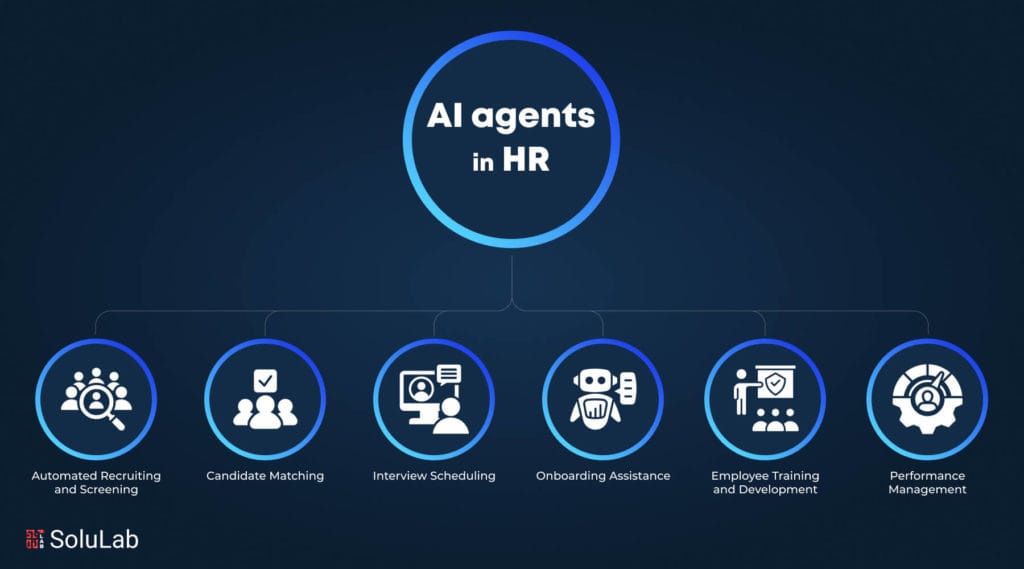
An AI agent for HR onboarding and employee FAQ is a conversational software tool that automatically answers new-hire questions and guides employees through onboarding tasks without human intervention. New hires routinely ask repetitive questions like “Where do I submit my I-9?”, “How do I enroll in benefits?”, and “When does my health insurance start?” An AI agent for HR onboarding and employee FAQ removes that repetition by delivering instant, source-grounded answers 24/7, guiding new starters through every step, processing documents automatically, and answering questions around the clock.
The agent guides new hires through every onboarding step — submitting tax forms, enrolling in benefits, completing compliance training, and accessing company policies — while escalating complex issues to human staff. Key benefits include faster onboarding (often reduced from days to hours), 24/7 availability across time zones, consistent policy answers, and freeing HR professionals to focus on strategic work like retention and employee development.
This guide takes a deliberately vendor-neutral, SME-focused angle. The metrics cited below are attributed to named, linked sources where they exist; where a figure is an illustrative model rather than a measured result, that is stated plainly. The aim is an honest decision framework, not a sales pitch.
Quick Summary: AI Agent for HR Onboarding and Employee FAQ
- Definition: An AI agent for HR onboarding and employee FAQ is an automated assistant that guides new hires through paperwork, training, and policy questions while resolving employee queries in real time.
- Time savings: Vendors report adopters saving HR days of work per onboarding cycle. Microsoft’s Smart Onboarding Agent scenario documents this pattern at a vendor level; treat headline figures as directional, not audited benchmarks.
- Core functions: Personalized step-by-step guidance, automated document processing, 24/7 self-service FAQ, and integration with your systems of record.
- Build vs. buy: Enterprise platforms (Microsoft Copilot Studio, Oracle HCM) offer templates; SMEs without big HCM systems get more flexibility from custom agents built on Slack, Notion, or WhatsApp.
- ROI: In a worked model below, a single agent handling 50 hires per year can recover roughly 150–200 HR hours annually — the calculation and its assumptions are shown transparently so you can substitute your own numbers.
- Critical caveat: FAQ accuracy depends on deterministic retrieval, not a probabilistic “yes-machine” that invents policy answers.
Last updated: September 19, 2026. This article reflects the AI onboarding landscape as documented by the platform vendors and guides cited in the references section.
What Is an AI Agent for HR Onboarding and Employee FAQ?
An AI agent for HR onboarding and employee FAQ is a smart, automated assistant that streamlines the entire onboarding journey by handling tasks, answering policy questions, and guiding new hires step by step. HR Cloud’s AI Onboarding Agent Guide defines it as software that handles tasks, answers questions, and guides new hires through the journey rather than simply triggering isolated workflows.
The shift matters. Older HR automation was a series of disconnected triggers — send a form, wait, send another form. Modern onboarding agents act autonomously across sequential steps, according to Kairntech’s Employee Onboarding AI: The Complete Guide for 2026 (December 2025). The agent knows that document signing comes before equipment provisioning, which comes before the benefits enrollment window, and it coordinates all three without a human checklist.
Think of the difference like hiring a new assistant versus buying a stack of sticky notes. Sticky notes (basic automation) remind you of tasks. A real assistant (an AI agent) actually completes them, follows up, and answers the new hire’s questions while you’re in a meeting.
The Two Jobs This Agent Performs
Onboarding agents perform two tightly linked functions that most SMEs underestimate when scoping a project: orchestration and verification.
- Onboarding orchestration: The agent’s coordination role. It drives the new-hire timeline — collecting tax documents, triggering IT provisioning, scheduling training, and confirming compliance steps like I-9 and E-Verify completion. It sequences tasks across HR, IT, and payroll systems so nothing stalls.
- Onboarding verification: The agent’s accuracy role. It validates submitted data, flags missing signatures, and confirms each step meets legal deadlines before advancing.
- Employee FAQ resolution: The agent answers questions in real time, pulling from your handbook, benefits documents, and policy library. “How many PTO days do I get?” gets a precise, source-cited answer in seconds — not a 24-hour email delay.
This split matters because manual onboarding is slow and error-prone. By automating both orchestration and verification, an onboarding agent reduces administrative time per hire while ensuring compliance requirements are met before an employee’s first day. Microsoft’s Smart Onboarding Agent scenario bundles these together: personalized steps, real-time query resolution, and seamless document processing in one agent. The combination is what separates a glorified chatbot from a genuine onboarding partner.
A Worked Example: One New Hire, Step by Step
It helps to trace a single onboarding through the agent. Consider a typical implementation for a new software engineer joining a distributed team:
- Day -5 (offer accepted): The agent sends a welcome message in Slack, requests tax and identity documents, and explains the I-9 timeline. It tracks which documents are outstanding.
- Day -2: Documents validated, the agent triggers an IT provisioning ticket via API so the laptop and accounts are ready before day one — a step manual onboarding frequently misses under volume.
- Day 1: The agent walks the hire through benefits enrollment, surfaces the enrollment deadline, and answers PTO and policy questions from the handbook with source citations.
- Day 1–30: The agent fields recurring FAQs (“how do I expense this?”, “who approves my time off?”) and escalates anything sensitive — pay disputes, accommodation requests — to a named human.
The trade-off worth naming: this flow only works if the underlying documents are accurate and current. An agent grounded in an out-of-date handbook will confidently relay out-of-date policy. Practitioners generally find that document hygiene, not model choice, is the most common failure point.
How Does an AI Agent for HR Onboarding and Employee FAQ Actually Work?
An AI agent for HR onboarding and employee FAQ connects a language model to three components: your HR systems of record, your document library, and a set of deterministic rules that govern what actions it can take. The agent works in three steps:
- Retrieves verified answers from approved sources.
- Executes pre-approved tasks, like provisioning accounts or sending forms.
- Escalates anything outside its rules to a human.
The architecture has three layers, and getting each one right is the difference between an agent that saves HR days and one that invents a fake parental leave policy on day one.
- Retrieval layer: The agent searches your handbook, benefits PDFs, and policy docs using retrieval-augmented generation (RAG) — a technique that grounds the model’s answers in your supplied documents rather than its training data, so it can’t hallucinate company policy.
- Action layer: The agent triggers real tasks — creating accounts, sending DocuSign requests, scheduling orientation — through API connections to tools like Google Workspace, Slack, or your HCM.
- Guardrail layer: Deterministic rules decide what the agent can and can’t do autonomously. Salary questions, terminations, and legal disputes route straight to a human.
Oracle’s Onboard Assistant, built from a preconfigured template, demonstrates the FAQ flow: a new employee asks a series of questions about their onboarding tasks, and the agent answers each one while keeping the broader checklist on track. That sequential awareness is the hard part — and why deterministic guardrails matter more than a freewheeling “yes-machine” that agrees with whatever the user types.
Why Deterministic Behavior Matters More in HR Than Anywhere Else
Deterministic behavior matters more in HR than in almost any other enterprise function because HR data carries direct legal and financial consequences. A probabilistic agent that confidently reports an incorrect PTO balance or misstates a benefits enrollment deadline creates compliance exposure, not just user frustration. Unit4’s analysis of AI virtual agents in HR notes that these agents can reduce compliance risk — but only when grounded in verified source documents rather than generative inference.
The practical rule that follows: an HR agent should say “I don’t have that — let me get a human” before it ever fabricates an answer. The moment an agent guesses on policy, it becomes a liability rather than an asset. You can read more about the distinction between deterministic AI versus probabilistic yes-machines and why it decides the agent’s safety profile.
Build vs. Buy: Which AI Agent for HR Onboarding and Employee FAQ Fits SMEs?
Build vs. buy for HR onboarding AI agents comes down to one rule: SMEs and startups without an enterprise HCM platform usually benefit from building custom, while companies already running a full vendor ecosystem usually benefit from buying.
A custom-built AI agent for HR onboarding and employee FAQ tends to win on cost and flexibility for smaller teams, because preconfigured templates from Microsoft, Oracle, and isolved generally assume you already run their entire ecosystem — most small teams don’t. The build-vs-buy decision comes down to three variables: your existing tool stack, your hiring volume, and how unique your onboarding process is. A 30-person startup running on Slack, Notion, and Google Workspace gets little value from an Oracle HCM agent that requires Oracle HCM. A 5,000-person enterprise already on Microsoft 365 might get a great deal of value from the Smart Onboarding Agent that slots into tools they already pay for.
| Factor | Preconfigured Enterprise Template | Custom AI Agent |
|---|---|---|
| Best for | Large orgs on Microsoft 365, Oracle HCM, or isolved | SMEs and startups on lightweight tools (Slack, Notion, Google Workspace, WhatsApp) |
| Required platform | Full enterprise HCM/ERP subscription | Any existing stack — no platform lock-in |
| Monthly cost | Per-seat licensing plus platform fees | One-time build + low self-hosted hosting (no per-seat “automation tax”) |
| Customization | Limited to template parameters | Fully bespoke workflows and integrations |
| Setup time | Days to weeks (if you’re already on the platform) | 2–6 weeks for a tailored agent |
| Data control | Vendor cloud, vendor terms | Self-hosted option for full data ownership |
| Bilingual (EN/AR) support | Varies, often English-first | Native Arabic dialect options (MSA, Gulf, Egyptian) |
Note on costs: exact per-seat pricing varies by vendor and contract and is not published as a single fixed figure. The cost rows above describe the structural difference between per-seat licensing and a build-plus-hosting model rather than quoting specific prices.
Microsoft Copilot Studio, Oracle HCM Cloud, isolved (now shipping an Anthropic Claude Connector), and Unit4 all offer strong onboarding agents — for companies already inside their walls. The trap for SMEs is paying enterprise per-seat pricing for features they’ll never use. The practical countermeasure is to model the total cost of ownership before committing; for the underlying math on hosting versus per-seat tooling, see the breakdown of self-hosting versus managed automation and the hidden automation tax.
When Buying Actually Makes Sense
Buying a preconfigured template is the right call when you already run the platform, your onboarding is generic, and you have no engineering support. If 2,000 of your employees live in Microsoft 365 every day, the Smart Onboarding Agent slots in cleanly and the build effort isn’t worth it. The honest position is not anti-vendor: buying wins when buying wins. The point is simply that SMEs frequently default to buying when building delivers more control at lower long-term cost — so the decision deserves an explicit cost comparison rather than a reflex.
What Are the Real ROI and Time Savings of an Onboarding Agent?
The ROI of an AI agent for HR onboarding and employee FAQ comes from three places: HR hours recovered, faster time-to-productivity for new hires, and reduced compliance errors. Microsoft’s documented Smart Onboarding Agent scenario describes adopters saving HR days of time per cycle. Those are vendor-published outcomes; the worked model below shows how to estimate your own, with assumptions stated openly.
Here is the calculation method in full so you can audit it. Assumptions: HR spends roughly 4 hours per new hire on repetitive onboarding tasks and FAQ responses, and the company hires 50 people a year. Result: 4 hours × 50 hires = 200 hours, roughly five full work weeks, spent on work an agent can plausibly absorb. If your real per-hire time is 2.5 hours, substitute that figure — the model is only as good as your inputs, and you should measure your actual baseline before quoting a number internally.
- HR hours recovered: Using the assumptions above, a 50-hire-per-year company can reclaim an estimated 150–200 hours annually by automating document collection, FAQ resolution, and task scheduling. This is a model, not a measured benchmark.
- Faster ramp-up: New hires who get instant answers reach productivity faster than those waiting on email threads. Engagement tends to rise when day-one friction drops.
- Fewer compliance slips: Automated I-9, right-to-work, and benefits-deadline tracking reduce the errors that manual checklists miss. Unit4 cites compliance-risk reduction as a primary driver of HR agent adoption.
- 24/7 availability: Remote and distributed teams across time zones get answers at 2 a.m. without anyone staffing a help desk.
The math gets sharper for high-volume hirers. A retail or call-center operation onboarding 200+ seasonal staff a quarter sees a far faster payback than a low-volume professional-services firm. To model your own numbers, use the AI automation ROI calculator — it factors in your hire volume, hourly HR cost, and current handling time so the estimate reflects your reality rather than a generic average.
The Soft ROI Nobody Quantifies
First impressions compound. A new hire who spends their first morning chasing a missing laptop and an unanswered benefits question forms a quiet opinion about how the company operates. Onboarding quality has long been linked to retention in HR research, and an agent that nails the first 30 days plausibly affects whether someone stays past year one. Because replacing an employee is widely cited as costly, even a small retention bump can outweigh the agent’s build cost. The honest caveat: retention is multi-causal, so attribute improvements to onboarding cautiously rather than crediting the agent for the entire effect.
How Do You Integrate an Onboarding Agent With Lightweight SME Tools?
An AI agent for HR onboarding and employee FAQ integrates with SME tools by connecting to Slack, Notion, Google Workspace, or WhatsApp through their APIs — no enterprise HCM required. The agent becomes the connective layer that reads your Notion handbook and acts inside your Slack workspace.
This is the angle enterprise vendors skip, because their business model assumes you’ve already bought the whole suite. SMEs run on cheaper, modular tools — and a well-built agent meets you there.
- Knowledge source: Point the retrieval layer at your existing Notion or Google Docs handbook. The agent answers FAQs straight from documents you already maintain.
- Conversation surface: Deploy the agent inside Slack or WhatsApp where employees already chat. No new app to learn — Gulf and Egyptian teams especially live on WhatsApp.
- Action hooks: Wire the agent into Google Workspace to create accounts, send calendar invites, and trigger document signatures.
- Escalation path: Route anything sensitive — pay, disputes, terminations — to a named human in a dedicated channel.
For Arabic-speaking markets, the WhatsApp-first approach is decisive. A bilingual onboarding agent that answers in Modern Standard Arabic, Gulf, or Egyptian dialect removes a language barrier that English-first enterprise templates often ignore. A WhatsApp onboarding flow can handle right-to-work documents and benefits questions in Arabic and English from the same agent — useful where the workforce is bilingual and mobile-first.
A Realistic 5-Step Build Sequence
- Audit your FAQ: Pull your last 100 new-hire questions. In a typical distribution, the top 20 cover roughly 80% of volume — that’s your training priority and the cheapest place to start.
- Centralize documents: Get your handbook, benefits docs, and policies into one searchable, version-controlled location. This is the step that determines answer accuracy.
- Build the retrieval layer: Connect a RAG system so answers stay grounded in your real documents.
- Add action hooks and guardrails: Define exactly what the agent can do alone and what it must escalate.
- Pilot with one cohort: Test on a small group, measure resolution accuracy, then scale. Resist a company-wide launch before you have accuracy data.
What Are the Data Privacy and Security Risks?
The main privacy risk of an AI agent for HR onboarding and employee FAQ is that it touches highly sensitive data — Social Security numbers, salary details, medical and benefits information — so weak data handling creates serious compliance exposure under GDPR, CCPA, and equivalent laws.
Employee FAQ data is a quieter risk than people assume. When someone asks the agent “How do I report harassment?” or “What’s the process for medical leave?”, that query itself is sensitive. According to the official GDPR overview, personal data must be processed lawfully, with clear purpose limitation and security safeguards — and HR queries clearly fall under that scope.
- Self-hosting: For maximum control, host the agent and its data on your own infrastructure rather than a third-party vendor cloud.
- Data minimization: The agent should access only what it needs. A FAQ bot doesn’t need write access to payroll.
- Audit logs: Every action and answer should be logged so you can prove what the agent did and said.
- Human escalation for sensitive topics: Harassment, disability accommodation, and grievance topics must route to a trained human, not an autonomous agent.
- Retention policy: Define how long FAQ conversations are stored and delete them on schedule.
The practical lesson for SMEs: privacy isn’t a feature you add later — it’s the foundation that makes the agent usable at all. If employees suspect their questions aren’t private, adoption collapses regardless of how accurate the agent is. Define your data flows and retention rules before the first message is sent, not after.
Compliance Automation as a Benefit, Not Just a Risk
Handled correctly, an onboarding agent can improve compliance rather than threaten it. Its value here is consistency: every new hire gets the same compliant process, every time. Consistent I-9 collection, automatic benefits-window reminders, and complete audit trails are precisely the things manual onboarding gets wrong under volume pressure. The caveat is that consistency only helps if the rules encoded into the agent are themselves correct — which is why legal review of the underlying policy documents, not the agent, is where compliance actually starts.
Actionable Takeaways: Deploying Your First Onboarding Agent
Here’s a pragmatic path for an SME’s first deployment, stripped of hype.
- Start with FAQ, not full orchestration. Answering the top 20 questions automatically delivers fast wins and builds trust before you automate tasks.
- Pick the surface your employees already use. Slack for tech teams, WhatsApp for field and Arabic-speaking teams. Don’t force a new app.
- Demand deterministic answers. Insist the agent cites its source document and escalates when uncertain. No guessing on policy.
- Measure before and after. Track HR hours, resolution rate, and time-to-first-answer. Run the numbers through an ROI calculator before you build, then validate against real results after the pilot.
- Keep a human in the loop. Practitioners generally find the best agents handle the bulk of routine volume and hand off the rest cleanly, rather than aiming for full automation.
- Plan for bilingual from day one if you serve Arabic-speaking staff — retrofitting language support later is painful.
An AI agent for HR onboarding and employee FAQ isn’t about replacing your HR team. It’s about freeing them from answering “where’s the I-9 form?” for the 400th time so they can do the human work — coaching, culture, and conflict resolution — that no agent should touch.
Frequently Asked Questions
What is an AI agent for HR onboarding and employee FAQ?
An AI agent for HR onboarding and employee FAQ is an automated assistant that guides new hires through paperwork, training, and tasks while answering policy questions in real time. It combines onboarding orchestration with 24/7 self-service support, pulling answers from your actual handbook and benefits documents rather than guessing.
How much does an AI onboarding agent cost for a small business?
Costs vary by approach. Preconfigured enterprise templates generally use per-seat licensing plus platform fees, while a custom-built agent for an SME is typically a one-time build plus low self-hosted hosting. Exact pricing depends on vendor and contract, so model your own total cost of ownership rather than relying on a headline figure.
Can an AI onboarding agent work without an enterprise HCM platform?
Yes. A custom AI agent for HR onboarding and employee FAQ can integrate directly with lightweight SME tools like Slack, Notion, Google Workspace, and WhatsApp through their APIs. This makes it ideal for startups and small businesses that don’t run Microsoft 365, Oracle HCM, or isolved.
Is employee FAQ data safe with an AI agent?
Employee FAQ and onboarding data is highly sensitive, so safety depends on the build. Best practices include self-hosting, data minimization, full audit logs, scheduled retention deletion, and routing sensitive topics like harassment or medical leave to a human. Under GDPR and CCPA, HR queries count as personal data and require lawful, secure processing.
What’s the difference between an isolated automation and an autonomous onboarding agent?
Isolated automation triggers disconnected tasks — send a form, then wait. An autonomous onboarding agent acts across sequential steps, understanding that document signing precedes provisioning, which precedes benefits enrollment. According to Kairntech (2025), this shift from isolated automation to coordinated, autonomous agents defines the 2026 onboarding landscape.
Can an onboarding agent support Arabic and other languages?
Yes. A custom-built onboarding agent can natively support Arabic dialects including Modern Standard Arabic, Gulf, and Egyptian, alongside English. For Arabic-speaking markets where WhatsApp dominates, a bilingual agent deployed on WhatsApp removes the language barrier that English-first enterprise templates typically ignore.
If you’re curious how an AI agent could streamline your own onboarding process and take repetitive questions off your HR team’s plate, we’d love to talk it through with you. Reach out anytime to explore what this might look like for your organization.
Sources & References
- Smart Onboarding Agent — Microsoft Adoption Scenario Library — vendor documentation of personalized onboarding steps, real-time query resolution, and document processing.
- Employee Onboarding AI: The Complete Guide for 2026 — Kairntech (16 December 2025) — on the shift from isolated automation to coordinated, autonomous agents.
- AI Onboarding Agent Guide — HR Cloud — definition of an AI onboarding agent and its core functions.
- Onboard New Hires with AI Assistance — Oracle HCM Documentation — example of a preconfigured Onboard Assistant template handling sequential onboarding queries.
- 5 Ways AI Virtual Agents Will Simplify HR Onboarding — Unit4 — on compliance-risk reduction as a driver of HR agent adoption.
- What is GDPR? — Official GDPR Overview — lawful processing, purpose limitation, and security requirements for personal data.
Methodology note: figures presented as ROI estimates in this article are illustrative models based on stated assumptions (per-hire HR time and annual hire volume), not audited benchmarks. Vendor-reported time savings are attributed to the specific vendor source. Substitute your own measured baseline before relying on any number for a business case.
For onboarding FAQs that require answers from internal policy documents, you can build a RAG agent in n8n to retrieve and cite the correct information automatically.
Before rolling out an onboarding assistant, HR teams should understand the typical budget for building a custom AI agent, which can start as low as $15,000 for a production-grade deployment.
To ensure your HR onboarding agent keeps answering employee questions correctly, AI agent analytics and reporting tools can flag silent failures where the agent returns plausible but incorrect responses.