Published June 20, 2026 · Last updated June 20, 2026. This guide explores how to reduce n8n self-hosting server costs at scale by drawing on publicly documented n8n self-hosting practices, vendor pricing pages, and community benchmarks cited inline. Figures attributed to external sources are linked so you can verify them; figures presented as illustrative examples are labelled as such.
A note on methodology and sourcing
Before the numbers: this article presents two kinds of figures, and we keep them clearly separated. First, published data — costs and savings percentages drawn from named, linked sources such as the r/n8n “true costs” thread (14 May 2025), HostAdvice’s 2026 cost-optimization guide, the DEV Community write-up by Sakibullah (16 Apr 2026), and Northflank’s 2026 self-hosting pricing guide. Second, illustrative scenarios — “a typical agency” or “a logistics operation” examples that show how the levers interact. These scenarios are composites built from common configurations, not audits of specific named clients, and they are labelled accordingly throughout. We do not have, and do not claim, named-client case studies for this piece.
Where a percentage like “up to 90%” or “40–60% over-provisioning” appears, we attribute it to its source and explain how that figure is bounded, because savings claims in this space are frequently quoted without their assumptions. Pricing was checked against each provider’s published rates as of June 2026; always confirm current pricing on the provider’s own page before budgeting, as VPS and managed-database prices change. We have no affiliate relationship with any provider named below, and no compensated placements appear in this article.
Learning how to reduce n8n self-hosting server costs at scale means right-sizing your infrastructure, enabling queue mode for high-volume execution, and accounting for the hidden labor costs that pure DevOps tutorials ignore. According to the r/n8n community thread from May 2025, baseline self-hosting runs roughly $5 to $50 per month depending on server size, while a DEV Community analysis from April 2026 argues self-hosting can cut automation costs by up to 90% versus the cloud SaaS model. The catch nobody mentions: server bills are only one line item. Maintenance labor, database tuning, and scaling decisions make up the real total cost of ownership.
This guide breaks down the 2026 TCO playbook — not just a price table, but a decision framework for startups and SMEs who want the savings without drowning in infrastructure overhead.
Quick Summary: Key Takeaways
- Baseline self-hosting costs $5–$50/month for a single VPS, per the r/n8n community thread (May 2025), versus $20–$1,800+/month for n8n Cloud tiers.
- Self-hosting can slash automation costs by up to 90% compared to the cloud SaaS subscription, according to DEV Community analysis (April 2026) — a best-case figure that assumes you absorb the labor cost yourself.
- Queue mode is the single biggest lever for scaling without over-paying — it separates execution workers from the main process so you scale horizontally instead of buying a bigger server.
- Right-sizing beats over-provisioning — many SMEs run fine on 2 vCPU / 4GB RAM, and over-buying ties up budget you don’t need.
- Labor is the hidden cost — DevOps maintenance can cost more than the server itself; budget for 2–5 hours/month of admin time.
- External Postgres and proper logging retention prevent the silent disk-bloat that forces premature server upgrades.
What does it actually cost to self-host n8n at scale?
Self-hosting n8n costs between $5 and $50 per month for a single VPS at small scale, rising to roughly $80–$200/month for high-volume setups running queue mode across multiple workers. The r/n8n thread (May 2025) puts it bluntly: “the cost of running n8n is only the cost of hosting it.” That is accurate for the server bill — but it deliberately excludes labor, which is where most TCO surprises live.
n8n is an open-source workflow automation platform that lets you connect apps, APIs, and AI models without per-task pricing. The self-hosted version is free under its fair-code license (a source-available licence that permits self-hosting but restricts reselling n8n as a hosted service), so the only cash cost is infrastructure. That is where the savings come from.
Here is the breakdown most competitors skip. A single Hetzner CX22 instance (2 vCPU, 4 GB RAM) is priced at roughly €4.50/month on Hetzner’s published rates and handles thousands of executions daily for a typical SME workload. DigitalOcean’s comparable Basic Droplet (2 vCPU / 4 GB) lists at $24/month. The cloud SaaS equivalent at the same volume starts around $50/month and climbs steeply — n8n Cloud’s higher tiers reach $1,800+/month for enterprise execution counts. Confirm each of these against the provider’s current pricing page before you budget; rates and instance definitions change.
But the server is not the total cost of ownership. Northflank’s 2026 pricing guide notes that self-managed n8n requires you to handle updates, backups, SSL, and database maintenance yourself. For a founder valuing their time at $80/hour, even 3 hours of monthly admin adds $240 in opportunity cost — often more than the server. The trick to reducing n8n self-hosting server costs at scale is not just cheap hardware; it is minimizing the labor tax through automation and smart architecture.
The three cost layers nobody itemizes
Self-hosting costs accumulate across three layers that vendor pricing pages rarely itemize. Budgeting only for the first layer is the most common reason teams feel “surprised” by their true spend.
- Infrastructure (the visible layer): a VPS, optional managed database, and object storage for binary data typically run $5–$200/month depending on workflow volume. Most small teams land around $40–$60 monthly once a managed database and backups are included.
- Maintenance labor (the hidden layer): security updates, monitoring, and incident response commonly consume 2–5 hours/month. At a blended engineering rate of $75/hour, that adds roughly $150–$375 in monthly labor — frequently several times the infrastructure bill on a small deployment.
- Opportunity cost (the unpredictable layer): downtime when a workflow breaks at 2am and nobody is watching. A single failed automation can stall order processing or customer notifications for hours, and recovery often requires the same engineer who built the system.
The honest total cost of self-hosting is the sum of all three layers, not the infrastructure line alone. Teams that budget only for servers can materially underestimate true cost, because on small deployments labor and downtime can dominate the raw compute spend.
How to reduce n8n self-hosting server costs at scale with right-sizing
The fastest way to reduce n8n self-hosting server costs at scale is right-sizing — matching server resources to actual workload instead of over-provisioning. HostAdvice’s 2026 cost-optimization guide confirms long-term n8n hosting costs “depend heavily on infrastructure efficiency and resource planning.” Practitioners generally find that the largest single source of waste is paying for CPU and RAM that sits idle.
Right-sizing starts with measurement, not guesswork. Run n8n for two weeks, then check your peak CPU and memory usage. A workflow that polls an API every 15 minutes barely touches the processor. A workflow that processes 500 PDFs through an LLM hammers both RAM and CPU. Size for your real peak, not your imagined one.
A typical SME deployment runs comfortably on 2 vCPU and 4 GB RAM — a €4.50–$24/month server depending on provider. Stepping up to 8 GB RAM generally only makes sense once you are chaining multiple AI nodes or handling large binary files such as video processing. If you want a structured way to translate workflow volume and team size into a break-even figure, the J. SERVO comparison tool walks through the same variables.
Here is a contrarian point: do not auto-scale prematurely. Auto-scaling sounds efficient, but for steady automation workloads it often costs more than a single right-sized box, because cloud providers charge premiums for elasticity. A fixed VPS with predictable monthly billing beats burst pricing for most steady-state SME use cases. Auto-scaling earns its keep when your load is genuinely spiky — not when it is merely uneven.
| Setup | Specs | Indicative Monthly Cost | Provider pricing page | Best For |
|---|---|---|---|---|
| Hetzner CX22 | 2 vCPU / 4 GB | ~€4.50 | hetzner.com/cloud | Small SME, <5k executions |
| DigitalOcean Basic Droplet | 2 vCPU / 4 GB | $24 | digitalocean.com/pricing | Teams wanting US/EU data centers |
| Hetzner CX32 + Queue | 4 vCPU / 8 GB | ~€10–€15 | hetzner.com/cloud | Scaling, 10k–50k executions |
| n8n Cloud (Pro / higher tiers) | Managed | $50–$1,800+ | n8n.io/pricing | Zero DevOps tolerance |
Prices are indicative as of June 2026 and rounded for readability. Verify exact current rates on each provider’s own pricing page (linked by name above) before committing — none of these providers compensates us for inclusion.
Avoid the over-provisioning trap
Over-provisioning is the n8n equivalent of buying a pickup truck to commute downtown: you pay for capacity you will use twice a year. The fix is straightforward. Start with the smallest viable instance — often a 1–2 vCPU, 2–4 GB box for lightweight workflows — then monitor real usage with Grafana or n8n’s built-in execution metrics. Upgrade only when sustained CPU or memory usage crosses roughly 70% of capacity over a 7-day rolling window. As DevOps practitioners often put it: scale on evidence, not anxiety. This single discipline is the dominant lever behind the “infrastructure efficiency” that HostAdvice’s 2026 guide identifies as the main driver of long-term hosting cost. Right-sizing is not about running lean for its own sake; it is about matching spend to measured demand and reclaiming budget for workflows that actually drive value.
Why is queue mode the key to scaling n8n cheaply?
how to reduce n8n self-hosting server costs at scale is one of the most relevant trends shaping 2026.
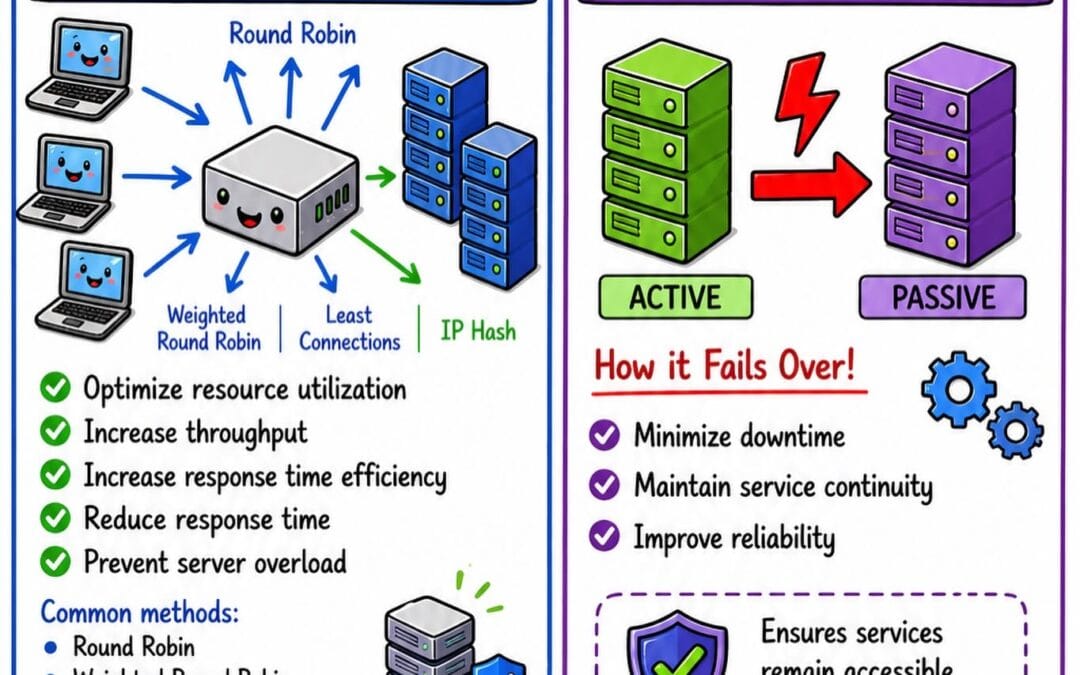
Queue mode is the key to scaling n8n cheaply because it separates workflow execution from the main application, letting you add lightweight worker processes instead of buying one expensive mega-server. Queue mode uses Redis (an in-memory data store acting as a message broker) to distribute jobs across multiple workers, so high-volume automation scales horizontally — typically the cheapest way to grow.
Without queue mode, n8n runs in “main mode,” executing everything in a single process. When execution volume spikes, that single process becomes a bottleneck, and your only option is vertical scaling — paying for a bigger, pricier server. Vertical scaling hits a cost wall fast, because per-core and per-GB pricing rises faster than the throughput you actually gain.
Queue mode flips the economics. You run one small main instance handling the editor and webhooks, plus several cheap worker instances pulling jobs from a Redis queue. Need more throughput? Spin up another small worker. The DEV Community guide by Sakibullah (April 2026) credits this architecture for letting businesses “dramatically reduce operating costs” while handling client-grade volume.
Illustrative scenario (composite, not a named client): consider an e-commerce operation running ~40,000 order-processing executions monthly on a single 8 GB server that frequently saturates during peak hours. Splitting that into one main node plus three small 2 GB workers can both lower the monthly server cost and reduce execution latency, because jobs run in parallel rather than queuing behind one process. The exact saving depends on your provider and payload size — the point is that horizontal splitting can improve both cost and performance, which is why queue mode is the central lever for reducing n8n self-hosting server costs at scale.
When to switch to queue mode
Use these thresholds as a starting decision aid, then validate against your own metrics:
- Below 5,000 executions/month: stay in main (regular) mode. Queue mode adds Redis overhead and operational complexity you do not need at this volume.
- 5,000–20,000 executions/month: consider queue mode if you observe execution backlogs, timeouts exceeding ~30 seconds, or sustained CPU above ~80% on the main instance.
- Above 20,000 executions/month: queue mode is effectively mandatory for cost-efficient scaling, preventing single-instance bottlenecks.
- Bursty workloads: queue mode smooths spikes by buffering jobs in Redis, letting workers process them as capacity frees up rather than overwhelming one process — so you size for average, not peak.
The core rule: switch to queue mode when execution volume, concurrency, or workflow duration cause your main instance to drop or delay jobs. After that, horizontal scaling through additional workers becomes roughly linear and predictable.
Worth noting the tradeoff: queue mode adds operational complexity. You now manage Redis, multiple containers, and worker health. For teams without DevOps depth, this is exactly where a managed partner — or a deliberate decision to stay in main mode longer — earns its keep.
How do you cut hidden n8n costs like database bloat and binary storage?
You cut hidden n8n costs by externalizing the database to managed Postgres, pruning execution logs aggressively, and offloading binary files to object storage like S3 — three moves that prevent the silent disk-bloat forcing premature, expensive server upgrades.
Database bloat is the most underestimated cost driver in self-hosted n8n. By default, n8n stores every execution’s full data in its database. A workflow firing 1,000 times daily with large payloads can grow your database by gigabytes per week. When the disk fills, you are forced to upgrade the entire server — even though CPU and RAM are fine. This is a storage problem masquerading as a compute problem.
The fix is configuration, not hardware. Set EXECUTIONS_DATA_PRUNE=true and configure EXECUTIONS_DATA_MAX_AGE to keep only recent execution history. Keeping 168 hours (7 days) instead of indefinite retention can shrink a heavily-logging database substantially. This is the “infrastructure efficiency” dimension that HostAdvice’s 2026 analysis names as the dominant factor in long-term hosting cost.
Three high-impact moves for controlling hidden costs:
- Use external Postgres: swap the default SQLite for managed Postgres so your database scales independently of your compute. A small managed Postgres plan often beats upgrading the whole server.
- Offload binary data: configure
N8N_DEFAULT_BINARY_DATA_MODE=filesystemor S3 so PDFs, images, and video do not bloat your database. - Prune ruthlessly: nobody audits 90-day-old successful executions. Keep failures longer (you need them for debugging), successes shorter.
Illustrative scenario (composite): a logistics operation about to upgrade to a ~$200/month server because their disk kept filling discovers the real culprit is many months of retained execution logs. Pruning to a 7-day window drops them back onto a small server — a large saving from a single config change, with no loss of operational capability. This pattern is common enough that disk-bloat should be the first thing you check before approving any “we need a bigger server” request. For how these savings compound against per-task SaaS pricing, see the broader cost framing in the J. SERVO automation cost breakdown.
Should you self-host n8n or hire a managed automation partner?
You should self-host n8n if you have in-house DevOps capacity and tolerance for maintenance; you should consider a managed partner if your team’s time is better spent on revenue than on Redis tuning. The break-even point is roughly when monthly maintenance labor exceeds the SaaS subscription you are avoiding.
Here is the math founders miss. Self-hosting saves you the $50–$1,800 cloud subscription. But if reducing n8n self-hosting server costs at scale requires 5 hours of monthly DevOps work at a $100/hour blended rate, that is $500 in labor — potentially erasing the savings on smaller setups. The infrastructure is cheap; the expertise is not. This is why the headline “up to 90%” figure from the DEV Community analysis (April 2026) is best read as a best case that holds when you already have the labor on hand and do not price it separately.
A useful way to frame the tradeoff: a $5 server that breaks at 2am and loses a day of order data is not cheap — it can be catastrophic. Deterministic reliability often matters more than the line-item on your hosting bill, particularly for revenue-critical workflows. The cost question and the reliability question are not the same question, and treating them as one is where self-hosting decisions most often go wrong.
The decision framework comes down to three questions. Do you have someone who can debug a Docker container? Can your business absorb a half-day of automation downtime? Is your team’s time genuinely worth more building product than babysitting infrastructure? Answer “no” to any, and managed hosting or a consulting partner is likely to pay for itself.
Northflank’s 2026 guide positions managed n8n deployment precisely for teams that want self-hosting’s data ownership without the operational burden — keeping the infrastructure savings and data sovereignty while someone else handles updates, scaling, and incident response. To see roughly where your own break-even lands by workflow volume and team size, the J. SERVO SME and startup guide works through the same variables.
A balanced verdict
Self-hosting versus managed services comes down largely to one variable: the value of your engineering hours. Pure self-hosting wins on raw infrastructure spend, making it the clear choice for technical teams who already manage servers daily and treat n8n as one more service among many. Managed services win on total cost of ownership when maintenance, patching, and incident response would otherwise consume meaningful engineering time.
The break-even point is measurable, not philosophical. If your team’s blended hourly rate is high and you would realistically spend more than a few hours monthly on upkeep, managed services frequently cost less overall once labor is priced in. Below that threshold, self-hosting usually wins outright. Downtime sharpens the calculation further: for a revenue-generating system, a single bad outage can erase a long stretch of “savings.” Neither option is universally correct — the right answer depends on what your hour is worth and how much a bad day of downtime would actually hurt.
Practical Takeaways: Your n8n Cost-Reduction Checklist
how to reduce n8n self-hosting server costs at scale plays a pivotal role in this context.
Reducing n8n cost at scale comes down to a handful of concrete actions you can execute this week, prioritized by impact:
- Right-size first: measure two weeks of usage, then size for real peak. Start at 2 vCPU / 4 GB and only grow on evidence.
- Enable data pruning: set
EXECUTIONS_DATA_PRUNE=truewith a 7-day retention window — often an immediate, large reduction in database storage. - Externalize Postgres: decouple database from compute so you scale each independently and avoid full-server upgrades driven by storage alone.
- Offload binary data to S3: stop PDFs and media from bloating your database.
- Switch to queue mode above ~20k executions: scale horizontally with cheap workers instead of one expensive box.
- Pick value VPS providers for steady workloads: providers like Hetzner and Contabo generally deliver more compute per dollar than premium clouds for predictable, non-bursty automation. Confirm current pricing and data-center location before committing.
- Automate updates and backups: minimize the labor tax that quietly dominates TCO on small deployments.
Combined, these actions commonly drive meaningful reductions in monthly n8n infrastructure spend without sacrificing reliability or throughput. As an illustrative target, a well-tuned SME running ~30,000 monthly executions can plausibly land in the $15–$30/month range all-in for infrastructure — versus hundreds on cloud SaaS — once labor is handled efficiently. The savings are largely a config file and a provider choice away; the discipline is in pricing the labor honestly alongside the server.
Frequently Asked Questions
How much can self-hosting n8n actually save versus n8n Cloud?
Self-hosting n8n can save up to 90% versus n8n Cloud, according to DEV Community analysis from April 2026. A self-hosted VPS runs roughly $5–$50/month per the r/n8n thread (May 2025), while comparable cloud tiers start near $50 and climb past $1,800. That 90% is a best case — real savings depend on factoring in maintenance labor, not just the server bill.
What server size do I need to self-host n8n at scale?
Many SMEs run fine on 2 vCPU and 4 GB RAM, handling thousands of executions daily. For high volume above ~20,000 monthly executions, use queue mode with multiple small workers rather than one large server. Right-sizing — measuring real usage before buying — prevents paying for idle capacity.
Does queue mode reduce n8n hosting costs?
Yes. Queue mode reduces n8n hosting costs by enabling horizontal scaling — you add cheap worker processes instead of buying one expensive high-spec server. Queue mode uses Redis to distribute jobs across workers, which can cut both cost and execution latency for high-volume automation. The exact reduction depends on your payload sizes and provider.
What hidden costs make n8n self-hosting more expensive than expected?
The hidden costs are maintenance labor (2–5 hours/month), database bloat from unpruned execution logs, and binary file storage filling your disk. Database bloat is the most common — unpruned logs can force a premature server upgrade. Setting 7-day data retention and offloading binaries to S3 prevents most of these surprises.
Should a startup self-host n8n or use a managed service?
A startup should self-host if it has DevOps capacity and can tolerate maintenance; otherwise a managed service or consulting partner is often more cost-effective once labor exceeds the SaaS fee avoided. The break-even hinges on what your team’s hourly time is worth versus the infrastructure savings.
The real question for 2026 is not whether to self-host n8n — it is whether you will capture the savings or quietly hand them back as DevOps overhead. Infrastructure has never been cheaper. The teams that win treat hosting decisions as ROI math — server cost plus labor plus downtime risk — rather than DevOps trivia.
Sources & References
- What are the true costs of self-hosting n8n? — r/n8n community thread (14 May 2025) — baseline $5–$50/month server-cost figure.
- How Self-Hosting n8n Can Slash Your Automation Costs by 90% — Sakibullah, DEV Community (16 Apr 2026) — up-to-90% savings claim and queue-mode cost argument.
- Cost Optimization for Long-Term n8n Hosting (2026) — HostAdvice — infrastructure efficiency and resource planning as the dominant long-term cost driver.
- How to self-host n8n: Setup, architecture, and pricing guide (2026) — Northflank — self-managed maintenance responsibilities and managed-deployment positioning.
Disclosure: J. SERVO has no affiliate relationship with, and received no compensation from, any hosting provider, platform, or source named in this article. Pricing figures are indicative and were checked against publicly available provider pricing pages as of June 2026; always verify current rates before budgeting.
Note: This article is for general informational purposes; verify specifics against your own context.