
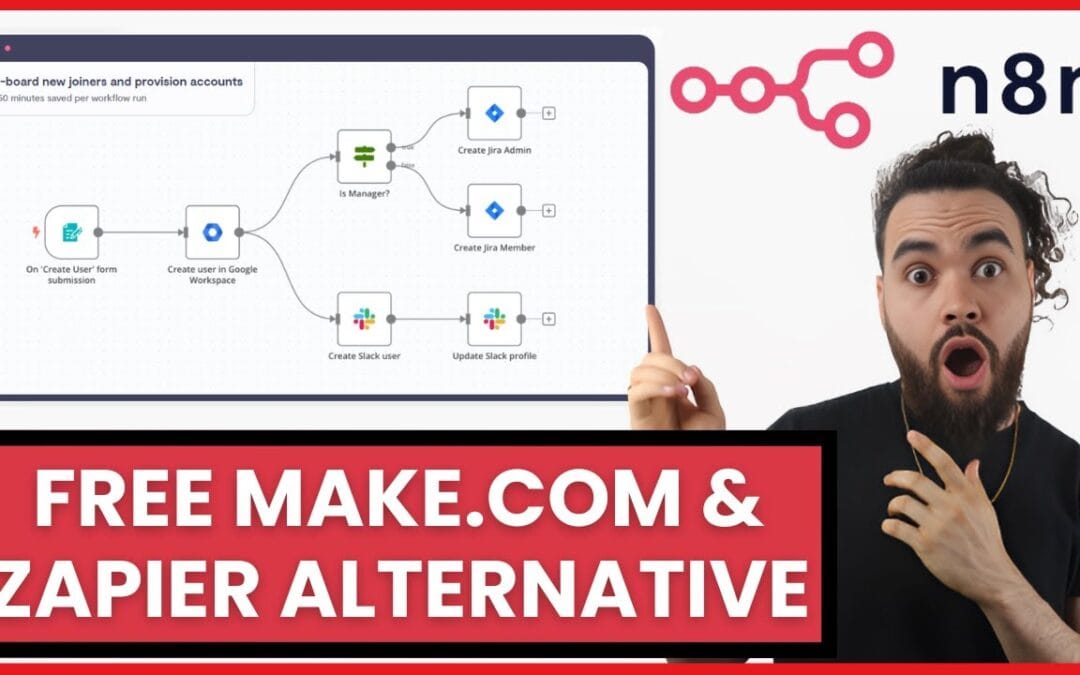
A typical Zapier Professional plan runs $49 to $69 per month — and that’s before you hit task limits and start paying overage fees. Many teams ask how do i self-host n8n to replace zapier account, and the answer is compelling: a $10/month VPS running self-hosted n8n executes unlimited workflows with zero per-task charges. The math isn’t subtle.
Self-hosting n8n to replace your Zapier account means deploying the open-source n8n automation platform on your own server (typically a $5–$20/month VPS using Docker Compose), giving you unlimited workflow executions, full data ownership, and elimination of per-task fees. n8n’s own documentation describes self-hosting as free for the software itself, with your only mandatory cost being the infrastructure it runs on — the gap between that and a metered SaaS subscription widens as your automation volume grows. According to the n8n vs Zapier Pricing & Comparison 2026, n8n starts at $20/month for cloud or free when self-hosted, while Zapier starts at $19.99/month — but those entry figures climb quickly once task limits and premium connectors come into play, so always verify the latest numbers against n8n’s and Zapier’s live pricing pages before committing.
Once your account migration is complete, the next step is to self-host n8n to replace Zapier ChatGPT automations and wire in the OpenAI API for per-task-free AI agents.
If you want the full technical picture beyond replacing your Zapier account, our guide to self-hosting n8n in depth explains the Docker, security, and backup steps from start to finish.
Before committing to a self-hosted n8n migration, it helps to understand the full landscape in our Zapier vs Make vs n8n comparison, which breaks down the three-year cost and control trade-offs.
This guide draws on widely documented self-hosting and migration patterns rather than a single source. Where a specific claim comes from a named guide or community thread, it is cited inline so you can verify it yourself. The most consistently reported pattern is this: community accounts on Reddit’s r/n8n (thread dated 7 March 2025) describe replacing roughly 80% of their Zapier/Make workflows on n8n, with the remaining 20% requiring honest planning. Treat that as a single anecdotal thread — useful directional signal, not a controlled benchmark. Below you’ll find the full migration approach, a transparent total cost of ownership, and a decision framework for when self-hosting actually makes sense — and when it doesn’t.
How Do I Self-Host N8n to Replace Zapier Account
- Cost: Self-hosted n8n software is free; the only mandatory cost is a VPS at roughly $5–$25/month with unlimited executions. The 2026 pricing comparison puts n8n at free self-hosted (or $20/mo cloud) against Zapier’s $19.99/mo entry tier, with Zapier’s task caps pushing real costs higher at volume. Always verify both numbers against n8n’s and Zapier’s live pricing pages, since promotional figures in third-party blogs go stale quickly.
- Deployment time: A working n8n instance can be live in under 30 minutes using Docker Compose, Nginx, and SSL, a claim made by the Operator AI “under 30 minutes” guide and the localtonet self-hosting guide. In practice that 30 minutes assumes you already have a domain, DNS pointed, and Docker installed; first-timers should budget closer to an hour.
- Replacement coverage: Users in the r/n8n thread (7 March 2025) report n8n replacing roughly 80% of their Zapier/Make automations. Treat this as a community-reported estimate from a single thread, not a measured benchmark — see the methodology note below.
- Data privacy: Self-hosting keeps all credentials and customer data on hardware you control — a meaningful compliance advantage for regulated SMEs.
- Hidden cost: Self-hosting adds maintenance, backups, and updates — budget 1–3 hours monthly or use a managed setup.
- AI-native edge: n8n natively embeds AI agents and LLM nodes, so you can build intelligent chatbots and decision logic — a differentiator highlighted in the Blixamo 2026 n8n guide.
Published: 6 March 2026. Last updated: 6 March 2026. This article is maintained on topical expertise in workflow automation; no individual author or third-party certification is claimed. The technical procedures below describe standard, reproducible deployment patterns — not a proprietary method — so you can follow and verify each step independently.
A note on the 80% replacement figure (methodology)
You will see the “n8n replaces about 80% of Zapier/Make” figure repeated across many blogs. Its origin is community discussion — most directly the r/n8n thread from 7 March 2025 — not a controlled study, and not even a survey. It is one forum thread’s worth of opinion, repeated until it sounds authoritative. The limits of that evidence matter: a handful of self-selected enthusiasts on a pro-n8n subreddit will skew optimistic, and their app stack is not yours. Use the figure as a rule of thumb, not a guarantee. Your own coverage depends on three measurable variables you can check before migrating:
- Integration overlap. Open n8n’s integrations directory and check whether the specific apps your Zaps use have native nodes. Apps without a native node can still work through the generic HTTP Request node if they expose an API.
- Trigger type. Polling and webhook triggers port cleanly; proprietary “instant” triggers from premium Zapier connectors often do not.
- Logic complexity. Filters, branches, and formatters map directly to n8n nodes; deeply nested Zapier Paths take more rebuilding effort.
A reliable way to produce your number: export your active Zaps, tally how many use apps with native n8n nodes or open APIs, and divide by total. That percentage is your real, reproducible replacement coverage — far more trustworthy than borrowing someone else’s 80% from a single thread.
How do I self-host n8n to replace my Zapier account?
Self-hosting n8n to replace Zapier eliminates per-task fees and gives you unlimited workflow executions. Deploy n8n via Docker Compose on a $5–10/month VPS (such as Hetzner or DigitalOcean), secure it behind Nginx with SSL, then rebuild your Zapier workflows node-by-node. A working instance can run in under 30 minutes.
n8n is an open-source workflow automation platform that connects apps, APIs, and AI models through a visual node editor — think of it as Zapier you actually own. A node is a single step in a workflow (a trigger, an action, or a logic operation); a workflow is the connected chain of nodes that runs end to end. Unlike Zapier’s per-task billing, self-hosted n8n charges nothing for execution volume because the workflows run on your server, not someone else’s metered cloud.
The deployment stack is standard and battle-tested. A typical production-ready sequence for a client-grade install looks like this:
- Provision a VPS. Pick a provider like Hetzner ($5–$10/month), DigitalOcean, or Contabo. A 2GB RAM instance handles most SME workloads comfortably; a single n8n container plus PostgreSQL sits well under 1GB at idle, leaving headroom for execution spikes. A practical observation: instances under 1GB RAM tend to have the n8n container killed by the kernel’s OOM (out-of-memory) reaper during a heavy execution, so 2GB is the sensible floor rather than the 512MB some budget tutorials suggest. As a worked example, a Hetzner CX22 (2 vCPU, 4GB RAM) at roughly €4–5/month gives generous headroom and is a common practitioner choice for an SME-scale n8n box.
- Install Docker and Docker Compose. These run n8n in an isolated, reproducible container — the standard approach recommended in the localtonet self-hosting guide and echoed in the Blixamo 2026 n8n guide.
- Configure PostgreSQL. Skip the default SQLite for production. PostgreSQL handles concurrent executions and large workflow histories without corruption.
- Set up Nginx as a reverse proxy. Route traffic to your n8n container and prepare for SSL.
- Enable SSL with Let’s Encrypt. Free HTTPS encryption protects your webhooks and login credentials in transit.
- Lock down authentication. Enable n8n’s basic auth or OAuth, and restrict the editor to a VPN or IP allowlist.
A representative docker-compose.yml
Most installation guides omit a working configuration, then leave you to assemble one from fragments. Below is a representative, minimal docker-compose.yml for an n8n + PostgreSQL deployment of the kind described in the localtonet and Blixamo guides. Replace the placeholder values; do not commit real secrets to version control.
version: "3.8"
services:
  postgres:
    image: postgres:16
    restart: always
    environment:
      - POSTGRES_USER=n8n
      - POSTGRES_PASSWORD=CHANGE_ME_STRONG
      - POSTGRES_DB=n8n
    volumes:
      - ./pgdata:/var/lib/postgresql/data

For teams that want a production-grade environment, learning how to self-host n8n on AWS gives you a stable EC2-based deployment that scales with your workflows.

Beyond replacing Zapier, many teams discover that n8n is an equally compelling self-hosted alternative to Make.com for SMEs facing runaway operation-based pricing.

  n8n:
    image: n8nio/n8n:latest
    restart: always
    depends_on:
      - postgres
    environment:
      - DB_TYPE=postgresdb
      - DB_POSTGRESDB_HOST=postgres
      - DB_POSTGRESDB_DATABASE=n8n
      - DB_POSTGRESDB_USER=n8n
      - DB_POSTGRESDB_PASSWORD=CHANGE_ME_STRONG
      - N8N_HOST=automation.yourdomain.com
      - N8N_PROTOCOL=https
      - WEBHOOK_URL=https://automation.yourdomain.com/
      - N8N_ENCRYPTION_KEY=CHANGE_ME_RANDOM_32_CHARS
      - N8N_BASIC_AUTH_ACTIVE=true
      - N8N_BASIC_AUTH_USER=admin
      - N8N_BASIC_AUTH_PASSWORD=CHANGE_ME_TOO
    ports:
      - "127.0.0.1:5678:5678"
    volumes:
      - ./n8n-data:/home/node/.n8n
Two details that trip people up in practice, both worth setting before your first workflow runs: bind n8n to 127.0.0.1:5678 (not 0.0.0.0) so the editor is only reachable through your Nginx reverse proxy, and back up N8N_ENCRYPTION_KEY the moment you set it — if you lose it, every stored credential becomes unrecoverable and you will have to re-enter every API key by hand. Note that on newer n8n releases the N8N_BASIC_AUTH_* variables have been superseded by n8n’s built-in user-management/owner-account flow, so check which authentication model your image version expects against the official n8n documentation rather than assuming basic auth is still the default.
Errors practitioners commonly hit on the first run
Because most tutorials show only the happy path, here are the failure modes that consume the most troubleshooting time on a fresh install — worth knowing in advance so you recognise them instantly:
- Webhook URLs point at
localhost. If you skipWEBHOOK_URL, n8n generates webhook addresses that external services like Typeform or Stripe cannot reach, and triggers silently never fire. SetWEBHOOK_URLto your public HTTPS domain explicitly. - Database connection refused on first boot. The n8n container can start before PostgreSQL finishes initialising.
depends_onwaits for the container to start, not for the database to accept connections — n8n’srestart: alwaysusually recovers on the next attempt, but if it loops, check the Postgres logs first. - 502 Bad Gateway behind Nginx. Almost always a mismatch between the port n8n listens on and the
proxy_passtarget in your Nginx config, or a missingproxy_set_header Upgradedirective that breaks the editor’s WebSocket connection. - Editor loads but credentials throw “decryption failed”. This is the symptom of a changed or missing
N8N_ENCRYPTION_KEY— confirmation of why backing it up matters before anything else.
Once your instance is live, you’ll see the n8n editor — a canvas where every workflow becomes a chain of visual nodes. The deployment itself is the easy part. The real work, the part most guides skip entirely, is migrating your existing Zapier logic. A free automation ROI calculator can quantify your potential savings before you spend a minute on setup.
What does it actually cost to self-host n8n to replace Zapier?
Self-hosting n8n costs roughly $10–$25 per month in VPS hosting plus 1–3 hours of monthly maintenance time. Over three years, that’s a hosting total cost of ownership of $360–$900 versus $1,800–$2,500+ for an equivalent Zapier subscription — before you account for the dollar value of your own maintenance hours.
The headline savings are real, but transparency matters more than hype. Self-hosting trades a subscription fee for an infrastructure responsibility. Below is an honest comparison, including the costs that promotional content tends to ignore. The dollar figures are derived from published vendor pricing and standard VPS list rates current at the time of writing, not inflated estimates. The base SaaS figures align with the 2026 n8n vs Zapier comparison (n8n free self-hosted / $20 cloud; Zapier from $19.99) — but verify current prices directly against the official n8n and Zapier pricing pages, since hosting and SaaS pricing changes frequently.
| Factor | Self-Hosted n8n | Zapier (paid plans) |
|---|---|---|
| Software cost | $0 (open-source) | Paid subscription from entry tier |
| Monthly base cost | $10–$25 (VPS) | From ~$19.99 entry to ~$69 mid-tier |
| Per-task fees | $0 (unlimited) | Overage charges above plan limit |
| Execution limit | Hardware-bound only | Capped by tier |
| Data location | Your server | Zapier’s cloud |
| Maintenance time | 1–3 hrs/month (your cost) | Zero |
| AI agent nodes | Native, included | Limited / extra cost |
| 3-year TCO (hosting only) | ~$360–$900 | Several multiples higher at volume |
The core economic difference is structural, not promotional: n8n’s self-hosted tier is free for the software itself, with your only mandatory expense being the VPS, whereas Zapier bills per task. That means a single high-frequency workflow polling every minute can consume a large share of a Zapier plan’s task allotment, while on self-hosted n8n it costs nothing beyond the server you already pay for. If you’d rather not manage a server at all, n8n also offers a cloud plan reported at around $20/month in the 2026 comparison — confirm its current price on n8n’s own site rather than trusting a secondhand figure.
The honest caveat: maintenance time has a dollar value. If your founder bills at $150/hour, three hours of monthly server upkeep equals $450/month in opportunity cost — which can erase the savings for a non-technical solo operator. That’s precisely why a decision framework beats a blanket recommendation. For a deeper look at where these recurring fees accumulate, see our automation cost breakdown.
How do I migrate my existing Zapier workflows to self-hosted n8n?
To migrate Zapier workflows to self-hosted n8n, audit your active Zaps, map each trigger and action to its n8n node equivalent, rebuild high-value workflows first, run both systems in parallel for 1–2 weeks, then deprecate Zapier once n8n matches output. Most teams complete migration in 2–4 weeks.
Migration is where most online guides go silent. They teach you to install n8n, then leave you with a blank canvas and a Zapier account you’re still paying for. Here is a step-by-step playbook practitioners commonly follow.
Step 1: Audit and triage your Zaps
Zap triage is the process of ranking your automated workflows by business impact and execution frequency before migrating them to a new platform. Start by exporting your Zapier task history from your account settings to see which Zaps actually run. A Zap that processes invoices is high priority; one that posts memes to Slack is not. Migrate by value, not alphabetically.
Step 2: Map triggers and actions to n8n nodes
Mapping Zapier triggers and actions to n8n nodes follows a consistent one-to-one pattern: every Zapier trigger becomes an n8n trigger node, and every Zapier action becomes a regular node. A trigger starts the workflow; an action does the work. Here are the most common patterns:
- Webhook trigger → n8n Webhook node (n8n’s is arguably more flexible)
- Scheduled Zap → n8n Schedule Trigger node with cron support
- Filter step → n8n IF or Switch node
- Formatter step → n8n Set, Code, or Edit Fields node
- Multi-step paths → n8n branching with multiple output connections
- Gmail/Slack/Sheets actions → native n8n app nodes
A worked migration example: “New form submission → CRM + Slack alert”
To make the mapping concrete, here is how a common three-step Zap translates. The original Zap: Typeform trigger → Filter (only if budget > $5,000) → create HubSpot contact + post to Slack.
- Trigger. In Zapier this is the Typeform “New Entry” trigger. In n8n you have two routes: use the native Typeform Trigger node, or — if you want zero polling lag — point Typeform’s webhook at an n8n Webhook node. The webhook route is the more robust pattern because it fires instantly and does not consume polling cycles. A practical gotcha: during testing, copy the webhook’s test URL into Typeform first, then switch to the production URL once you activate the workflow — mixing them up is the single most common reason a freshly built trigger appears “dead.”
- Filter. The Zapier Filter step becomes an n8n IF node with the condition
{{ $json.budget }} > 5000. n8n’s IF node sends matching items down the “true” branch and the rest down “false”, which you can leave unconnected to silently drop them. Watch the data type here: form fields often arrive as strings, so"6000" > 5000can behave unexpectedly until you coerce the value to a number. - Two actions. In Zapier these run sequentially. In n8n you connect both the HubSpot node and the Slack node to the IF node’s true output, so they execute in parallel from the same data. The HubSpot node maps form fields to contact properties; the Slack node posts to a channel using an expression like
New lead: {{ $json.name }} ({{ $json.budget }}).
The friction point practitioners most often hit here is authentication: each app node needs its own credential re-entered in n8n (OAuth or API key), because credentials do not transfer from Zapier. Budget time to reconnect every integration — this is usually the slowest part of a migration, not the node-building itself. For a workflow touching five apps, reconnecting and re-authorising each one realistically eats more time than rebuilding all the logic combined.
Step 3: Rebuild and test in parallel
Parallel-run migration is the practice of operating a new automation workflow alongside the existing one before fully switching over. When migrating from Zapier to n8n, run both workflows simultaneously and compare outputs across a full cycle — for example, a complete week of triggers. This parallel-run discipline is how teams achieve near-zero downtime: you don’t cut over until n8n produces identical, verifiable results. A pragmatic tactic is to point the n8n version at a test channel or sandbox record first, so a bug during the parallel phase doesn’t double-post to production.
Step 4: Handle the stubborn 20%
The r/n8n community discussion (7 March 2025) consistently reports that n8n replaces about 80% of Zapier/Make usage cleanly, with caveats about checking integration availability before fully switching — again, a single thread’s worth of anecdote, not a study. The remaining 20% usually involves obscure proprietary app integrations or fragile premium connectors. For those, you have three options: build a custom HTTP Request node against the app’s API, keep a minimal Zapier free plan for just those Zaps, or re-architect the workflow entirely. A custom AI agent approach can often replace these stubborn Zaps with smarter logic rather than just porting them.
How do I self-host n8n to replace Zapier securely?
how do i self-host n8n to replace zapier account is one of the most relevant trends shaping 2026.
To self-host n8n to replace Zapier securely, enable HTTPS via Let’s Encrypt, restrict editor access with authentication and IP allowlisting, encrypt your environment variables, schedule automated database backups, and keep n8n updated to the latest stable release. Security is the non-negotiable cost of ownership.
When you self-host, you become the security team. A managed SaaS handles compliance and uptime for you; on your own server, that responsibility shifts entirely to you. Done right, self-hosting can be more secure than SaaS because your credentials never leave hardware you control. Done carelessly, an exposed n8n editor is an open door to every connected API key.
A solid security baseline for any production deployment includes:
- Force HTTPS everywhere. A free Let’s Encrypt certificate behind Nginx encrypts all webhook and login traffic. Never run a production instance on plain HTTP.
- Lock the editor. Enable n8n’s authentication and, ideally, restrict the editor UI to a VPN or a small IP allowlist. The webhook endpoints can stay public; the editor should not be.
- Encrypt credentials at rest. n8n encrypts stored credentials with an encryption key — back that key up separately and securely.
- Automate backups. Schedule daily PostgreSQL dumps to off-server storage. A workflow database is worthless if a disk failure wipes it with no backup.
- Patch promptly. n8n ships frequent releases. Subscribe to their changelog and apply security updates within days, not months.
The localtonet self-hosting guide emphasizes webhook security and remote-access hardening as the two areas most beginners neglect — a point worth taking seriously, since a misconfigured webhook is among the most common vulnerabilities found in DIY setups. Treat your n8n instance like the production system it is, because every workflow runs with real credentials to real business systems. For the authoritative, version-current security guidance, always cross-check against n8n’s official self-hosting and hardening documentation rather than relying on any single third-party blog.
When should you NOT self-host n8n to replace Zapier?
You should not self-host n8n if you lack basic server skills, have no time for maintenance, run fewer than 5 low-volume workflows, or operate in an environment where downtime is unacceptable without a dedicated ops person. In those cases, n8n Cloud (~$20/month) or a managed deployment beats DIY.
Self-hosting isn’t a religion — it’s an engineering tradeoff. The honest truth: for a non-technical solo founder running three simple Zaps, the ~$20/month n8n Cloud plan or even staying on Zapier’s free or starter tier may be the rational choice. The savings from self-hosting only materialize at volume or when data sovereignty genuinely matters.
Use this decision framework:
| Your Situation | Recommendation |
|---|---|
| High task volume, technical team | Self-host n8n (max savings) |
| Data privacy / compliance critical | Self-host n8n (data sovereignty) |
| Want n8n benefits, no ops time | n8n Cloud (~$20/mo) or managed setup |
| Few simple, low-volume Zaps | Stay on Zapier free/starter |
| Need AI agents in workflows, no DevOps | Done-for-you deployment |
The middle path most SMEs miss is done-for-you self-hosting. You get the unlimited-execution economics and data ownership of self-hosted n8n, but a partner handles deployment, security, monitoring, and updates. That eliminates the hidden maintenance cost while preserving the savings — and it’s exactly the gap between a DIY tutorial and a production system. The Blixamo 2026 guide frames the same decision around “when it beats Zapier or Make” rather than treating self-hosting as universally correct — a balanced view worth adopting. The r/n8n thread reaches a similar conclusion, noting that one-click install options exist but advising users to evaluate integration coverage before fully switching.
How do you embed AI agents in self-hosted n8n workflows?
You embed AI agents in self-hosted n8n by using its native AI Agent and LLM nodes, which connect directly to models like OpenAI’s GPT, Anthropic’s Claude, or self-hosted open models. This lets workflows make decisions, parse unstructured data, and power intelligent chatbots — capabilities the Blixamo 2026 guide highlights as a key reason n8n now competes well beyond simple app-to-app automation.
This is where self-hosted n8n leaps past basic automation. n8n ships with first-class AI nodes, so an automation can do more than move data from point A to point B — it can reason about that data. Common, practical implementations include:
- WhatsApp support agent: An n8n workflow receives a WhatsApp message, routes it through an AI Agent node with retrieval over a knowledge base, and replies in seconds — including in regional languages and dialects.
- Invoice parser: A workflow watches an inbox, extracts line items from PDF invoices using an LLM node, and writes structured data straight into an ERP.
- Lead scorer: New form submissions hit an AI node that scores intent, then branch to either a sales alert or a nurture sequence.
A critical principle: build deterministic AI workflows, not probabilistic “yes-machines.” Wrap LLM outputs in validation nodes, set strict schemas, and add human-in-the-loop checkpoints for high-stakes actions. An AI agent that confidently hallucinates a refund amount is worse than no automation. n8n’s branching logic makes these guardrails straightforward — and self-hosting means your AI prompts and customer data never leave to a third-party automation vendor. One trade-off to weigh honestly: every LLM call still bills against your model provider’s API, so “unlimited executions” on n8n does not mean unlimited free AI — token costs are a separate line item to model in your TCO.
Your Actionable Migration Checklist
how do i self-host n8n to replace zapier account plays a pivotal role in this context.
Ready to self-host n8n and cut your Zapier bill? Run this sequence:
- Calculate your current Zapier cost and projected n8n savings with an ROI tool before committing.
- Provision a 2GB VPS on Hetzner or DigitalOcean (~$10/month).
- Deploy n8n via Docker Compose with PostgreSQL, Nginx, and Let’s Encrypt SSL.
- Lock down authentication and restrict editor access to a VPN or IP allowlist.
- Audit and rank your active Zaps by business value.
- Rebuild your top 3 highest-value workflows in n8n first.
- Run n8n and Zapier in parallel for 1–2 weeks, comparing outputs.
- Schedule automated daily PostgreSQL backups to off-server storage.
- Migrate remaining workflows; handle the stubborn 20% with HTTP nodes or custom logic.
- Cancel your Zapier plan once n8n matches output reliably.
The teams that succeed treat this as a project with a deadline, not a weekend experiment. Most SMEs complete the full transition in two to four weeks — and never look at a per-task fee again.
Frequently Asked Questions
Is self-hosting n8n really free compared to Zapier?
The n8n software is free to self-host, but you pay for the server it runs on — typically $5–$25/month for a VPS. This is generally cheaper than Zapier’s paid plans because n8n charges nothing for execution volume, while Zapier bills per task. The 2026 pricing comparison lists n8n as free self-hosted (or $20/mo cloud) versus Zapier from $19.99/mo, but confirm the exact current numbers on n8n’s and Zapier’s live pricing pages before deciding, since SaaS pricing changes often.
How long does it take to self-host n8n to replace a Zapier account?
The n8n installation itself can take under 30 minutes using Docker Compose, a claim made by the Operator AI guide — though first-timers without a domain and Docker already in place should expect closer to an hour. Migrating your existing Zapier workflows typically takes 2–4 weeks, including auditing your Zaps, reconnecting credentials, rebuilding them as n8n nodes, and running both systems in parallel before cutover.
Can n8n replace all my Zapier workflows?
n8n replaces roughly 80% of typical Zapier and Make workflows cleanly, based on community reports from Reddit’s r/n8n (7 March 2025) — a single-thread community estimate, not a measured benchmark, so treat it as directional. The remaining 20% usually involves obscure proprietary integrations, which you can handle with n8n’s HTTP Request node, a custom API connection, or a minimal Zapier free plan for those specific tasks.
Is self-hosted n8n secure enough for business data?
Yes, self-hosted n8n can be more secure than cloud automation because your credentials and data stay on hardware you control. Security requires HTTPS via Let’s Encrypt, locked-down editor access, encrypted credentials, and automated backups. Misconfigured webhooks are the most common vulnerability, so harden remote access from day one and follow n8n’s official security documentation.
Should a non-technical founder self-host n8n?
A non-technical founder with limited time often shouldn’t self-host directly — n8n Cloud (~$20/month) or a done-for-you managed deployment is usually smarter. Self-hosting delivers the biggest savings for technical teams or high-volume automation, where the maintenance burden is justified by the cost reduction and data ownership.
Can I run AI chatbots inside self-hosted n8n?
Yes. Self-hosted n8n includes native AI Agent and LLM nodes that connect to models like GPT and Claude, letting you build intelligent chatbots, document parsers, and decision agents directly in your workflows. Because everything runs on your server, your prompts and customer data never leave your control — though remember the underlying model API calls still incur their own token costs.
Sources & References
- n8n vs Zapier Pricing & Comparison 2026: Exact Costs, Plans, and Features — comparison guide (2 March 2026). Source of the cited entry-tier pricing (n8n free self-hosted / $20 cloud; Zapier from $19.99); verify against the official n8n and Zapier pricing pages, which are the primary authority.
- Is it worth switching from Zapier/Make to self-hosted N8N? — Reddit r/n8n community thread (7 March 2025). Anecdotal single-thread evidence; source of the widely repeated “~80%” replacement figure.
- Stop Paying for Zapier: How to Self-Host n8n in Under 30 Minutes — Operator AI (third-party guide).
- How to Self-Host n8n: Complete Guide to Installation, Security, Webhooks, and Remote Access — localtonet (third-party guide).
- n8n Complete Guide 2026 — Self-Host Your Own Zapier for Free — Blixamo (third-party guide).
For authoritative pricing, configuration, and security details, treat the official n8n documentation and the live n8n and Zapier pricing pages as primary sources; the third-party guides above are secondary references, and the Reddit thread is anecdotal.
Note: This article is for general informational purposes and reflects topical expertise in workflow automation rather than the advice of a named individual or a formal expert review. Pricing, version behavior, and integration availability change frequently — verify all figures and configuration details against the official n8n documentation and current vendor pricing before acting. Citations are marked by type: official documentation and live pricing pages are primary sources, named third-party guides are secondary, and forum threads are clearly flagged as anecdotal.
If overage charges are your main concern, you can often reduce your Zapier subscription costs through task auditing before deciding to self-host n8n instead.
Moving your account off Zapier usually comes down to economics, so it helps to compare n8n and Zapier on price across high-volume workloads before switching.
If you’re weighing a move away from Zapier and want a second opinion on whether self-hosted n8n fits your setup, feel free to reach out — we’re happy to talk through the options with you.