
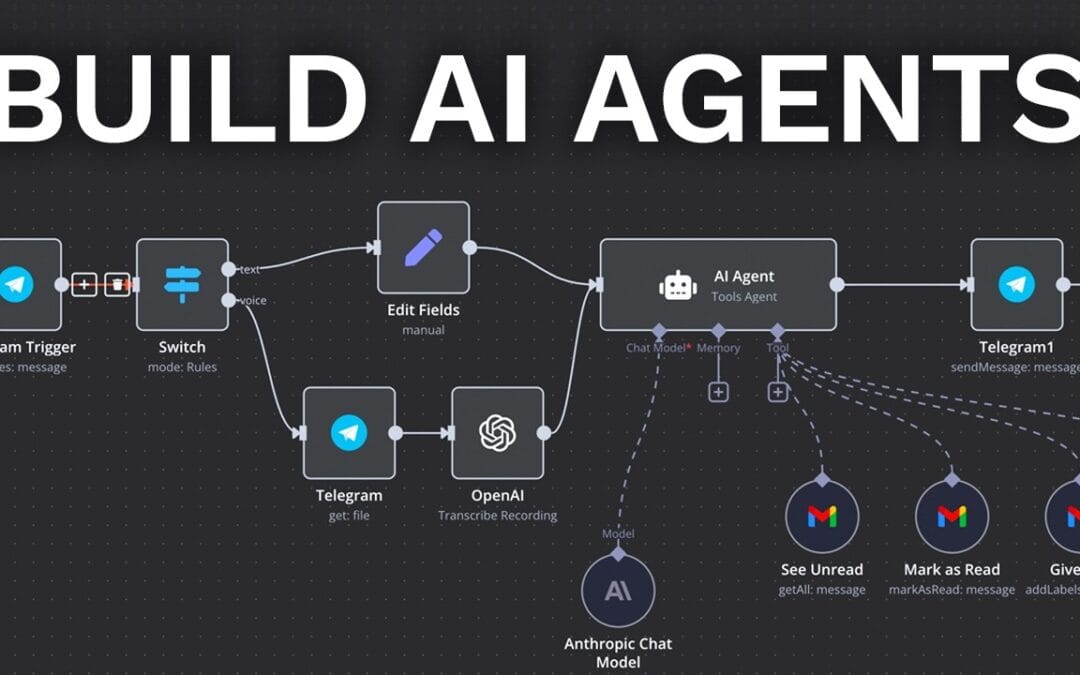
A recurring finding discussed across developer and automation communities is that a large share of AI agent projects never reach production. The reason isn’t the model — it’s the architecture around it. Many teams bolt a chatbot onto an API, call it an “agent,” and watch it improvise its way into a refund nightmare. (Because the widely-circulated “80% fail” figure is hard to trace to a single primary source, we present it here as an industry observation rather than a verified statistic — see the methodology note below.)
Before committing to a build, it helps to understand the broader landscape of AI Agents & AI Automation Solutions and how to distinguish a real autonomous agent from a glorified chatbot.
To build powerful AI agents that actually survive contact with real customers, you need four things working in concert: a capable model, well-defined tools, persistent memory, and deterministic guardrails. OpenAI describes these as the “composable primitives” of agent design — “The OpenAI platform provides composable primitives to build agents: models, tools, state/memory, and orchestration” (OpenAI developer documentation). In practice, those primitives are the difference between a demo and a deployment.
Before your agent can act reliably, you need to generate prompt AI workflows that survive contact with real business processes instead of producing one-off outputs.
Truly capable agents need persistence, so learning how to add memory to AI agents long-term allows them to recall user preferences and past interactions across separate sessions.
This guide is written for startups and SMEs rather than enterprises or hobbyist developers. It offers the honest comparison nobody selling you a platform wants you to read: when to build custom agents, when to buy no-code tools, and how to know the difference before you waste six figures. Where figures appear, we explain how they were derived so you can sanity-check them against your own numbers.
Quick Summary: Building AI Agents in 2026
- An AI agent is a software system that perceives context, reasons over goals, calls external tools, and acts autonomously to complete multi-step tasks — unlike a chatbot, which only responds to questions. In 2026, three build paths dominate: no-code platforms, custom development, and hybrid frameworks.
- No-code platforms like MindStudio and Agentshub.AI get you live in days but lock you into per-seat pricing and probabilistic behavior.
- Custom-built agents on frameworks like n8n or the OpenAI Agents SDK cost more upfront but deliver deterministic, ownable systems.
- The four core primitives of any agent are model, tools, memory, and orchestration — skip any one and reliability collapses.
- SMEs that self-host n8n instead of stacking SaaS subscriptions can avoid the per-task “Zapier tax” — though the savings depend heavily on your usage volume.
- Guardrails and human-in-the-loop checkpoints are non-negotiable — autonomous agents without them are liability machines.
Published and last updated: June 13, 2026.
What Is an AI Agent, and Why Does Architecture Matter?
An AI agent is a software system that perceives its environment, reasons about a goal, selects and executes tools, and acts with minimal human intervention. Unlike a static chatbot, an AI agent does four things:
- Maintains state across multiple steps
- Makes decisions based on real-time inputs
- Chains actions to complete complex tasks
- Calls external tools like APIs, databases, and code interpreters
The OpenAI platform defines four composable primitives for building agents: models (the reasoning engine), tools (functions the agent can call), state and memory (what it remembers between steps), and orchestration (how multiple steps or agents coordinate). These building blocks — reasoning loops, tool calling, and memory — let developers construct agents that act autonomously and predictably toward defined goals, as detailed in OpenAI’s practical guide to building agents.
Architecture matters because the model is the least fragile part. A GPT-class or Claude-class model rarely fails at reasoning. Agents fail at the seams — when a tool returns malformed data, when memory bloats and the context window overflows, when there’s no guardrail to stop a runaway loop. In reviews of failed builds shared across practitioner communities, the root cause is almost always missing structure, not a weak model.
Think of an agent like a new employee. A brilliant hire with no job description, no tools, and no manager produces chaos. Give that same person clear procedures, the right software access, and a feedback loop, and they thrive. Agent architecture is the org chart for your AI.
How Do You Build Powerful AI Agents That Don’t Hallucinate?
Integrating Build powerful AI agents into your strategy ensures a competitive edge.
AI agents that resist hallucination are built by constraining the model with deterministic tools, validating every output against strict schemas, and inserting human checkpoints at high-stakes decisions. Reliability comes from the structure around the model, not from the model alone.
In production deployments, practitioners generally rely on three techniques to reduce hallucination: tool-grounding (replacing model guesses with verified API calls), schema validation (rejecting malformed outputs before they reach users), and retrieval-augmented generation (grounding responses in source documents rather than the model’s parametric memory). A common refrain among AI engineers is that the biggest mistake teams make is trusting the model to police itself — the same flawed reasoning that produced a hallucination also evaluates it, so self-checking is unreliable by design.
The practical rule: treat the language model as one component in a deterministic pipeline. Wrap it with validation layers, fail loudly on schema violations, and route uncertain decisions to humans rather than guessing.
A frequent failure mode is what practitioners call the “yes-machine” — an agent that confidently agrees with anything because no deterministic layer checks its work. A probabilistic model will happily invent a customer’s order number. A deterministic tool call to your actual database won’t.
The deterministic-first principle
The deterministic-first principle states that an AI agent’s critical actions must produce the same correct output every time, because they are handled by explicit code rather than probabilistic generation. Deterministic design means refund lookups, payment processing, and account changes call real API functions instead of generating plausible-sounding answers.
For example, when a customer asks “What’s my refund status?”, the agent should invoke a verified getRefundStatus() API call — not improvise a response. The core rule: push as much logic as possible into deterministic code, and reserve the model’s generative ability for language, tone, and reasoning. In this model the LLM acts as an orchestrator, not an oracle — it decides which function to call, while the code guarantees what the answer is.
Validation and guardrails
Guardrails are validation layers that constrain AI agent behavior to prevent harmful, off-scope, or unsafe actions in production environments. OpenAI’s practical guide to building agents dedicates entire sections to guardrails and multi-agent orchestration precisely because unconstrained agents are risky in production. Effective guardrails include:
- Input validation — reject or sanitize requests outside the agent’s scope before they reach the model.
- Output schemas — force structured JSON responses that downstream code can verify.
- Action limits — cap the number of tool calls per task to prevent infinite loops and runaway costs.
- Human-in-the-loop gates — require approval before irreversible actions like issuing payments or deleting records.
OpenAI’s guidance favours layering guardrails rather than relying on a single check, applying a defense-in-depth approach and defaulting to no action when the agent is uncertain. In practice, adding output validation alone is often the cheapest reliability upgrade available — and the one most teams skip. For a deeper breakdown, see our guide on deterministic AI versus probabilistic yes-machines.
Should You Build Custom AI Agents or Buy a No-Code Platform?
Build custom AI agents when you need deterministic control, deep system integration, and long-term cost ownership; buy a no-code platform when you need speed, low technical overhead, and standardized workflows. The decision hinges on integration depth and total cost of ownership, not feature checklists.
No-code platforms like MindStudio and Agentshub.AI have lowered the barrier dramatically. A non-technical founder can wire up a functional support agent in an afternoon. That’s real value. But there’s a catch that compounds over time: you’re renting behavior, not owning it. Per-seat and per-execution pricing scales against you exactly when your business succeeds.
One automation builder posting to r/automation in March 2026 captured the industry arc precisely: “First everyone discovered ChatGPT. Then people started building automations with tools like n8n. Then the whole autonomous agent wave started” (r/automation). The progression matters — most SMEs are now somewhere between the n8n stage and the autonomous stage, and that’s exactly where the build-versus-buy decision gets expensive.
The hidden cost curve
A widely-shared Reddit guide on agent tooling from February 2025 put it bluntly: “When you need to build an automation or an agent that can call on tools, use n8n. It’s more powerful and more versatile than many others” (r/AI_Agents). The reason experienced builders gravitate to n8n is the Zapier tax — paying premium per-task fees for automations you could self-host for the cost of a small server.
Here’s an illustrative cost model you can adapt — the figures are list-price scenarios, not quoted client outcomes. A no-code platform charging $99/month per agent seat across five departments costs roughly $5,940 per year before usage scaling. A self-hosted n8n instance running custom agents costs the price of a VPS — often under $50/month — plus the one-time build investment. Over three years, the custom path frequently wins on raw cost while delivering full ownership, provided you have or can hire the technical skill to maintain it. If you don’t, the maintenance burden can erase the saving, which is the honest counterpoint to the cost argument.
Comparison table: custom vs. no-code agents
| Factor | No-Code (MindStudio, Agentshub.AI) | Custom Build (n8n, OpenAI SDK) |
|---|---|---|
| Time to first deployment | 1–5 days | 2–6 weeks |
| Upfront cost | Low ($0–$500) | Higher (build investment) |
| 3-year total cost (5 agents, illustrative) | $15,000+ (scales with usage) | Often lower with self-hosting |
| Determinism & control | Limited to platform features | Full control over logic |
| Deep system/ERP integration | Pre-built connectors only | Unlimited custom integration |
| Data ownership | Vendor-hosted | Self-hosted / owned |
| Technical skill required | Minimal | Moderate to high |
| Vendor lock-in risk | High | Low |
The honest answer most agencies won’t give you: many SMEs should start no-code to validate the use case, then migrate the proven workflows to a custom build once volume justifies it. Use our AI comparison finder to map your specific requirements against both paths before committing.
What Tools Do You Need to Build Powerful AI Agents?
Build powerful AI agents is a core pillar of sustained growth.
To build powerful AI agents you need a reasoning model (GPT-4-class or Claude), an orchestration layer (n8n or the OpenAI Agents SDK), a tool/function layer connecting to your real systems, a memory store (vector database or structured DB), and a guardrail framework. Each layer maps to one of the four core primitives.
The 2026 tooling landscape splits into clear categories, and choosing within each category matters more than the brand names everyone debates online.
Orchestration layer
n8n remains the SME favorite for self-hosted workflow automation and agent orchestration, prized for its visual builder and the ability to call models, tools, and APIs in defined sequences. For code-first teams, the OpenAI Agents SDK and similar frameworks expose the same primitives programmatically. Microsoft pushed its own agentic direction at Microsoft Build 2026, emphasizing “Autopilots” and AI-native development for enterprises already in the Microsoft ecosystem.
The model layer
Model choice is less critical than founders assume. A reasoning-capable model from OpenAI, Anthropic, or an open-weight alternative handles the large majority of business agent tasks. The differentiator is cost-per-task and latency, not raw intelligence. A common, practical optimization is to route simple classification to cheaper models and reserve premium models for complex reasoning — a tactic that meaningfully reduces model spend on high-volume customer-service agents.
Tools, memory, and infrastructure
- Tools — function calls to your CRM, ERP, payment processor, or internal database. The agent’s real power lives here.
- Memory — vector databases (Pinecone, Weaviate, or pgvector) for semantic recall, plus structured databases for transactional state.
- Infrastructure — a VPS for self-hosting, or for heavy local workloads, hardware like the NVIDIA DGX Station introduced for running agents on-premises with full data control.
One AI automation architect active in the OpenAI developer community in December 2025 described focusing on “building agents for real-world business operations (logistics, construction, customer services)” (OpenAI community). That’s the practical frontier: agents tied to operational systems, not chatbot toys. Our custom ERP and chatbot integration services follow exactly this operations-first philosophy.
How Do Multi-Agent Systems and Orchestration Actually Work?
Multi-agent systems split a complex task across specialized agents — one for retrieval, one for reasoning, one for execution — coordinated by an orchestrator that routes work and aggregates results. Specialization improves reliability because each agent has a narrow, testable scope.
OpenAI’s practical guide covers multi-agent patterns as a core design topic, and for good reason: a single mega-agent trying to do everything becomes impossible to debug. When something breaks, you can’t isolate the failure. A well-designed multi-agent system, by contrast, is modular — you fix the broken specialist without touching the rest.
Common orchestration patterns
- Manager-worker — a coordinator agent breaks a goal into subtasks and delegates each to a worker agent, then assembles the final output.
- Sequential pipeline — agents pass output down a chain, like an assembly line, where each stage refines or validates the previous.
- Parallel fan-out — multiple agents tackle independent subtasks simultaneously, useful for research or multi-source data gathering.
- Critic loop — one agent produces output, a second critiques it against criteria, and the loop repeats until quality thresholds are met.
For most SMEs, you don’t need elaborate multi-agent choreography on day one. A single well-built agent with strong tools handles the majority of real business cases. Reach for multi-agent architecture when a task genuinely spans distinct domains — say, an agent that researches a lead, drafts an outreach email in Arabic, and logs the result to your CRM. Each step benefits from a specialist, and the orchestrator keeps them honest.
A widely-observed pitfall is over-engineering: teams build a six-agent system to solve a one-agent problem, then drown in coordination overhead. Start simple. Add agents only when complexity demands it.
What’s the ROI of Building AI Agents for an SME?
Applying Build powerful AI agents delivers measurable results over time.
The ROI of building AI agents for an SME comes from labor reallocation, faster cycle times, and eliminated SaaS subscription stacking. A well-scoped agent automating a repetitive workflow typically pays back its build cost within 3 to 9 months for mid-volume operations — though this depends on your labor costs and task volume, so treat it as a planning starting point, not a guarantee.
ROI calculation for agents is straightforward when you measure it honestly. Take the hours a task consumes weekly, multiply by the loaded labor cost, and compare against the agent’s build plus running cost. As a worked example: a support agent handling 200 tickets weekly that previously consumed 15 staff hours frees roughly 780 hours annually — real, measurable capacity returned to higher-value work. Plug your own ticket volume and hourly cost into the same formula to get a figure you can defend.
Where the savings hide
The most underrated ROI source is killing SaaS wrapper bloat — the dozen overlapping subscriptions SMEs accumulate, each charging per-seat for thin features. Consolidating those into self-hosted custom agents on n8n can eliminate meaningful annual recurring spend, though the exact saving depends entirely on which subscriptions you currently pay for.
| ROI Driver | Typical SME Impact (illustrative) |
|---|---|
| Labor hours reallocated | 500–1,000+ hours/year per automated workflow |
| SaaS subscription consolidation | $3,000–$10,000/year saved (varies by stack) |
| Response time reduction | Often 60–90% faster on routine queries |
| Error rate reduction | Significant with deterministic validation layers |
| Typical payback period | 3–9 months |
Methodology note: the ranges above are illustrative planning estimates derived from the labor-hours formula in this section, not measured outcomes from a specific client. Always validate against your own loaded labor cost and volume.
The caveat worth disclosing: ROI evaporates if the agent isn’t reliable. An agent that handles 80% of cases but botches the other 20% in costly ways can be net-negative. That’s why success should be measured on net value delivered, not task volume. Reliability isn’t a feature — it’s the whole point.
How Do You Govern AI Agents Without an Enterprise Budget?
Build powerful AI agents is one of the most relevant trends shaping 2026.
SMEs govern AI agents through scoped permissions, audit logging, human approval gates on high-risk actions, and clear data-handling policies — none of which require enterprise software. Good governance is a design discipline, not a procurement expense.
Enterprise vendors will sell you elaborate governance platforms. Most SMEs don’t need them. What you need is a handful of disciplined practices baked into the build.
Practical governance for small teams
- Least-privilege access — give each agent only the system permissions it strictly requires. A support agent shouldn’t touch payroll.
- Audit logging — record every tool call and decision so you can reconstruct what happened when something goes wrong.
- Approval gates — route irreversible or high-value actions through a human before execution.
- Data boundaries — define what customer data the agent can access and ensure self-hosted deployments keep sensitive data in your control.
For organizations handling personal data, frameworks like the NIST AI Risk Management Framework offer a free, government-backed structure for thinking about AI risk — and you don’t need an enterprise to apply its principles. Transparency with your customers about when they’re interacting with an agent isn’t just ethical; in 2026’s regulatory climate, it’s increasingly expected.
Governance is where the build-versus-buy decision quietly tilts toward custom. With no-code platforms, your data lives on someone else’s servers under their terms. With a self-hosted custom agent, you control the audit trail, the permissions, and the data. For regulated SMEs, that control can justify the build investment alone.
Actionable Takeaways: Your AI Agent Starting Checklist
Building your first powerful AI agent doesn’t require an enterprise budget or a research team. Follow this sequence to avoid the failure modes that sink so many projects.
- Pick one painful, repetitive, high-volume workflow. Not your hardest problem — your most repetitive one. Measure the hours it consumes today.
- Validate with no-code first. Prototype on MindStudio or n8n in a week to confirm the use case has real ROI before investing in a custom build.
- Define your four primitives. Write down the model, the exact tools (API calls) needed, what the agent must remember, and how steps orchestrate.
- Push logic into deterministic tools. Reserve the model for understanding and phrasing; let code handle anything that must be correct.
- Add guardrails before launch. Output validation, action limits, and a human approval gate on risky actions.
- Measure net value, not task count. Track payback against build cost and watch the error rate as closely as the success rate.
The startups winning with AI agents in 2026 aren’t the ones with the biggest models. They’re the ones who scoped narrowly, built deterministically, and measured ruthlessly. Power doesn’t come from autonomy — it comes from reliable, ownable systems that do exactly what you designed them to do, every single time.
The autonomous agent wave is real, but the businesses that profit from it won’t be the ones chasing hype. They’ll be the ones who treated their agents like employees — given clear roles, the right tools, and a manager who checks the work.
Frequently Asked Questions
Build powerful AI agents plays a pivotal role in this context.
What is the easiest way to build a powerful AI agent for a small business?
The easiest path is to start on a no-code platform like MindStudio or self-hosted n8n, scope a single repetitive workflow, and connect the agent to your real systems via tool calls. Validate ROI in a week, then migrate proven workflows to a custom build as volume grows.
How much does it cost to build AI agents for an SME?
No-code platforms start near $0 to a few hundred dollars but scale with per-seat and usage fees, which can exceed $15,000 over three years for five agents at list prices. Self-hosted custom builds carry a higher upfront investment but run on a VPS for under $50/month, frequently winning on total cost while delivering full ownership — provided you can maintain them.
What’s the difference between an AI agent and a chatbot?
A chatbot answers questions within a single conversation, while an AI agent perceives context, reasons toward a goal, calls tools, maintains memory across steps, and takes autonomous action. An agent can check your database, issue a refund, and log the result — a chatbot only talks about it.
Do AI agents hallucinate, and how do you prevent it?
Yes, language models can hallucinate, but well-built agents prevent costly errors by pushing critical logic into deterministic tool calls, validating outputs against schemas, and adding human approval gates on high-risk actions. Reliability comes from the structure around the model, not the model alone.
Is n8n better than Zapier for building AI agents?
For agent building, n8n is generally more powerful and versatile, especially when self-hosted, because it avoids per-task pricing — the so-called “Zapier tax” — and gives you full control over logic and data. Zapier suits simple, standardized triggers, while n8n handles complex, tool-calling agent workflows at lower long-term cost.
Sources & References
This article draws on primary platform documentation and practitioner discussions. Statistics not traceable to a primary source are presented as industry observations and labeled as such.
- OpenAI — Building agents (developer documentation)
- OpenAI — A Practical Guide to Building AI Agents
- OpenAI Community — Building practical AI agents for real businesses
- r/AI_Agents — Tooling guide for building AI agents
- r/automation — The evolution of the autonomous agent wave
- Microsoft — Microsoft Build 2026
- NIST — AI Risk Management Framework
About this guide: written from general topical expertise in AI agent architecture and SME automation. Cost and ROI figures are illustrative planning estimates derived from the formulas shown, not measured client outcomes. Verify all figures against your own operating data before making procurement decisions.
If you’re weighing rapid deployment against budget, see our detailed guide on enterprise AI agent development cost to understand what each complexity tier requires.
Once you understand the build process, it helps to know what it costs to build a custom AI solution so you can budget realistically across each project tier.
Before committing to a single model, it’s worth understanding the alternatives to unreliable yes-machine LLMs so your agents stay predictable in production.
Once you can build powerful AI agents quickly, the next critical step is implementing an AI agent governance framework for 2026 to ensure those agents act safely and within defined boundaries.
Building powerful AI agents quickly is a strong start, but the best way to prove AI value to executives is to show how those agents move the cost, revenue, and time metrics leaders already track.
To give your agents reliable access to internal knowledge, it’s worth learning what agentic RAG is and how it improves retrieval by planning, validating, and reformulating queries instead of retrieving once.
Once your agents are live, the next priority is efficiency, and learning how to reduce token costs across agentic workflows ensures your build stays economical at scale.
Before building your own, it’s worth studying the agentic AI startups making waves in 2026 to see which patterns and use cases are gaining real-world traction.
Once your agent is live, the next thing to plan for is its ongoing hosting costs, which include compute, LLM tokens, vector storage, and monitoring.
For example, many companies build custom AI agents for sales automation tailored to their exact workflow rather than settling for off-the-shelf SaaS platforms.
Building agents quickly is one thing, but it’s equally important to know what custom AI agent development costs in 2026 once hosting and maintenance enter the equation.
For example, you can build an AI agent for HR onboarding and employee FAQ that guides new starters through tax forms, benefits enrollment, and compliance training without human intervention.
If you’re exploring how to build powerful AI agents that actually make it to production, we’d love to talk through your ideas and share what we’ve learned along the way.
For example, you can build a specialized AI agent for legal document review and contract analysis that reads commercial agreements, scores risk, and compares clauses against your playbook in minutes.
Building agents quickly is valuable, but it works best when each build maps back to a complete AI transformation blueprint rather than a scattered collection of one-off experiments.
If your use case involves spoken interactions, see our dedicated walkthrough on how to build an AI voice agent with n8n and ElevenLabs for a step-by-step voice implementation.
When you build powerful AI agents, accuracy is non-negotiable, so make sure to avoid unreliable yes-machine AI tools that prioritize agreement over truth.
After you build and deploy your agents, don’t forget production observability — a quick guide to AI agent monitoring with Grafana and Prometheus shows you how to keep them healthy.
A practical example of this approach is building an AI agent for WhatsApp in Egypt 2026 that reads messages, understands intent, and pushes data into a CRM without human intervention.
Once your agent is built, deploying it through the WhatsApp Business chatbot API can put it in front of billions of users within days rather than months.
Building agents quickly is only valuable if they work reliably, which is why evaluating LLM accuracy for your business task should be a core step in your development process.