
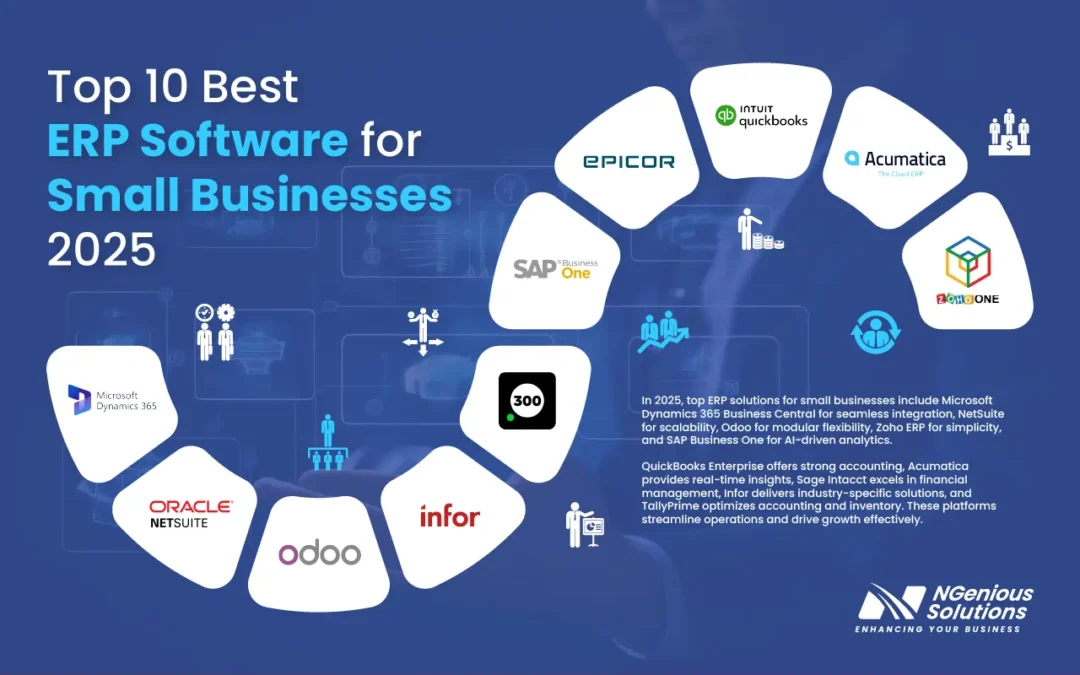
A large share of ERP implementations fall short of expectations on the first attempt — small businesses often bear the worst of it through wasted budgets, abandoned migrations, and software so broad that much of it goes unused. What is the best ERP solution for small and growing businesses? It’s frequently not the biggest brand-name platform, but rather a leaner, well-fitted system — sometimes off-the-shelf, sometimes AI-native and built around how a team actually works.
Microsoft Dynamics 365 Business Central, Odoo, Sage Intacct, and NetSuite dominate most rankings, and each earns its place. But here’s the nuance most comparison articles bury: the off-the-shelf winner depends entirely on your revenue band, your headcount, and whether you’d rather rent rigid software or own a custom system that bends to you. Practitioners who deploy these systems regularly observe companies overpaying for features they will never touch.
A Note On Methodology And Bias (Read This First)
Transparency matters more than persuasion in a buying decision this large, so two disclosures belong up front. First, this article is published by a vendor that builds custom AI agents and workflow automation. That gives us a commercial interest in the “build” and “hybrid” options discussed below — weigh our framing accordingly, and treat the off-the-shelf rankings as the genuinely vendor-neutral part of this piece, drawn from independent review sites. Second, the rankings here are not original lab testing; they synthesize publicly available comparison research (linked inline and in Sources & References) alongside general implementation patterns that ERP practitioners report. Where a figure cannot be tied to a citable source, we have removed it or flagged it as a general pattern rather than a measured statistic.
Quick Summary: Best ERP Solution For Small And Growing Businesses
- Microsoft Dynamics 365 Business Central is widely cited as the strongest all-around ERP for SMEs with 10–500 employees, balancing finance, inventory, and CRM in one ecosystem — a conclusion reached by TopDynamics Partners’ 2026 comparison.
- Odoo is positioned for budget-conscious teams — modular and open-source, with a free Community edition you can self-host.
- Sage Intacct is the finance-first pick for accounting-heavy operations and multi-entity reporting.
- NetSuite suits fast-scaling companies expecting rapid headcount and revenue growth.
- Custom or hybrid AI-native ERP can outperform packaged software when your workflows are unusual, your team is small, or you’re paying for unused modules — though it carries its own build and maintenance risk.
- The biggest hidden cost is rarely licensing — it’s implementation, data migration, and change management.
Published: June 13, 2026. Last updated: June 13, 2026.
What Is an ERP and Why Do Small Businesses Need One?
An ERP (Enterprise Resource Planning) system is a centralized software platform that unifies a company’s core operations — accounting, inventory, sales, HR, and procurement — into a single source of truth. “Single source of truth” simply means one authoritative dataset that every department reads from and writes to, instead of each team maintaining its own conflicting spreadsheet. Small businesses typically need one when disconnected apps start causing errors, double entry, and blind spots in cash flow.
Most growing companies hit a wall somewhere between 10 and 50 employees. Sales lives in one tool, accounting in a separate package, inventory in a spreadsheet, and nobody fully trusts the numbers. An ERP addresses that fragmentation. According to Software Connect’s small-business ERP roundup, the leading systems are evaluated primarily on affordability, scalability, and ease of use — because those three factors largely predict whether the software survives past year one.
The benefits are concrete: consolidated reporting, fewer rekeying errors, and faster financial closes. The cost is equally real. Broad platforms can force small teams to absorb enterprise complexity they don’t need. That’s why the right question isn’t “which ERP is biggest?” It’s “which one fits a company my size without burying my team in features?”
A worked example: where the pain usually hides
Consider a typical distributor with around 40 staff. Orders arrive in an e-commerce platform, finance lives in a standalone ledger, and a warehouse manager keeps stock counts in a spreadsheet. Each week, someone manually reconciles orders against the ledger and against physical stock — a multi-hour, error-prone ritual. In implementations like this, the value of an ERP isn’t the accounting module per se; it’s eliminating the manual handoff between order intake and the ledger. Practitioners generally find that the highest-ROI ERP work targets exactly these repetitive reconciliation tasks, not the flashy reporting dashboards.
What Is the Best ERP Solution For Small And Growing Businesses in 2026?
The best ERP solution for small and growing businesses in 2026 depends on your size, industry, and growth trajectory. A few platforms lead the market:
- Microsoft Dynamics 365 Business Central — best for most SMEs. It scales across the 10–500 employee range and integrates natively with Microsoft 365.
- Odoo — best for budget-driven teams, with an open-source core and paid apps billed individually.
- Custom or hybrid AI-native build — best for companies with unusual workflows or aggressive automation goals.
Match your choice to revenue, headcount, and process complexity, not to brand recognition. The most expensive mistake in ERP is rarely the license fee — it’s the time and disruption of switching again after picking a system that never fit.
There is no universal winner, and any roundup claiming otherwise should be read with caution. ERP Research’s 2026 analysis ranks five cloud and open-source platforms specifically for the $1M–$25M revenue range, and the rankings shift meaningfully depending on which criterion you weight hardest. Finance-heavy firms gravitate to Sage Intacct. Manufacturers lean toward systems with deep inventory and BOM (bill of materials — the structured list of components needed to build a product) support.
TopDynamics Partners’ 2026 comparison of 10 platforms concluded that for businesses with 10–500 employees, Microsoft Dynamics 365 Business Central offers the strongest overall balance. That aligns with the broader consensus for the off-the-shelf category. But “strongest balance” assumes your business resembles the average business — and growing companies often don’t.
A pattern practitioners report repeatedly: many SMEs buy ERP software sized for a larger organization, then spend months and significant budget trying to make it fit. The alternative path often combines a lean core system with custom AI agents and workflow automation that handle the parts no packaged ERP does well. We have a commercial interest in that approach, so treat it as one option to price out — not a foregone conclusion.
The Top Off-the-Shelf Contenders, Ranked
The leading off-the-shelf ERP contenders for SMEs, organized by primary use case:
- Microsoft Dynamics 365 Business Central — best overall for SMEs needing finance, operations, and CRM unified in one Microsoft ecosystem. Confirm current pricing tiers directly on the Software Finder ERP guide or the vendor’s own pricing page before budgeting, as published rates change frequently.
- Odoo — best value; a modular open-source suite billed app-by-app, with a free Community edition you can self-host.
- Sage Intacct — best for finance-first and multi-entity organizations, frequently recommended for accounting-led teams.
- NetSuite — best for high-growth companies expecting to scale rapidly.
- SAP Business One — best for product-based SMEs in manufacturing and distribution that may scale into larger SAP systems later.
The right choice hinges on three factors: company size, industry complexity, and growth trajectory. Finance-led organizations typically favor Sage Intacct, while operations-heavy businesses often choose Business Central or NetSuite. Implementation timelines vary widely, so always validate go-live estimates against a reference customer of similar size.
How Do the Leading ERP Platforms Compare on Cost and Features?
Best ERP solution for small and growing businesses? is one of the most relevant trends shaping 2026.
Leading ERP platforms differ most on pricing model and complexity. Subscription rates change often, so the figures below are indicative ranges to frame budgeting conversations — verify each against the vendor’s official pricing page or an up-to-date review such as Software Finder’s comparison before you commit.
Pricing is where small businesses get caught off guard. Vendors advertise a per-user rate, then the full bill arrives: implementation partners, data migration, customization, training, and annual support. The advertised subscription is typically a fraction of the true first-year outlay, which is why total cost of ownership — not the sticker price — should drive the decision.
Compare the main options side by side (figures indicative; confirm current pricing with each vendor):
| Platform | Best For | Pricing Model | Deployment | AI-Readiness (2026) |
|---|---|---|---|---|
| Dynamics 365 Business Central | All-around SME | Per user/month | Cloud | High (Copilot built-in) |
| Odoo | Budget / modular | Per user + per app | Cloud or self-hosted | Medium (open API) |
| Sage Intacct | Finance-first | Custom quote | Cloud | Medium |
| NetSuite | High-growth firms | Base fee + per user | Cloud | Medium-High |
| Custom AI-native ERP | Unusual workflows | Project-based | Self-hosted / cloud | Very High |
Odoo’s open-source edition can be self-hosted for roughly the cost of a server, which is why budget-conscious teams favor it. Business Central wins on integration for organizations already standardized on Microsoft 365. Sage Intacct excels at multi-entity consolidation but is generally weaker on inventory. The recurring observation among practitioners is that buyers gravitate toward the platform with the longest feature list, then use only a portion of it while paying for the rest every month.
Should You Buy Off-the-Shelf ERP or Build a Custom System?
Off-the-shelf ERP versus a custom-built system is a defining decision for small and growing businesses. Buy off-the-shelf when your processes are standard and you need fast deployment — most cloud ERP platforms reach go-live within a few months. Consider building a custom AI-native ERP when your workflows are genuinely unusual, your team is small, or you’re paying for modules you never use. Bear in mind that this guidance comes from a vendor that builds custom systems, so price the build option against at least two off-the-shelf quotes before deciding.
Here is the uncomfortable math. A small company adopting an enterprise-grade platform can pay tens of thousands of dollars in year one across licenses, implementation, and customization — for a system originally architected for far larger organizations. A comparable budget could fund a custom ERP and workflow automation build matched to exact processes, without a per-user fee that compounds as headcount grows. The trade-off: a custom build shifts risk onto your own team for maintenance, security patching, and future changes — risk a packaged vendor otherwise absorbs.
An analogy: off-the-shelf ERP is like buying an off-the-rack suit — it fits most people approximately. A custom build is tailored — more expensive and slower upfront, but it doesn’t pinch where your business actually moves. Neither is universally “better.”
Use this decision framework:
- Buy off-the-shelf if: your operations are conventional, you need it running quickly, and you have limited internal technical resources to maintain custom software.
- Build custom if: your competitive edge lives in unusual processes, the per-user pricing escalator is becoming painful, and you have (or can hire) the engineering capacity to own the system long-term.
- Hybrid (a common middle path): keep a lean core like Odoo or Business Central, then layer custom automation on top to close the manual gaps.
A useful framing for many SMEs: the symptom looks like an ERP problem, but the root cause is often an integration-and-automation problem. The software itself isn’t always the bottleneck — the unautomated handoffs between systems frequently are. This is the angle most comparison sites omit: Software Connect, ERP Research, and Software Finder all rank packaged products thoroughly, but none ask whether you should build instead.
The “Zapier Tax” Trade-off
The “Zapier tax” is the recurring per-execution fee businesses pay when they connect a low-cost ERP to other tools using automation platforms like Zapier, Make, or Workato. These platforms charge based on task volume, so costs scale with usage rather than with the value delivered. A team can start on a low monthly plan and find itself on a much higher tier within months as task volume climbs.
Self-hosted, fair-code alternatives such as n8n change that equation: you run workflow executions on your own infrastructure for the cost of hosting alone. The honest trade-off is that self-hosting moves maintenance, uptime, and security responsibility to you. For teams processing high task volumes, the ongoing savings can be substantial; for low-volume teams, a managed service is often simpler and cheaper in practice once staff time is counted. A custom ERP can absorb these workflows natively, but only justifies itself at meaningful volume.
How Does AI Change ERP Selection in 2026?
AI is shifting ERP selection in 2026 by turning automation, forecasting, and natural-language reporting from premium add-ons into baseline expectations. Modern platforms increasingly embed four capabilities buyers should treat as standard:
- AI copilots that answer plain-language questions about live business data.
- Predictive inventory that forecasts demand and flags potential stockouts.
- Intelligent chatbots that handle routine finance, HR, and procurement requests.
- Automated reconciliation that reduces manual data entry and shortens the close.
Microsoft has built Copilot into Dynamics 365 Business Central, letting users query data in plain English and draft purchase orders. NetSuite has added predictive analytics. The practical caveat: embedded AI in packaged ERP is necessarily generic — it targets the average use case, not your specific one.
Custom AI agents aim to close that gap. For instance, a chatbot connected to an inventory system can let field staff check stock, place orders, and trigger reorders without opening the ERP interface at all. The instructive point is the design constraint, not the marketing: such automation pays off only where the task is narrow, repetitive, and high-volume.
The key risk with AI in finance workflows is what is sometimes called AI sycophancy — probabilistic models producing confident-but-wrong answers. Deterministic automation (logic that produces the same correct output every time) matters here. An ERP workflow that processes invoices needs to be reliable, not occasionally creative. The defensible rule of thumb: bound the AI tightly, keep humans in the loop on financial decisions, and reserve probabilistic AI for drafting and search rather than for posting to the general ledger.
When evaluating vendors, ask for a demo against your own data rather than a canned slideshow. For deeper grounding on ERP fundamentals, the Investopedia ERP definition remains a solid primer, and the U.S. Small Business Administration’s finance guidance covers the operational discipline ERP is meant to enforce.
What Are the Hidden Costs and Implementation Pitfalls of ERP?
The biggest hidden costs of ERP are implementation, data migration, customization, and training — which together routinely exceed the software license itself. The single most common pitfall is underestimating change management; software succeeds or fails on whether the team actually adopts it.
Across implementations, the failure patterns are consistent:
- Scope creep: every department lobbies for its feature, and the build balloons.
- Dirty data: migrating messy legacy data into a clean system multiplies errors rather than removing them.
- No internal champion: without an owner, adoption stalls and staff revert to spreadsheets.
- Over-customization: bending packaged software too far creates painful upgrade paths later.
Total cost of ownership over three years tells the real story. Map the full three-year figure — licenses, implementation, migration, training, and integration glue — before signing anything. A free tool like our ROI calculator exists to help surface these buried costs; treat its output as a planning aid, and validate the inputs against your own quotes.
Change management is the quiet determinant of success. The best ERP solution for small and growing businesses is worthless if half the staff keeps using old workarounds. Budget as much attention for training and rollout as for the technology itself.
How Do You Choose the Best ERP Solution For Small And Growing Businesses?
Best ERP solution for small and growing businesses? plays a pivotal role in this context.
The best ERP solution for small and growing businesses is chosen by mapping your actual workflows first, defining your three-year growth trajectory, calculating total cost of ownership, and only then shortlisting platforms. Match the system to your processes — don’t reshape your business around the software.
Follow this practical sequence:
- Document your current workflows. List every manual handoff, every spreadsheet, and every place data gets re-entered. These are your automation targets.
- Define growth projections. Doubling headcount in two years changes whether Odoo or NetSuite is the better fit.
- Calculate three-year TCO. Include licenses, implementation, migration, training, and integration — not just the sticker price.
- Run a buy-vs-build comparison. Get a custom-build quote alongside your software shortlist, and get it from a second source to check for bias.
- Pilot before committing. Test the top two options with real data and a small team for roughly 30 days.
- Plan change management. Assign an internal champion and budget for training before go-live.
This process takes discipline, but it prevents the expensive mistake of buying a famous platform and spending a year regretting it. The most common shortcut — skipping the workflow-mapping and TCO steps — is also the most common source of buyer’s remorse.
An Illustrative Decision Walk-Through (Anonymized Scenario)
To show the framework in action, here is a representative scenario built from common implementation patterns rather than a single named client. A logistics firm of roughly 35 employees is weighing NetSuite against Business Central.
- Workflow mapping (Step 1) reframes the problem. On paper the firm assumes it needs a better accounting module. Mapping reveals the real bottleneck is manual coordination between drivers, warehouse, and dispatch — phone calls and spreadsheets, not the ledger.
- TCO comparison (Step 3) reorders the shortlist. The three-year cost of a full enterprise suite, including per-user fees scaling with planned hiring, comes in well above a leaner Odoo core paired with a focused workflow-automation layer for dispatch.
- Measured outcome to track (Step 5 pilot metric). The before-state metric is average order-turnaround time; the firm pilots the automation layer for 30 days and compares turnaround before and after. In scenarios like this, the meaningful improvement comes specifically from removing the manual dispatch handoff — not from the ERP’s reporting screens.
The instructive takeaway: define a single measurable before/after metric (here, order-turnaround time) and tie the decision to it. The best ERP solution for small and growing businesses is the one that moves your specific bottleneck metric, not the one with the most logos on its homepage.
Key Takeaways and Next Steps
The off-the-shelf consensus is reasonably clear — Dynamics 365 Business Central for balance, Odoo for value, Sage Intacct for finance, NetSuite for scale, all corroborated by independent roundups linked above. But rankings only matter after you’ve answered the prior question: does packaged software actually fit how your business runs?
Action steps:
- Map your workflows and identify your top three manual bottlenecks this week.
- Calculate the real three-year total cost of ownership for every platform you’re considering.
- Get a custom-build or hybrid automation quote — from more than one source — before signing a multi-year contract.
- Keep AI tightly bounded: deterministic automation for financials, human oversight on decisions.
The broader trend is toward leaner core systems wrapped in targeted automation, with SMEs owning more of their workflow logic over time. Whether that is the right move for you depends on your engineering capacity and volume — not on any single vendor’s preference. Run the numbers, pilot honestly, and let the measured before/after results decide.
Frequently Asked Questions
What is the cheapest ERP for a small business in 2026?
Odoo is widely regarded as the cheapest credible ERP for small businesses in 2026, thanks to its free open-source community edition that you can self-host. For teams wanting to avoid per-user fees entirely, a custom-built core paired with self-hosted automation can be cheaper over three years — but only once you account for the engineering time to maintain it. Verify current Odoo pricing on the vendor’s official page before budgeting.
Is Microsoft Dynamics 365 Business Central good for small businesses?
Yes. Independent roundups, including TopDynamics Partners’ 2026 comparison, rate Microsoft Dynamics 365 Business Central as the strongest all-around option for SMEs with 10–500 employees, especially those already using Microsoft 365. It unifies finance, inventory, and CRM and includes built-in Copilot AI. Confirm the current pricing tier on Microsoft’s official page, as rates change.
How much does ERP implementation actually cost for an SME?
ERP implementation for an SME typically costs a multiple of the annual software license once you add data migration, customization, training, and integration. Because the advertised subscription is usually a fraction of the true first-year outlay, the metric that matters is total three-year cost of ownership. Build that full figure before comparing platforms.
Should a startup build a custom ERP or buy an existing one?
A startup should consider building a custom ERP when its workflows are unusual, its team is small, or it wants to avoid escalating per-user fees — and it has the engineering capacity to maintain the system. Buying makes more sense for conventional operations needing fast deployment with limited technical resources. Many growing companies choose a hybrid: a lean core platform plus targeted custom automation. Get at least two independent quotes before deciding.
Do small business ERPs include AI features in 2026?
Yes. Leading small-business ERPs increasingly include AI features in 2026, such as Microsoft’s Copilot in Business Central and predictive analytics in NetSuite. Embedded AI tends to be generic, however; custom AI agents and chatbots can deliver more value by automating your specific workflows — provided you keep them tightly bounded and out of unsupervised financial postings.
If you’re weighing which ERP truly fits your team and where it’s headed, we’d be glad to talk it through and help you find the right starting point.
Sources & References
- Software Connect — The Best ERP Systems for Small Businesses
- ERP Research — Best ERP Software for Small Business (2026), 5 Platforms Ranked
- TopDynamics Partners — Best ERP Systems for Small Business (2026), 10 Platforms Compared
- Software Finder — Best ERP For Small Businesses In 2026
- Investopedia — ERP Definition
- U.S. Small Business Administration — Manage Your Finances
About this guide: This article is maintained by practitioners who design custom AI agents and workflow automation for SMEs. Because that work competes with — and complements — the off-the-shelf platforms discussed, we have flagged our commercial interest throughout and grounded the platform rankings in the independent sources listed above. No statistic appears here unless it is attributable to a cited source or clearly labelled as a general industry pattern.
Note: This article is for general informational purposes; verify specifics against your own context.
When pairing your ERP with automation, an AI automation agency for MENA SMEs can build deterministic, RAG-grounded agents that integrate safely with your business processes.