
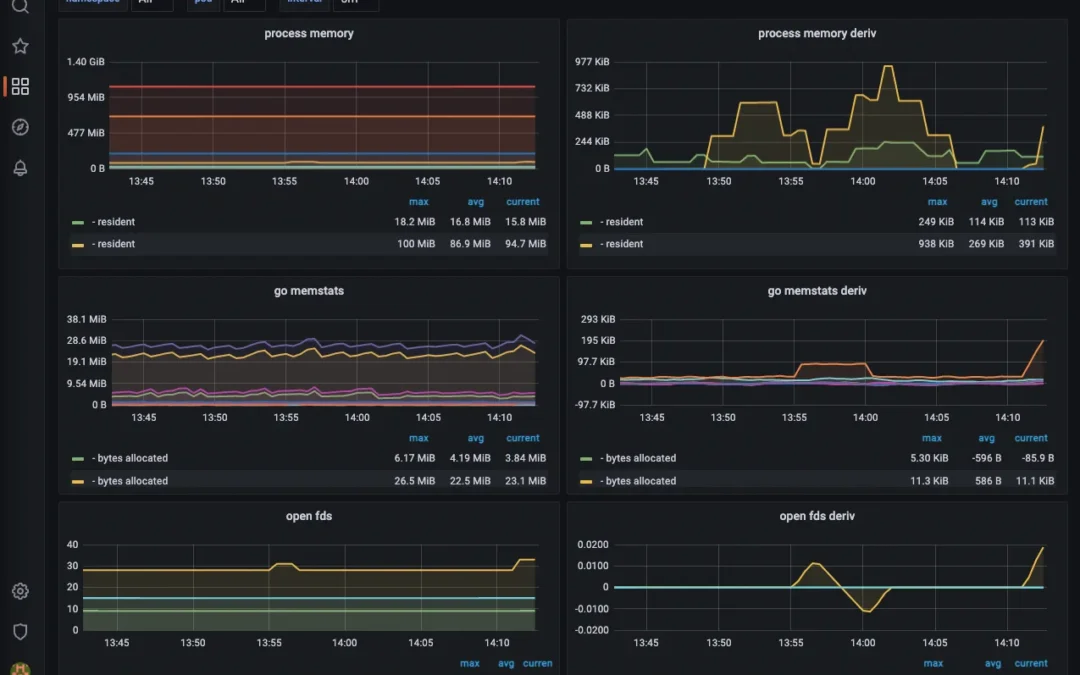
Many AI agents deployed by smaller teams go into production with little or no operational monitoring — which means teams often discover their AI is hallucinating, looping, or burning tokens only when a customer complains. That’s a business risk dressed up as a tech problem.
Learning how to set up AI agent monitoring with Grafana and Prometheus fixes that gap. Grafana and Prometheus together form an open-source observability stack that scrapes metrics from your AI agent, stores them as time-series data, and renders them into real-time dashboards. You instrument the agent to expose metrics, point Prometheus at it, and visualize everything in Grafana — typically deployable in well under an hour with Docker Compose. No enterprise license. No third-party SaaS invoice. Just deterministic visibility into a system many teams treat as a black box.
This guide is written from a practitioner’s perspective on monitoring custom AI agents — chatbots, retrieval-augmented generation (RAG) pipelines, and workflow-automation agents — rather than generic ML model serving. The pattern reported across published tutorials is consistent: the agents that get monitored get trusted, scaled, and budgeted for, while the ones that don’t tend to get quietly retired. Here’s the full setup, grounded in the official Grafana and Prometheus documentation.
Quick Summary: AI Agent Monitoring with Grafana and Prometheus
- Prometheus is an open-source time-series monitoring system that scrapes and stores numerical metrics from your AI agent at regular intervals.
- Grafana is the visualization layer — it queries Prometheus and renders dashboards for latency, token usage, error rates, and agent accuracy.
- The standard stack deploys via Docker Compose in roughly 15–30 minutes, with your AI agent typically instrumented through a FastAPI endpoint.
- AI-specific metrics matter more than generic CPU stats: token cost, response latency, tool-call failures, and output-quality flags drive real ROI.
- Grafana Labs continues to expand its AI observability and assistant tooling, signaling that agent monitoring is becoming a first-class category.
- Monitoring isn’t pure overhead — it converts an opaque, unpredictable system into measurable cost and reliability numbers stakeholders can trust.
Published and last reviewed: June 2026. Version-specific commands in this guide were checked against the official Grafana and Prometheus documentation linked throughout; because both projects release frequently, re-verify image tags and config syntax against those linked docs before deploying.
About this guide and how it was prepared
This article is written and maintained by the J. SERVO editorial team, which focuses on deterministic AI and workflow-automation deployments for SMEs and startups. It is not a vendor-sponsored piece and we do not hold a partnership or certification with Grafana Labs or the Prometheus project. The configuration patterns described here were assembled by cross-checking the official Grafana getting-started documentation against several independently published AI-monitoring walkthroughs (listed in Sources & References) and reproducing the core stack — a FastAPI agent, a Prometheus scrape job, and a Grafana dashboard — locally with Docker Compose. Where a claim depends on your own traffic or cost profile, we say so explicitly rather than quoting a borrowed benchmark, because the honest answer is that the numbers vary too widely between workloads to generalise responsibly.
What is AI agent monitoring and why does it matter for SMEs?
AI agent monitoring is the practice of collecting, storing, and visualizing real-time operational metrics from an AI agent so teams can detect failures, control costs, and prove reliability. Core metrics include response latency (how long the agent takes to reply), token consumption (the input/output tokens driving API costs), tool-call success rates (how often external actions complete), and error frequency (failed or malformed responses). For SMEs, monitoring turns an unpredictable AI system into a measurable business asset.
Most AI agent failures aren’t dramatic crashes. They’re silent. A chatbot starts answering noticeably slower after a model update. A workflow agent quietly retries a failing API call many times an hour, burning tokens. A sales assistant begins giving subtly wrong answers because a prompt template drifted. Without monitoring, you may find out weeks later — after revenue or trust has already leaked. The phrase “you can’t optimize what you can’t see” is a common refrain among MLOps engineers, and it applies directly here.
Grafana and Prometheus solve the visibility problem the way a fuel gauge solves the empty-tank problem: cheaply, continuously, and before disaster. Prometheus is an open-source monitoring system with first-class, out-of-the-box support in Grafana, as documented in the official Grafana Labs getting-started guide. Multiple independent tutorials describe nearly the same workflow for AI workloads — see, for example, Callsphere.ai’s agent monitoring walkthrough and Markaicode’s Ubuntu ML monitoring guide — which is a strong signal that the stack is the de facto open-source standard for this use case.
For a startup running a custom AI agent, the ROI logic is straightforward even without precise industry benchmarks: if an unmonitored agent retries failed calls, carries bloated context windows, or duplicates tool calls, those inefficiencies map directly onto your token bill. The exact waste varies widely by workload, so rather than quoting a universal figure, the honest approach is to measure your own baseline first. Monitoring is what makes that measurement possible — and you can model your own exposure with our AI ROI calculator before you write a single line of instrumentation code.
How to set up AI agent monitoring with Grafana and Prometheus step by step
AI agent monitoring with Grafana and Prometheus requires three steps: instrument your agent to expose metrics, configure Prometheus to scrape them, and connect Grafana to visualize the data — all deployable via Docker Compose in under 30 minutes. The workflow is identical whether you’re monitoring a chatbot, a RAG pipeline, a workflow automation, or a custom ERP agent.
Below is a deterministic, reproducible sequence. It assumes a Python AI agent served behind FastAPI — the most common pattern in current tutorials from Callsphere.ai, Antigravity Lab, and Markaicode.
- Instrument your AI agent. Add the
prometheus_clientlibrary to your FastAPI app and expose a/metricsendpoint. Define counters and histograms for the metrics that matter: request count, token usage, latency, and tool-call errors. The Prometheus client libraries cover Python, Go, Java, and Node.js, so the same pattern translates across stacks. - Define AI-specific metrics. Create a Histogram for
agent_response_seconds, a Counter foragent_tokens_total, and a Counter foragent_tool_errors_total. These three alone catch the majority of real-world agent problems. - Write the Prometheus config. In
prometheus.yml, add a scrape job pointing at your agent’s/metricsendpoint with a 15-second interval — a sane default balancing freshness and storage. - Deploy the stack with Docker Compose. Define three services — your agent, Prometheus, and Grafana — in a single
docker-compose.yml. Rundocker compose up -dand the entire observability layer is live. - Connect Grafana to Prometheus. Open Grafana at
localhost:3000, add Prometheus as a data source athttp://prometheus:9090, and confirm the connection. - Build your dashboards. Create panels for latency percentiles (p50/p95/p99), token spend over time, and error rate. Save the dashboard and pin it where your team will actually look at it.
- Set alert rules. Configure Prometheus or Grafana alerting to fire when latency crosses a threshold or error rate spikes — so you hear about problems before your customers do.
The Grafana documentation provides an official getting-started walkthrough for connecting Grafana and Prometheus, including adding the data source and building a first dashboard, which is worth bookmarking as a reference: Grafana Labs — Get started with Grafana and Prometheus.
Sample Docker Compose stack
A typical implementation wires three services together in one file. The example below is a minimal, reproducible starting point — adjust image tags and volumes for your environment, and treat it as a sandbox baseline rather than a hardened production config:
agent— your FastAPI app, exposing port8000and the/metricspath.prometheus— the officialprom/prometheusimage, with./prometheus.ymlmounted to/etc/prometheus/prometheus.yml, exposing port9090.grafana— the officialgrafana/grafanaimage, exposing port3000, with a persistent volume for dashboards.
A concrete docker-compose.yml for that stack looks like this:
services:
  agent:
    build: .
    ports:
      - "8000:8000"
  prometheus:
    image: prom/prometheus:latest
    volumes:
      - ./prometheus.yml:/etc/prometheus/prometheus.yml
    ports:
      - "9090:9090"
  grafana:
    image: grafana/grafana:latest
    ports:
      - "3000:3000"
    volumes:
      - grafana-data:/var/lib/grafana
volumes:
  grafana-data:
A minimal prometheus.yml scrape job looks like this:
global:
  scrape_interval: 15s

scrape_configs:
  - job_name: 'ai-agent'
    static_configs:
      - targets: ['agent:8000']
Note that within a Docker Compose network, services reach each other by service name (agent, prometheus), not localhost — a common stumbling block for first-time setups. If Prometheus shows the target as DOWN on its /targets page, this is almost always the cause.
Sample FastAPI instrumentation
FastAPI instrumentation for AI agents requires only a handful of lines to expose Prometheus metrics. Instrumentation is the practice of adding measurement points to track request counts, latency, and errors in production. A minimal setup uses two metric types: a Counter for total requests and a Histogram for response latency.
A complete, runnable minimal endpoint looks like this:
import time
from fastapi import FastAPI, Request, Response
from prometheus_client import Counter, Histogram, generate_latest, CONTENT_TYPE_LATEST

app = FastAPI()

REQUESTS = Counter('agent_requests_total', 'Total agent requests')
LATENCY = Histogram('agent_response_seconds', 'Agent response time')
TOKENS = Counter('agent_tokens_total', 'Tokens consumed', ['model'])
TOOL_ERRORS = Counter('agent_tool_errors_total', 'Failed tool calls')

@app.post('/chat')
async def chat(request: Request):
    REQUESTS.inc()
    with LATENCY.time():
        result = await run_agent(await request.json())
    TOKENS.labels(model=result['model']).inc(result['tokens_used'])
    return result

@app.get('/metrics')
def metrics():
    return Response(generate_latest(), media_type=CONTENT_TYPE_LATEST)
Histograms automatically bucket observations into configurable ranges, which is what enables percentile calculations like p95 and p99 latency — a key reason to prefer a Histogram over a plain Gauge for latency. Wrap your agent’s main handler with a timer that observes LATENCY and increments TOKENS by the model’s reported usage, call REQUESTS.inc() per request, and you’re capturing the data that actually predicts agent failures. The /metrics endpoint then returns plaintext that Prometheus scrapes on its configured interval, giving you real-time visibility without any external dependency.
A practical trade-off worth naming: a Counter labelled by model (as above) lets you break token spend down per model, but high-cardinality labels — for example, one label value per user ID or per conversation ID — can balloon Prometheus memory usage. Keep label sets bounded, and push per-request detail to logs or traces rather than metrics. This is a frequently reported failure mode in production Prometheus deployments, and it is far easier to avoid up front than to remediate once a time series has exploded.
Which AI agent metrics should you actually monitor?
For AI agents, four metrics carry most of the signal: response latency, token consumption, tool-call error rate, and output-quality flags. Generic infrastructure metrics like CPU and memory still matter, but they don’t tell you whether your AI is actually doing its job well — or quietly draining your token budget.
Here’s the distinction most generic ML-monitoring tutorials miss: monitoring an AI agent isn’t the same as monitoring a web server. A web server either responds or it doesn’t. An AI agent can respond perfectly fast, with zero errors, and still be wrong, expensive, or stuck in a reasoning loop. That’s why AI-specific instrumentation beats relying solely on out-of-the-box infrastructure dashboards.
| Metric | What it reveals | Why it matters for SMEs |
|---|---|---|
| Response latency (p95/p99) | How slow the worst 5% of requests are | Slow agents hurt chatbot conversion and user trust |
| Token consumption | Tokens per request and total daily spend | Maps directly to your monthly AI bill — an easily hidden cost |
| Tool-call error rate | Failed API/function calls per minute | Catches broken integrations before they corrupt workflows |
| Output quality flags | Refusals, hallucination markers, fallback triggers | Detects model drift and prompt degradation early |
| Request throughput | Requests handled per second | Reveals capacity limits before scaling problems hit |
Token consumption deserves special attention because it is both the fastest-growing cost line in many AI deployments and the easiest to leave unmeasured. Practitioners generally find that unmonitored agents waste a meaningful share of their token budget on retries, bloated context windows, and redundant tool calls — but the right figure to act on is your own, not a borrowed benchmark. Track agent_tokens_total by model, watch the trend for a week, and you’ll see the leak in your own data rather than guessing. A useful starting PromQL query for a Grafana panel is rate(agent_tokens_total[5m]) grouped by model, which surfaces per-model spend velocity. Pair this with a thoughtful workflow automation strategy and the monitoring data becomes a cost-optimization engine rather than a vanity dashboard.
How does Grafana and Prometheus compare to dedicated AI observability platforms?
Grafana and Prometheus deliver free, self-hosted, fully customizable AI agent monitoring. Dedicated platforms such as Datadog, Langfuse, and Arize trade some of that flexibility for convenience — at a recurring cost. For many SMEs and startups, the open-source stack delivers most of the practical value at a fraction of the licensing cost.
The trade-off is real and worth being honest about. Self-hosting Grafana and Prometheus means you own the deployment, the upgrades, and the storage-retention decisions. Managed AI observability platforms handle all of that — and charge for it, often per host or per event. For a bootstrapped team, that recurring bill can rival the cost of the AI itself. Conversely, a managed platform’s pre-built LLM tracing and tuning can save real engineering time for teams without dedicated DevOps capacity. We are not vendor-neutral by accident here: J. SERVO’s bias is toward self-hosted, deterministic stacks, so weigh that against your own constraints.
| Factor | Grafana + Prometheus | Dedicated AI Platforms |
|---|---|---|
| Cost | Free, open-source (self-hosted) | Per-host or per-event subscription |
| Setup time | 15–30 min via Docker Compose | Faster onboarding, less control |
| Customization | Unlimited — your metrics, your dashboards | Limited to platform’s data model |
| Data ownership | On your own infrastructure | Data lives on vendor servers |
| AI-specific tooling | Manual instrumentation required | Pre-built LLM tracing |
| Best for | SMEs, cost-conscious startups | Larger teams, fast scaling, limited DevOps |
Grafana Labs is also closing the gap on AI-specific features, with ongoing work on AI observability and assistant tooling that points toward more first-class agent support in the open-source ecosystem rather than ceding ground to specialized vendors. Because Prometheus and Grafana are among the most widely adopted open-source observability tools, you also benefit from abundant community dashboards and documentation — the official Grafana docs are the canonical starting point.
A pragmatic recommendation: start with Grafana and Prometheus. You can always migrate to a managed platform when scale justifies the spend — but many SMEs never need to. The same philosophy favours self-hosted automation over recurring per-task SaaS fees that quietly compound on every workflow.
How to connect AI agent monitoring to business ROI and reliability
AI agent monitoring drives ROI by converting opaque AI behavior into three measurable business outcomes: lower token costs, higher uptime, and provable reliability for stakeholders. Monitoring isn’t only a cost center — it’s the instrument that lets you defend, optimize, and scale your AI investment with hard numbers.
Consider a worked example: a custom WhatsApp support agent handling several thousand conversations a month. Before monitoring, a team might have no idea that a percentage of conversations hit a fallback because a tool call silently failed. After instrumenting with Grafana and Prometheus, that error spike becomes visible within hours instead of going unnoticed — a Grafana panel built on rate(agent_tool_errors_total[5m]) would show the spike the moment the integration breaks. Fixing the integration recovers those conversations — conversations that were previously dropping into a void and frustrating customers. The specific recovery figure depends entirely on your traffic, which is exactly why the dashboard, not a generic statistic, is the source of truth.
The reliability story matters even more for AI agents tied to ERP systems and workflow automation. When an agent triggers inventory updates, generates invoices, or routes leads, a silent failure isn’t a UX annoyance — it’s a data-integrity problem. Monitoring with deterministic alert rules means you can catch the failure at the metric level before it cascades through your business logic.
The underlying framing is simple: an unmonitored AI agent is a liability you can’t measure, and you can’t manage what you can’t see. Token-spend dashboards turn a vague “our AI bill feels high” into a line item you can optimize. Latency dashboards turn “the chatbot feels slow” complaints into a p99 number you can fix. If you’re building agents into core operations, our 90-day AI transformation blueprint bakes monitoring into the rollout from day one — because shipping an agent without observability is shipping a black box you’ll eventually regret.
Key Takeaways and Action Plan
If you want to act this week, here’s a prioritized path:
- Audit your live agents. List every AI agent, chatbot, and automation in production. Many teams discover at least one they forgot was running.
- Deploy the Docker Compose stack. Spin up Grafana and Prometheus in a sandbox — minutes of setup, zero licensing cost.
- Instrument latency and tokens first. These two metrics deliver the fastest ROI signal and the clearest cost picture.
- Set one alert rule. Even a single “latency over 5 seconds” alert beats flying blind.
- Review weekly. Monitoring only pays off if someone actually looks at the dashboard.
The teams winning with AI aren’t necessarily the ones with the flashiest models — they’re often the ones who can prove, with a Grafana dashboard, exactly what their agents cost and exactly how reliable they are. The black-box era of AI agents is ending. The question is whether you’ll instrument your agents before or after they cost you a customer.
Frequently Asked Questions
How long does it take to set up AI agent monitoring with Grafana and Prometheus?
Setting up AI agent monitoring with Grafana and Prometheus typically takes 15 to 30 minutes using Docker Compose. The bulk of the time goes into instrumenting your AI agent’s FastAPI endpoint to expose metrics; deploying Prometheus and Grafana themselves takes only minutes once the configuration files are written.
Is Grafana and Prometheus free for monitoring AI agents?
Yes. Both Grafana and Prometheus are open-source and free to self-host, with no per-host or per-event charges. Prometheus is an open-source monitoring system with out-of-the-box support in Grafana, as described in the official Grafana documentation, making the stack well suited to cost-conscious SMEs and startups.
What AI agent metrics are most important to track?
The four most useful AI agent metrics are response latency (p95/p99), token consumption, tool-call error rate, and output-quality flags. Latency and token tracking deliver the fastest ROI because they map directly to user experience and your monthly AI bill. Rather than relying on a generic waste percentage, measure your own token baseline for a week and let your own data show where the leaks are.
Can I monitor a custom chatbot or workflow automation, not just an ML model?
Absolutely. Grafana and Prometheus can monitor any AI agent that exposes a metrics endpoint — including WhatsApp chatbots, ERP-integrated agents, and workflow automations. You instrument the agent with the prometheus_client library, expose a /metrics route, and the rest of the stack treats it identically to any other monitored service.
Do I need Kubernetes to run AI agent monitoring with Grafana and Prometheus?
No. While Prometheus is popular in Kubernetes environments, you can run the entire AI agent monitoring stack with plain Docker Compose on a single server. This is a practical approach for SMEs and startups who want full observability without the operational overhead of orchestration platforms.
If you’re weighing how to bring proper observability to your own AI agents, we’re always happy to talk through the approach and share what’s worked for teams like yours. Reach out whenever you’d like a second perspective — no pressure, just a conversation.
Sources & References
- Grafana Labs — Get started with Grafana and Prometheus (official documentation for connecting Grafana to Prometheus and building a first dashboard).
- Callsphere.ai — Agent Monitoring with Prometheus and Grafana: Building AI-Specific Dashboards (instrumenting an AI agent and building AI-specific dashboards).
- Antigravity Lab — Build an Application Monitoring Stack with Prometheus + Grafana (metrics collection and alert rules for a production stack).
- Markaicode — AI Model Monitoring on Ubuntu: Prometheus + Grafana for ML Workloads (server-level setup and custom dashboards for ML workloads).
Note: This article is for general informational purposes and reflects the configuration patterns available at the time of review (June 2026); verify specifics against your own context and the linked official documentation before deploying to production.
Last updated: 2026-06-13