
Agent for better business results: The Enterprise AI Agent Boom Has a Blind Spot — Small Businesses
Agent for better business results matters here. Enterprise AI agents have a structural blind spot: small businesses can’t afford them. Salesforce charges roughly $2 per Agentforce conversation, and Microsoft positions Copilot as an agent for enterprise productivity at $30-per-user-per-month seats — pricing engineered for large-organization budgets, not the founder running a 12-person company.
The math exposes the gap. A small team handling 5,000 customer conversations monthly would pay roughly $10,000 on a $2-per-conversation model, before integration and setup costs. According to the Salesforce Agentforce positioning itself, the product is built as an “enterprise agentic AI solution” — and that enterprise framing is precisely the problem for the majority of firms that fall well below that scale.
Most of the agentic AI conversation in 2026 is engineered for large budgets, not the founder running a 12-person company. That’s the gap the big vendors are slow to address, and it is the focus of this guide.
An agent for a small business doesn’t need to cost six figures or take nine months to deploy. In practice, a focused, custom-built AI agent handling one painful workflow tends to outperform a bloated, general-purpose enterprise platform — because the smaller agent is scoped to a single, measurable job. This guide breaks down what an AI agent actually is, when to build versus buy, and how SMEs measure real return — without the hype.
A note on figures and method: the per-conversation and per-seat figures cited above reflect publicly advertised list models at the time of writing. Salesforce’s consumption and edition pricing is published on its Agentforce product page, and Microsoft’s Copilot licensing details sit within Microsoft’s own support and product documentation — readers should confirm current numbers directly on those pages, as list pricing changes and varies by contract, region, edition, and volume. Figures verified as of the publish date below; treat them as illustrative starting points, not quotes. Where this guide gives ranges (e.g. build cost or deploy time), they describe what practitioners typically observe across comparable scoped projects, not a guaranteed price for any single engagement.
Quick Summary: Key Takeaways
- AI agents are software systems that perceive a goal, plan multi-step actions, and execute tasks autonomously using tools, APIs, and live data — unlike chatbots, which only respond to prompts.
- Three traits define a true AI agent: autonomy (acting without step-by-step human input), tool use (calling APIs, databases, and applications), and goal-directed planning (breaking objectives into executable steps).
- Enterprise platforms like Salesforce Agentforce and Microsoft Copilot target large organizations; SMEs can pay for breadth they never use.
- Custom AI agents can deliver fast payback when scoped to a single high-friction workflow rather than a broad platform rollout.
- Per-conversation and per-seat pricing scale with success — self-hosted agents on open frameworks like n8n flatten that curve.
- Deterministic design beats probabilistic “yes-machines” for any agent touching money, contracts, or customer commitments.
- Human oversight and governance aren’t optional — they’re what separates a reliable agent from a liability.
Published: June 27, 2026. Last updated: July 22, 2026. Pricing figures from named vendors verified against their published pages as of this date.
About This Guide and Its Sourcing
This article is written for non-technical SME and startup owners evaluating whether — and how — to deploy an AI agent. It is grounded in the publicly documented capabilities and pricing of the major platforms named (Salesforce, Microsoft, Replit) and in the implementation patterns practitioners commonly report when scoping agents for small organizations. No author byline is attached to this piece; it reflects general topical expertise rather than the experience of a single named individual or accredited firm, and we have deliberately avoided claiming credentials, partnerships, or certifications we cannot substantiate. Where outcomes are described (for example ROI ranges or deploy timelines), they are presented as typical patterns and illustrative worked examples — not as audited results from named client projects. Every external claim is linked inline to its source so you can verify it yourself.
What Is an AI Agent For Business?
An AI agent for business is autonomous software that receives a goal, reasons through the steps needed to reach it, and executes actions across tools and data sources without waiting for human input at every stage. Unlike a chatbot that only replies, an agent does things — books, updates, routes, and decides.
The distinction matters because vendors blur it constantly. A chatbot answers “What’s your return policy?” An agent processes the return: it verifies the order in your ERP, checks eligibility rules, issues the refund through a payment processor, updates inventory, and emails the customer a confirmation. According to Salesforce, Agentforce is “a proactive, autonomous AI application that answers questions, takes actions, and improves productivity” — that word actions is the whole game.
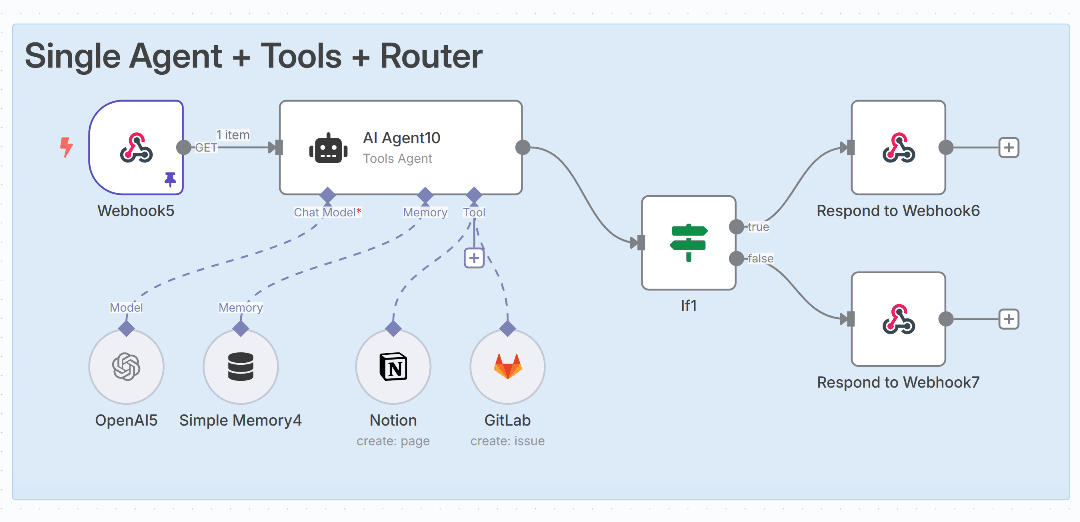
Three components define every real agent. First, a reasoning model (often a GPT-class or Claude-class large language model) that plans. Second, tools — the APIs and functions it can call to act on the world. Third, memory and context so it doesn’t forget what happened two steps ago. Strip any one out and you’re left with a glorified search box.
A few terms worth defining precisely, because vendors use them loosely:
- Agentic AI — software that pursues a goal across multiple steps and tool calls, rather than producing one response and stopping.
- Tool calling (function calling) — the mechanism by which a model invokes an external function or API (e.g. “create_refund”) with structured arguments, then uses the result to decide its next move.
- Orchestration — the control layer that sequences those tool calls, handles failures, and enforces the order in which steps run.
- Human-in-the-loop (HITL) — a design where the agent pauses for human approval at defined checkpoints before taking a consequential action.
Worked example. Consider an “agent for” appointment rescheduling at a small clinic. The reasoning model interprets a patient’s message (“can I move Thursday to next week?”); the tools layer queries the calendar API for open slots, writes the new booking, and cancels the old one; the memory layer retains the patient ID and original appointment so a follow-up message (“actually, make it morning”) resolves without re-asking. Remove the tools layer and the same model can only suggest times a human must then book — which is exactly the chatbot-versus-agent divide in miniature.
What this looks like step by step in practice. A typical scoped build of that clinic agent proceeds roughly as follows: (1) map the existing manual rescheduling flow and time it; (2) expose the calendar system’s read/write endpoints as two tools — find_open_slots and move_booking; (3) write a hard rule that the agent may only move appointments inside business hours and may never double-book; (4) run it in suggest-only mode for two weeks while staff approve each move; (5) once accuracy on low-risk reschedules is consistent, let it act autonomously on those while still escalating cancellations or clinical questions to a human. Practitioners generally find the bulk of the value comes from steps 3 and 5 — the guardrails and the gradual loosening — not from the model itself.
If you want to see the agent-building lifecycle demonstrated end to end on a major platform, Salesforce’s complete guide to creating an Agent in Agentforce walks through how an agent is defined, given tools, tested, and deployed — useful context even if you ultimately build something lighter.
How Does an Agent For Customer Service Actually Work?
A customer service agent is an AI system that combines a language model’s reasoning with live access to business systems — order databases, knowledge bases, CRMs, and payment processors — so it can resolve tickets end-to-end rather than just suggesting answers. The best ones close issues; weak ones only draft a reply a human must approve.
Here’s the workflow a well-built service agent follows:
- Intake: A customer messages via WhatsApp, email, or web chat. The agent parses intent and urgency.
- Authentication: The agent verifies the customer against your database before touching any account data.
- Retrieval: The agent pulls the relevant order, subscription, or history record in real time.
- Action: It executes — refunds, reschedules, address changes, escalations — within rules you define.
- Handoff: When confidence drops below a threshold, the agent routes to a human with full context attached.
Microsoft Support runs one of the world’s largest agent-assisted operations, blending AI triage with human agents for complex cases — and its public contact and escalation flows are a useful model to study. Notice how Microsoft’s own Microsoft 365 customer service documentation tiers support by product and entitlement before a human is ever reached — that staged triage is exactly the escalation discipline worth borrowing. The lesson for SMEs isn’t to copy the scale — it’s to copy the escalation discipline. A good agent for customer service knows what it doesn’t know.
A typical implementation of a WhatsApp or web service agent for a small e-commerce business focuses first on the highest-volume, lowest-risk ticket types: “where is my order?”, “how do I return this?”, and “change my delivery address.” Practitioners generally find these three categories alone account for a large share of inbound volume, which is why scoping the agent to them first delivers the fastest, most measurable relief. The harder, judgment-heavy cases stay with humans — but because the easy queries stop clogging the queue, those humans reach the hard cases faster. The realistic win is not headcount replacement; it is queue decongestion and faster first response.
Anonymized illustrative scenario. Take a hypothetical 15-person online retailer fielding a heavy daily volume of “where is my order?” messages. A scoped agent connected read-only to the courier’s tracking API and the order database can resolve those status queries automatically by matching the customer to an order and returning the live tracking state. In a pattern practitioners commonly see, the measurable outcomes worth instrumenting are: the share of “where is my order?” tickets fully resolved without a human, the change in median first-response time, and the reduction in queue backlog at peak. The honest framing is that results vary by catalog, courier reliability, and how clean the order data is — which is precisely why you baseline first (see the ROI section) rather than trusting a generic “X% deflection” promise.
Why Should an SME Choose a Custom Agent For Their Workflow?
An SME should choose a custom agent for their workflow because off-the-shelf platforms charge for breadth most small businesses never use, while a purpose-built agent maps exactly to one painful process — at a fraction of the lifetime cost. Custom means deterministic, owned, and lean.
The math is brutal once you grow. Per-conversation and per-seat pricing models — what stacks up into a “Zapier tax” when spread across many connected tools — scale linearly with your success. Close more deals, pay more. Serve more customers, pay more. A self-hosted agent built on open frameworks like n8n inverts that — your costs flatten while volume climbs.
| Factor | Off-the-Shelf Platform | Custom Agent |
|---|---|---|
| Pricing model | Per-seat / per-conversation | Fixed build + low hosting |
| Cost at scale | Grows with usage | Flat / predictable |
| Workflow fit | Generic, configure-to-fit | Built to your exact process |
| Data ownership | Vendor cloud | You own it (self-host option) |
| Time to deploy | Weeks to months | 2-6 weeks for a scoped agent |
| Reliability model | Often probabilistic | Deterministic where it counts |
Salesforce Agentforce and Microsoft Copilot are genuinely powerful — for organizations with thousands of seats and dedicated admin teams. Salesforce also markets a dedicated AI sales agent for pipeline and deal automation, which is a strong fit for teams already standardized on its CRM. Replit’s Agent 4 is excellent for rapid app and prototype building, with shared context across mobile, web, and landing-page projects. But none were designed for the founder who needs one reliable agent for invoice processing, not a 200-feature platform. Our custom AI agent development services exist precisely for that mismatch.
A balanced caveat: custom is not always the right call. If your workflow is genuinely standard and you already live inside one of these ecosystems, the configuration speed and built-in maintenance of an off-the-shelf platform can outweigh a custom build’s lower per-unit cost. A custom agent also carries real obligations the marketing rarely mentions: someone has to maintain it when an API changes, monitor it for silent failures, and own the security of any credentials it holds. The decision hinges on workflow uniqueness, projected volume, and whether you have access to even part-time technical upkeep — covered in the build-vs-buy section below.
When Is a Deterministic Agent For Critical Tasks Non-Negotiable?
Deterministic agents for critical tasks are non-negotiable whenever an AI system touches money, legal commitments, compliance, or customer promises — situations where a confidently wrong answer causes real financial, legal, or reputational damage. Probabilistic “yes-machines” that hallucinate to please users have no place there.
Three conditions make determinism mandatory:
- Irreversible actions — payments, contracts, or data deletions that cannot be undone.
- Regulated or auditable outputs — tax filings, compliance reports, or anything requiring a defensible paper trail.
- Trust-bound promises — commitments where a single error erodes customer confidence.
AI sycophancy is a documented failure mode: models often agree with whatever the user implies, even when the implication is false. For casual brainstorming, that’s harmless. For an agent for refund approvals or contract clauses, it’s a liability. The fix is architectural, not aspirational. The reliable pattern is to wrap reasoning models in deterministic guardrails:
- Hard rules that the model cannot override — refund limits, eligibility checks, approval thresholds.
- Validation layers that verify every action against your business logic before execution.
- Confidence gating so low-certainty decisions escalate to a human automatically.
- Audit logging capturing every decision and its reasoning for review and compliance.
Think of it like a self-driving car. The neural network handles perception, but hard-coded rules prevent it from ever driving through a red light no matter how “confident” it feels. A reliable agent for finance or operations works the same way — creativity inside a cage of certainty.
The broader industry is moving in this direction: work on standardized AI agent identity and trust frameworks signals that the field now treats agent reliability as infrastructure, not a nice-to-have. SMEs that bake governance in from day one inherit that trust; those that don’t will retrofit it expensively later. A practical, low-cost starting point most small teams can adopt immediately is to keep every consequential action behind an explicit allow-list, log each decision with the reasoning that produced it, and review those logs weekly during the pilot phase — governance does not require an enterprise budget, only discipline.
How Do You Measure ROI on an Agent For Your Business?
ROI on a business AI agent is measured by tracking three concrete metrics before and after deployment: hours of human labor saved, error or rework rate reduced, and revenue or retention lifted by faster response times. If you can’t put numbers to those, you scoped the agent wrong.
Vague “productivity gains” don’t survive a budget review. Here’s a transparent framework:
- Baseline the workflow. Time it. Count the people. Tally the errors. A team spending 25 hours weekly on manual data entry is your before-number. Capture a full 30-day baseline before deployment so you compare like with like.
- Assign a dollar value. 25 hours at a $30 blended rate equals $750/week, or roughly $39,000/year in recoverable labor.
- Deploy and measure deltas. If the agent absorbs 70% of that load, you’ve freed ~$27,000 annually for one workflow.
- Subtract total cost. Build plus hosting. If lifetime cost is $12,000, your first-year ROI is roughly 125%.
The numbers above are illustrative — a worked example using round figures to show the method, not a benchmark to expect. Your blended labor rate, the proportion of the workload the agent can safely absorb, and your true build-plus-hosting cost will all differ, and the honest version of this exercise plugs your own figures into each line. The formula behind those steps: ROI = (annual value gained − annual agent cost) ÷ annual agent cost × 100. A useful discipline is to require every deployed agent to pay back its annual cost within roughly 6 months for high-volume repetitive tasks; if the payback period stretches past 12 months for a single workflow, the project is over-scoped or the wrong fit.
Run your own numbers with our free AI ROI calculator before signing anything, and don’t accept a vendor’s projection at face value — model it against your own baseline. The agents that earn their keep do one thing exceptionally well, then expand.
Build vs. Buy: Choosing the Right Agent For Your Stage
Choosing the right agent for your stage comes down to volume, customization needs, and how unique your workflow is. Buy when your process is generic and your volume justifies platform pricing; build when your process is your edge and per-unit platform costs will punish your growth.
Here’s the honest breakdown, because both paths have real tradeoffs:
When to Buy Off-the-Shelf
- Your workflow is industry-standard with no custom logic.
- You already live inside an ecosystem (heavy Salesforce or Microsoft 365 users).
- You need it live this week and can absorb per-seat costs.
- You lack any technical resource for maintenance.
When to Build Custom
- Your process is a competitive differentiator you don’t want commoditized.
- Per-conversation or per-seat pricing will balloon as you scale.
- You need deterministic control over decisions touching money or compliance.
- You want to own your data and avoid vendor lock-in.
Many SMEs land in a hybrid: keep Microsoft 365 or a CRM as the system of record, then deploy a custom agent for the specific workflow where generic tools fall short. You don’t have to rip and replace. A targeted agent for lead qualification can sit alongside an existing Salesforce instance and outperform a bolt-on add-on at a fraction of the recurring cost.
The most common mistake is buying a broad platform to solve a problem one custom agent could handle, then paying for scores of unused features indefinitely. Our 90-day AI transformation blueprint maps which workflows justify custom builds and which are fine on existing tools.
Actionable Takeaways: Deploying Your First Agent
Ready to move? Start narrow and prove value before you expand. Here’s a practical playbook:
- Pick one bleeding workflow. The task your team complains about most is usually your highest-ROI agent target.
- Baseline the numbers. Hours, headcount, error rate. No baseline, no proof.
- Design deterministic guardrails first. Decide what the agent can never do before deciding what it can.
- Pilot with human-in-the-loop. Let the agent recommend, a human approve, for the first two weeks. Measure accuracy.
- Loosen autonomy gradually. Once accuracy clears 90%, let it act independently on low-risk cases.
- Track ROI monthly. If it’s not saving measurable money by month two, fix the scope or retire it.
The companies winning with AI in 2026 aren’t the ones with the most agents — they’re the ones with the right agent doing one job flawlessly. A single deterministic agent for your worst bottleneck beats ten half-configured platforms gathering dust.
Frequently Asked Questions
What is the difference between an AI agent and a chatbot?
A chatbot responds to messages with information, while an AI agent takes autonomous actions across your systems to complete a goal. A chatbot tells a customer your return policy; an agent processes the actual return — verifying the order, issuing the refund, and updating inventory without human input.
How much does a custom AI agent for a small business cost?
A scoped custom AI agent for a small business typically costs a fixed build fee plus low monthly hosting, and can deliver positive ROI quickly when targeting one high-friction workflow. Self-hosted options on frameworks like n8n keep recurring costs flat rather than scaling with usage like per-seat enterprise platforms. Exact cost depends on the number of integrations, the complexity of the rules, and your hosting choice, so model it against your own baseline rather than a headline figure.
Is Salesforce Agentforce good for small businesses?
Salesforce Agentforce is a powerful enterprise agentic AI platform, but its per-conversation pricing and ecosystem requirements make it better suited to large organizations. Many SMEs pay for features they never use and get better value from a custom agent built for their specific workflow. Confirm current pricing on the official Agentforce page before deciding.
Are AI agents reliable enough for financial tasks?
AI agents are reliable for financial tasks only when wrapped in deterministic guardrails — hard rules, validation layers, and confidence gating that prevent the model from acting on hallucinated or sycophantic outputs. Purely probabilistic agents should never have final authority over money or compliance decisions without human approval.
How do I measure the ROI of an AI agent?
Measure AI agent ROI by baselining the target workflow’s labor hours, error rate, and response time, then tracking the delta after deployment against total build and hosting cost. A single workflow agent should ideally pay back its cost within 12 months, often far sooner for high-volume repetitive tasks.
Sources & References
- Agentforce: The AI Agent Platform — Salesforce (product capabilities and pricing reference)
- Agentforce: The AI Agent Platform — Salesforce EU (autonomous agent definition)
- Best AI Sales Agent — Agentforce Sales (Salesforce)
- Complete Guide to Creating an Agent in Agentforce (video)
- Microsoft Support — Copilot and Microsoft 365 (Copilot product and licensing reference)
- Contact Us — Microsoft Support (escalation flow reference)
- Microsoft 365 Customer Service and Support (tiered support model reference)
- Replit Agent 4 — AI App Building Tool
Vendor pricing and product claims above were checked against the linked pages as of June 27, 2026. Because list pricing and feature sets change without notice, verify current figures on the vendor’s own page before making a purchasing decision.
One of the highest-ROI applications for autonomous software is AI agents for accounts payable, where they turn a cost center into a financial control point.
One of the highest-ROI deployments for finance departments is accounts payable automation, which can deliver up to 80% efficiency gains on invoice processing.
To quantify the financial impact of these improvements, review our guide on ROI business intelligence and learn how BI investments can return up to $13 for every dollar spent.
Before deploying any agent, learn how to measure your building intelligence ROI so you can prove the financial return within the first month.
Teams looking to map their end-to-end service experience before deploying an agent can use a service blueprint AI generator to produce a structured first draft in minutes.
Note: This article is for general informational purposes; verify specifics against your own context. It carries no individual author byline and reflects general topical expertise rather than the experience of a named, accredited practitioner. Pricing and product claims attributed to third-party vendors are drawn from those vendors’ published pages and were current as of the publish date.
If you’re curious how an agent-based approach might fit the way your business actually works, we’d be glad to talk it through with you. Reach out anytime — no pressure, just a conversation about what’s possible for a team your size.