
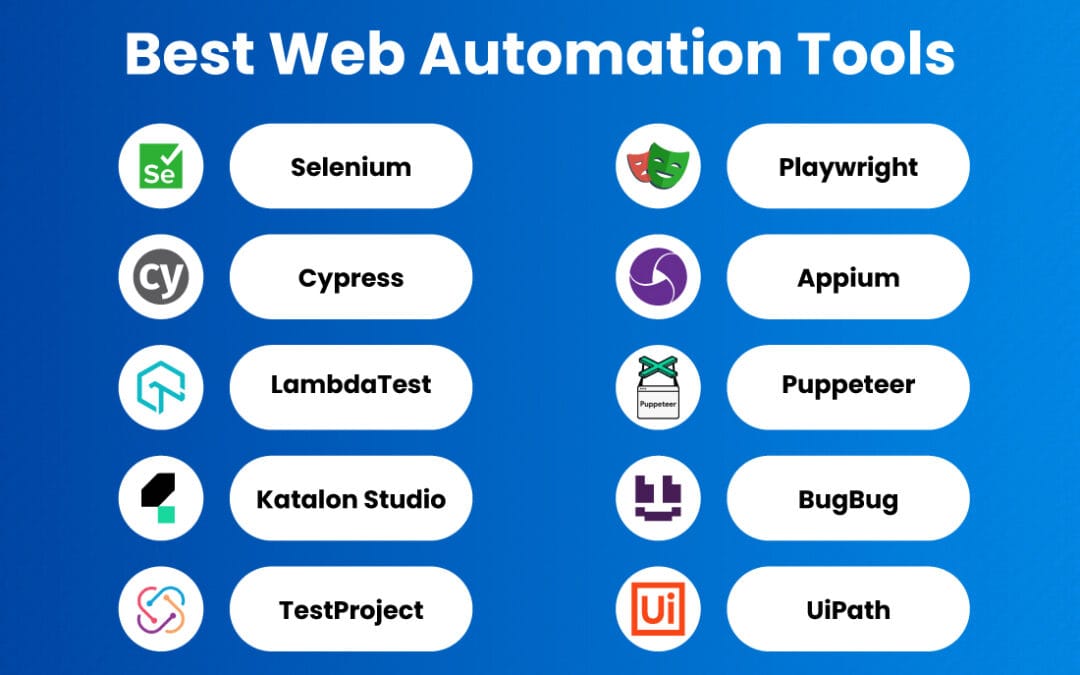
Automation, as defined by Spiceworks, is “the use of machines or technology to perform tasks without much human intervention. The approach tries to streamline processes, enhance efficiency” and reduce manual effort. For regulated GCC markets like Saudi Arabia and the UAE, that definition is a useful starting point but incomplete: durable automation must also log every decision for VAT, ZATCA e-invoicing, and data-residency audits. In practice, many automation projects stall not because the software breaks, but because no one embedded compliance guardrails or an audit trail into the workflow.
Three requirements tend to separate automation that survives from automation that stalls:
- Compliance guardrails — rules that block non-compliant actions before execution.
- Immutable audit trails — timestamped logs of every automated decision.
- Human-in-the-loop checkpoints — approval gates for high-risk transactions.
Teams that build these three layers before deployment generally find the automation far easier to keep running over time. The tool rarely fails on its own; the governance around it is what determines whether it lasts. A related, under-discussed problem is sprawl — a growing business can accumulate many disconnected automation tools, and integrations between them can silently stop syncing without anyone noticing until a downstream report looks wrong.
Automation tools are software platforms that execute repetitive business tasks — data entry, email sequences, invoice processing, customer replies — with minimal human input, using either fixed rules (deterministic) or AI models (probabilistic). Choosing between an off-the-shelf tool and a custom-built AI agent isn’t purely a tech decision. It’s a cost, compliance, and control decision. This guide breaks down the categories, the trade-offs, the hidden pitfalls, and where MENA/GCC founders commonly get burned.
About this guide and how we source it
This article is maintained by practitioners who work on business automation and AI-agent implementation for SME and GCC-focused workflows. It reflects general topical expertise rather than a single named author. Where we cite external definitions, categories, or tooling, we link to the primary source inline so you can verify it directly. Figures presented as illustrative — for example, the pricing bands and worked ROI examples below — are clearly labelled as typical ranges or scenarios, not audited industry statistics. Where we could not substantiate a number against a named, verifiable source, we have removed it rather than present it as fact.
Published: July 2025. Last reviewed: July 2025.
Quick Summary: Automation Tools at a Glance
- Two families: Automation tools divide into deterministic (rule-based) tools that follow fixed logic and produce identical output for identical input, and probabilistic (AI-driven) tools that interpret ambiguous inputs using machine learning. Deterministic tools suit structured, predictable tasks like invoice routing; probabilistic tools handle unstructured inputs such as customer emails, but require ongoing monitoring and human review.
- Fragmented market: “Automation tools” is an umbrella term. As Hive’s 2026 roundup shows, the category spans email marketing, workflow management, and beyond, and no single tool covers every need.
- Cost split (illustrative): Off-the-shelf SaaS tools commonly price at $30–$500/month per seat; a self-hosted n8n stack can run for a low, flat server cost for unlimited workflows. Actual pricing varies by vendor tier and usage.
- Compliance matters: Finance, payroll, and tax automation in the GCC should be deterministic and audit-ready to align with PDPL, VAT, and GOSI/WPS requirements.
- Buy vs. build: Buy for generic marketing and CRM tasks; consider building custom AI agents for regulated, Arabic-language, or data-residency-sensitive workflows.
- ROI reality: Break-even depends on hours saved, error reduction, and setup cost — measure it per task rather than trusting a vendor’s headline payback claim.
What are automation tools and how do they actually work?
Automation tools are software systems that perform repetitive business tasks — moving data, sending messages, processing documents, triggering actions — with little to no human intervention. As Spiceworks puts it, automation “tries to streamline processes, enhance efficiency” by replacing manual steps with programmed logic or AI decision-making.
Under the hood, most automation tools run on the same skeleton: a trigger, a set of conditions, and one or more actions. Consider a typical workflow: a new WhatsApp message arrives (trigger), the system checks whether it contains an Arabic invoice request (condition), then extracts the amount and logs it into an accounting system (action). Simple in concept — and much harder in execution when Arabic dialects, VAT formatting, and messy real-world data enter the picture.
There are two families of automation tools, and confusing them is one of the most expensive mistakes SME founders make:
- Deterministic automation follows fixed rules and produces the same output every time given the same input. Payroll calculations, VAT filing, and GOSI contributions belong here — there is no room for creative interpretation.
- Probabilistic automation uses large language models to interpret ambiguous inputs, like drafting a customer reply or summarizing a contract. Powerful, but non-deterministic by design, which means the same input can yield slightly different output.
GeeksforGeeks (July 2025) categorizes automation across software testing, data processing, and system maintenance — a reminder that “automation tools” is an umbrella covering wildly different worlds. A Playwright test suite and a HubSpot email sequence share almost nothing beyond the word. For business operations in Saudi Arabia, UAE, or Oman, the relevant categories are workflow automation, document processing, customer communication, and financial reconciliation. Our deterministic vs. probabilistic AI guide unpacks which tasks demand which engine.
Worked example: a two-family split in one workflow
A practical implementation often blends both families in a single pipeline. Imagine an invoice-processing flow: the probabilistic layer reads an inbound Arabic email and extracts the supplier name, invoice number, and line items (a language task, well suited to an AI model). The deterministic layer then validates the VAT calculation, checks the total against a purchase-order rule, and books the entry (a math and compliance task where an AI model should never be trusted). Keeping the money math deterministic while letting AI handle only the language is a design pattern that repeatedly proves more auditable than handing the whole task to one model.
What are the best automation tools for SMEs in 2026?
The best automation tools for SMEs in 2026 tend to fall into three broad categories, each suited to a specific job:
- Marketing automation: HubSpot, Mailchimp, and ActiveCampaign handle email sequences, lead scoring, and CRM syncing.
- Workflow orchestration: Zapier, Make, Lindy, and self-hosted n8n connect apps and automate multi-step processes.
- Custom AI agents: Best for regulated industries and Arabic-language operations requiring compliance and localization.
No single tool covers every need, despite what vendor demos claim. Practitioners generally find that a focused stack of two or three tools that integrate cleanly outperforms chasing one platform that claims to do everything — because every extra integration is another point where syncing can silently drift.
Hive’s 2026 roundup lists 25 automation tools spanning email marketing to workflow management, and the fragmentation is telling. Marketing teams gravitate toward Mailchimp and ActiveCampaign. Operations leaders reach for Zapier, Make, or self-hosted n8n. IT teams, per Guru99’s 2026 IT automation list, lean on infrastructure-focused platforms. Testing engineers use Playwright, which GeeksforGeeks ranks as a leading open-source framework. Additional comparison-style roundups, such as this 2025 best-automation-software list, cover similar ground for buyer research.
Here’s how the main categories compare for a typical GCC-based SME. Pricing figures are illustrative ranges published by vendors and roundup sites at the time of writing; confirm current tiers before you commit.
| Tool Category | Example Tools | Typical Monthly Cost | Best For | Compliance Risk |
|---|---|---|---|---|
| Marketing automation | HubSpot, Mailchimp, ActiveCampaign | $30–$500/seat | Email, lead nurturing | Low |
| Workflow orchestration (SaaS) | Zapier, Make, Lindy | $20–$300 | App-to-app syncing | Medium (data leaves region) |
| Self-hosted workflow | n8n (self-hosted) | Low flat server cost | Unlimited workflows, data residency | Low (you control data) |
| Custom AI agents | Built on GPT/Claude + guardrails | Build cost + hosting | Arabic, regulated tasks | Low (audit-ready by design) |
| Testing automation | Playwright, Selenium | Free (open source) | QA, software delivery | N/A |
Notice the pricing gap. A team running many workflows on per-task SaaS pricing can spend meaningfully more each month than the same workflows on a self-hosted n8n instance, where the main cost is a flat server fee. That gap tends to widen the more workflows and tasks you run.
For MENA founders, one factor often overrides features and price: data residency. Many SaaS automation tools route data through US or EU servers, which can complicate PDPL compliance in Saudi Arabia. Self-hosted tools and custom agents keep data inside your chosen jurisdiction.
Should you buy off-the-shelf automation tools or build custom AI agents?
Off-the-shelf automation tools suit generic, low-risk tasks like email marketing and CRM syncing, while custom AI agents become more compelling when you need Arabic-language handling, regulatory audit trails, or data residency control. The decision hinges on customization depth and compliance exposure — not on which vendor markets the loudest, and not on which option looks cheaper on day one.
Off-the-shelf automation tools win on speed. You sign up for HubSpot, connect your inbox, and you’re sending automated sequences within an hour, with no developer needed. For a five-person startup running standard marketing plays, that’s usually the right call — building custom software for a solved problem wastes runway.
Custom AI agents win where generic tools fall short. Consider a Riyadh property management firm processing tenant requests in Gulf and Egyptian Arabic dialects, cross-referencing RERA regulations, and logging every action for audit. No off-the-shelf SaaS tool handles that cleanly out of the box. A purpose-built agent can — and it produces an audit trail that survives a compliance review.
Use this decision framework:
- Is the task generic and well-solved? (email, invoicing templates) → Buy.
- Does it touch regulated data? (payroll, VAT, GOSI, patient records) → Build deterministic, audit-ready workflows.
- Does it require Arabic dialect understanding? → Build a custom agent; most SaaS NLP handles Modern Standard Arabic poorly.
- Do you need data to stay in-region? → Self-host or build.
- Will you run very high task volumes each month? → SaaS per-task pricing punishes scale; build or self-host.
A useful rule of thumb: buy when a task is standardized across industries and switching costs stay low; build when regulatory or linguistic requirements create lock-in that off-the-shelf vendors can’t address. For GCC organizations handling Arabic content or subject to data-residency laws, custom agents can deliver lower total cost of ownership despite higher upfront investment, because retrofitting compliance onto generic tools tends to get more expensive over time.
The hidden cost vendors often omit: maintenance and integration drift. Every SaaS tool updates its API, and connected automations can break silently when one integration changes. A custom agent you control doesn’t surprise you with a Tuesday-morning API deprecation. Our buy-vs-build cost breakdown runs the full TCO reasoning with GCC-specific numbers.
Why do compliance and audit-readiness matter for automation tools?
Compliance and audit-readiness matter because automated financial and HR tasks in the GCC should produce complete audit trails and follow deterministic rules to satisfy PDPL, VAT, and GOSI/WPS regulations. An automation tool that can’t explain its decisions becomes a liability the moment a regulator or auditor asks.
Regulators in Saudi Arabia and the UAE generally don’t accept “the AI decided” as an answer. When your automation tool calculates a WPS salary transfer or files VAT, it needs to show its work: which rule fired, what data it used, and who approved it. That’s why deterministic automation is the safer default for finance and payroll. A probabilistic model that is 97% accurate still means roughly 3 wrong outcomes per 100 — unacceptable when GOSI contributions and employee trust are on the line.
The compliance frameworks GCC automation should respect include:
- PDPL (Saudi Personal Data Protection Law) — governs how personal data is processed and stored, with data-residency expectations.
- GDPR — relevant for any GCC firm serving EU customers.
- VAT regulations — 15% in Saudi Arabia, 5% in the UAE and Oman, each requiring precise, auditable calculation.
- GOSI / WPS — social insurance and wage-protection rules demanding exact, traceable payroll processing.
- RERA — real-estate regulatory requirements for property automation.
Wikipedia’s automation overview notes that complex systems “typically use combinations” of control techniques — a principle that applies to compliance architecture too. A robust pattern layers a deterministic rules engine for the financial math with a probabilistic AI layer strictly for language and interpretation, never for the numbers themselves.
Build guardrails into every regulated automation: input validation, human-in-the-loop approval for high-value transactions, immutable logging, and explainable decision records. In a VAT inspection, defensibility is the whole game — an automation you can’t audit is an automation you can’t defend. Skipping these guardrails to launch faster is the false economy that produces the breakdowns described at the top of this article.
How do you measure ROI on automation tools?
Measure automation ROI by comparing total cost of ownership against hours saved, error reduction, and revenue enabled — then calculate break-even in months. Break-even varies widely by task; treat any single headline figure (including vendor payback claims) with skepticism and run your own numbers.
Start with a simple, honest calculation. Take a task, measure the human hours it consumes weekly, multiply by the loaded hourly cost, and subtract the automation’s monthly cost plus setup. As an illustrative scenario, a Dubai accounting SME spending 30 hours/month on manual invoice entry at 75 AED/hour spends about 2,250 AED monthly on that task. A custom document-processing agent costing roughly 500 AED/month to run, plus a one-time build, would break even in a few months and then save the bulk of that recurring cost each year thereafter. Your figures will differ — the point is the method, not the specific numbers.
Include the numbers vendors leave off your spreadsheet:
- Setup and integration time — often a meaningful block of internal work before anything runs.
- Per-task or per-seat scaling costs — SaaS pricing that climbs with usage.
- Maintenance — fixing broken integrations, budgeted as a few hours monthly per critical workflow.
- Error remediation — the cost of catching and fixing automation mistakes.
- Training — getting your team to trust and use the tool.
Error reduction is the ROI lever most founders undercount. If manual VAT filing produces errors and deterministic automation drops that near zero, you are not just saving hours — you are avoiding penalties and rework that can dwarf the tool’s cost. In many implementations, the largest returns come from eliminated errors, not just eliminated labor.
Track three metrics after launch: hours reclaimed, error-rate change, and cost per completed task. If cost per task isn’t falling within 90 days, the automation tool is likely misconfigured or mis-chosen. Fix it or retire it — don’t let a losing automation coast on sunk-cost inertia.
Practical Takeaways: Choosing Automation Tools Without Getting Burned
Automation tools deliver ROI only when matched to the right task with the right engine and the right guardrails. Consider this checklist before you sign any contract or write any code:
- Map the task first, tool second. Write down the exact trigger, conditions, and actions before evaluating any automation tool.
- Separate deterministic from probabilistic. Don’t let an AI model calculate money. Use rules for finance, AI for language.
- Check data residency early. Confirm where each SaaS tool stores your data before onboarding — retrofitting compliance is expensive.
- Run the break-even math. If payback is far out of line with the hours you expect to reclaim, rescope or walk away.
- Budget for maintenance. Assume a few hours monthly per critical workflow to catch integration drift.
- Demand audit logs. Any automation touching payroll, VAT, or personal data needs immutable, explainable records.
- Start small, prove it, scale. Automate one high-friction task, measure for 90 days, then expand.
The founders who win with automation treat it like hiring, not shopping. You wouldn’t hire an employee without a job description, a compliance check, and a 90-day review. Apply the same discipline to every automation tool you deploy.
Frequently Asked Questions
What is the difference between automation tools and AI agents?
Automation tools follow predefined rules to execute fixed tasks, while AI agents use large language models to interpret ambiguous inputs and make context-dependent decisions. A rules-based tool sends the same email every time; an AI agent reads a customer’s Arabic message and drafts a tailored reply. Regulated financial tasks should use deterministic tools; language-heavy tasks benefit from AI agents with guardrails.
How much do automation tools cost for a small business?
Automation tools for small businesses range from free open-source options like Playwright to roughly $30–$500 per seat monthly for SaaS platforms like HubSpot. A self-hosted n8n stack can run unlimited workflows for a low flat server cost. Custom AI agents involve a build cost plus modest hosting; whether that pays back depends on the hours and errors the workflow eliminates, so run the numbers on your specific task.
Are automation tools compliant with GCC regulations like PDPL and VAT?
Not automatically. Many SaaS automation tools route data through US or EU servers, which can conflict with Saudi PDPL data-residency expectations. Financial automation should be deterministic and audit-ready to satisfy VAT and GOSI/WPS requirements. Self-hosted tools and custom agents give GCC businesses the data control and explainable audit trails regulators require.
Which automation tools are best for Arabic-language workflows?
Most off-the-shelf automation tools handle Modern Standard Arabic poorly and struggle with Gulf and Egyptian dialects. Custom AI agents built on advanced language models, tuned for regional dialects and combined with deterministic business logic, tend to deliver better accuracy for WhatsApp customer service, invoice processing, and tenant communication across MENA markets.
How long does it take to see ROI from automation tools?
Break-even depends on hours saved, error reduction, and setup cost, and varies widely by task — so treat any single headline payback figure with caution. Track cost per completed task within the first 90 days: if it isn’t falling, the tool is likely misconfigured or mismatched to the job.
What causes automation tools to break or stop working?
Automation tools most often break from API changes and integration drift, which can silently disrupt multi-tool workflows. When a SaaS platform updates its API, connected automations can fail without warning. Custom, self-controlled workflows and regular maintenance checks (a few hours monthly) reduce these silent failures.
The next wave of automation tools may not be sold as tools at all — they’ll be custom agents scoped to a specific workflow, a specific set of regulations, and a specific language. SMEs that move from renting generic software to owning purpose-built automation gain the ability to defend every decision when the auditor knocks. The question isn’t whether to automate. It’s whether you’ll control the automation, or let it quietly control you.
Sources & References
- Spiceworks — What Is Automation? Definition, Types, Benefits, and Importance
- GeeksforGeeks — What is Automation? Definition, Types, Example & Future
- GeeksforGeeks — Automation Testing Tools
- Wikipedia — Automation
- Hive — Top 25 Automation Tools To Speed Up Your Workflow in 2026
- Guru99 — 15 Best IT Automation Tools (2026)
- Best Automation Software (2025): Top 10 Tools
Last updated: 2026-07-04
Note: This article is for general informational purposes; verify specifics against your own context.