
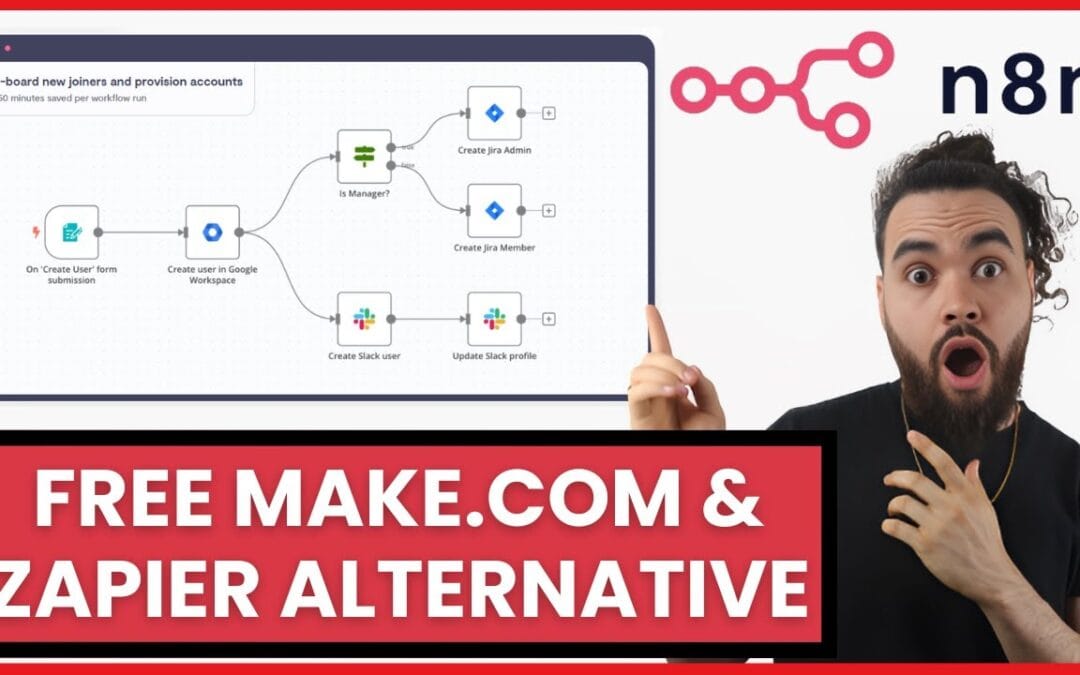
Self-hosting n8n replaces Zapier by running an open-source workflow automation engine on your own server, eliminating per-task fees entirely. Instead of paying a SaaS subscription metered by task volume, you pay only for the server resources you consume — and your OpenAI API keys never leave your own infrastructure. Multiple published deployment guides describe the same core pattern: unlimited executions, zero per-task fees, and full credential control on hardware you own.
If you’ve been asking how do i self-host n8n to replace zapier chatgpt workflows, here’s the short version: you provision a low-cost VPS, deploy n8n with Docker Compose, secure it with Nginx and SSL, then wire in the OpenAI API to build AI agents that run without per-task charges. The cost savings frequently cited in public guides are structural — they come from decoupling cost from execution volume, not from marketing claims.
Quick Summary: How to Self-Host n8n to Replace Zapier + ChatGPT
- Cost: A self-hosted n8n instance runs on a $5–$12/month VPS versus Zapier plans that start at roughly $20/month and scale into the hundreds depending on task volume.
- Setup time: A functional n8n deployment with Docker is commonly described as achievable in under 30 minutes (see theoperatorai.io). In practice, a clean first install on a fresh Ubuntu 22.04 VPS — DNS propagation included — tends to run closer to 35–50 minutes the first time, and under 15 minutes once you’ve scripted it.
- Unlimited executions: Self-hosted n8n charges nothing per task — you only pay for server resources.
- ChatGPT integration: Connect the OpenAI API directly inside n8n’s HTTP Request or dedicated AI nodes to build chatbots and agents.
- Data control: Credentials and customer data stay on your hardware, simplifying privacy and data-residency considerations.
- The catch: You own the maintenance, security patching, and uptime — which is why some SMEs hand it to a partner or use a managed option.
What Is n8n and Why Does It Replace Zapier and ChatGPT Workflows?
n8n is an open-source, node-based workflow automation platform that lets you connect apps, APIs, and AI models without per-task fees. Unlike Zapier, n8n can be self-hosted on your own server, giving you unlimited executions and full control over data and credentials.
The name is a contraction of “nodemation” — node-based automation. Where Zapier locks you into a SaaS subscription metered by task volume, n8n’s Community Edition hands you the source code under a fair-code license (specifically the Sustainable Use License). You run it where you want: a VPS, a home server, or a cloud container.
The reason n8n is positioned as an alternative to both Zapier and standalone ChatGPT for business automation is straightforward. Zapier handles the app connections but charges per task and caps your execution volume by plan. ChatGPT handles the language reasoning but can’t reliably trigger actions, query your database, or run on a schedule on its own. n8n unifies both. You can build a workflow where a WhatsApp message triggers an OpenAI API call, the response gets logged to PostgreSQL, and a follow-up email fires — all inside one self-hosted canvas.
According to deployment guides published by theoperatorai.io and valebyte.com, n8n supports unlimited workflows on self-hosted infrastructure with no per-step billing. That’s the structural difference. A typical implementation replaces a Zapier stack — where every successful task is billable — with a fixed monthly server cost that does not rise as automation volume grows.
How Do I Self-Host n8n to Replace Zapier ChatGPT in Under 30 Minutes?
Self-hosting n8n to replace Zapier ChatGPT workflows typically takes under 30 minutes using a four-part stack: Docker Compose, a Linux VPS, Nginx as a reverse proxy, and a free Certbot SSL certificate. After deployment, you add your OpenAI API key inside an n8n credential and connect an AI node.
The stack mirrors what credible public guides recommend: Docker, Docker Compose, Nginx, PostgreSQL, and Certbot. Here’s a representative sequence practitioners generally follow when answering how do i self-host n8n to replace zapier chatgpt.
- Provision a VPS. Spin up a $6–$12/month instance on a provider such as DigitalOcean, Hetzner, or a USA-based VPS. Two vCPUs and 2–4 GB RAM handle most SME workloads comfortably. For reference, Hetzner’s CX22 (2 vCPU / 4 GB) lands around €4.59/month and DigitalOcean’s basic 2 GB droplet at $12/month — both are commonly used baselines in the guides referenced below.
- Install Docker and Docker Compose. Run the official Docker convenience script, then verify with
docker --version. This isolates n8n and its database into clean containers. - Write your docker-compose.yml. Define two services: n8n and PostgreSQL. PostgreSQL stores your workflows and execution history far more reliably than the default SQLite for production use. A representative minimal compose file pins the version and persists data to named volumes:
services:
  postgres:
    image: postgres:16
    restart: always
    environment:
      - POSTGRES_USER=n8n
      - POSTGRES_PASSWORD=changeme_strong
      - POSTGRES_DB=n8n
    volumes:
      - pgdata:/var/lib/postgresql/data

  n8n:
    image: docker.n8n.io/n8nio/n8n:latest
    restart: always
    ports:
      - "127.0.0.1:5678:5678"
    environment:
      - DB_TYPE=postgresdb
      - DB_POSTGRESDB_HOST=postgres
      - DB_POSTGRESDB_DATABASE=n8n
      - DB_POSTGRESDB_USER=n8n
      - DB_POSTGRESDB_PASSWORD=changeme_strong
      - N8N_HOST=n8n.example.com
      - N8N_PROTOCOL=https
      - WEBHOOK_URL=https://n8n.example.com/
      - N8N_ENCRYPTION_KEY=replace_with_long_random_string
    depends_on:
      - postgres
    volumes:
      - n8ndata:/home/node/.n8n

volumes:
  pgdata:
  n8ndata:
Note that binding the port to
127.0.0.1keeps n8n off the public internet so that only your Nginx reverse proxy can reach it — a small detail that prevents the editor UI from being exposed directly. Always pin a known image tag in production rather than relying onlatest, which can silently upgrade and introduce breaking changes between releases. - Set environment variables. Configure
N8N_HOST,WEBHOOK_URL, a basic-auth user, and a strongN8N_ENCRYPTION_KEY(a 32+ character random string works well). The encryption key protects your stored credentials at rest. - Configure Nginx as a reverse proxy. Point your domain to the server, route traffic to n8n’s port 5678, and enable WebSocket support (
proxy_set_header Upgrade $http_upgrade;andproxy_set_header Connection "upgrade";) so the editor UI works smoothly. - Add SSL with Certbot. Run
certbot --nginx -d n8n.example.comto issue a free Let’s Encrypt certificate. HTTPS is non-negotiable when you’re piping customer data and API keys. - Launch and log in. Run
docker compose up -d, open your domain, and create your owner account. - Connect the OpenAI API. In n8n, add an OpenAI credential with your API key, then drop an AI Agent or HTTP Request node into a workflow to call GPT models.
The localtonet.com installation guide describes this same Docker-plus-Nginx-plus-Certbot pattern as a standard production approach. For the authoritative reference on configuration and environment variables, the official n8n hosting documentation is the canonical source and should be treated as the baseline — it documents the full environment-variable reference, including the database and queue-mode settings that compress most setup uncertainty.
How Do I Connect ChatGPT to a Self-Hosted n8n Workflow?
Connecting ChatGPT to a self-hosted n8n workflow takes four steps and typically under 10 minutes. First, generate an API key at platform.openai.com (keys created from 2024 onward use the sk-proj- prefix). Second, add it as an OpenAI credential in n8n. Third, place an AI Agent or OpenAI node on the canvas. Fourth, wire the node’s output to wherever the response should go — email, chat, or a database.
This is the angle that the broader competitor field underserves: combining self-hosting specifically with ChatGPT/OpenAI integration. Self-hosting saves money on workflow execution. Adding the OpenAI API turns n8n into the reasoning layer of an automation system.
A Worked AI Agent Example
Consider a customer support chatbot for an e-commerce store. A typical implementation looks like this:
- Trigger: A WhatsApp message hits an n8n webhook.
- Context retrieval: n8n queries the order database in PostgreSQL.
- AI reasoning: The OpenAI node receives the customer question plus order context and drafts a reply (for example, in Arabic for a Gulf-region retailer).
- Human checkpoint: For refund requests over a defined threshold (say $100), the draft routes to a human agent for approval — deterministic guardrails, not blind trust.
- Response: Approved replies fire back through the WhatsApp Business API.
The entire pipeline runs on a self-hosted server, costing roughly the price of the VPS (about $12/month) plus metered OpenAI usage. As a rough illustration, a gpt-4o-mini reply of a few hundred tokens costs a fraction of a cent at OpenAI’s published token rates — verify current pricing on OpenAI’s own pricing page, as token rates change. The equivalent logic in a per-task automation platform with an AI add-on would meter charges at every step, which scales quickly at modest volume. The structural advantage is that execution cost stays flat as the workflow runs more often. This is the difference between renting intelligence per task and owning the automation layer.
One word of caution: probabilistic AI is a tool, not an oracle. Practitioners generally design every agent with deterministic checkpoints — human approval gates, validation nodes, and fallback paths — because an AI that approves everything is a liability rather than an asset.
Is Self-Hosting n8n Cheaper Than Zapier for SMEs? A 12-Month ROI Breakdown
For most SMEs, self-hosting n8n is dramatically cheaper than Zapier. Over 12 months, a $12/month VPS costs $144 in infrastructure, versus Zapier plans that commonly run several hundred to several thousand dollars per year depending on task volume. The savings widen as automation usage grows.
The core economic characteristic of metered automation platforms is that you pay more precisely when your automations succeed more — every extra task is another charge. Self-hosted n8n decouples cost from volume entirely. The comparison below summarizes the trade-offs. Zapier publishes its tiers as Free, Professional (starting around $19.99/month billed annually), Team, and Enterprise — exact figures and included task allowances change, so confirm current numbers on Zapier’s official pricing page before budgeting.
| Factor | Zapier (paid plans) | Self-Hosted n8n |
|---|---|---|
| Monthly base cost | ~$20–$100+ (plan-dependent) | $6–$12 (VPS) |
| Per-task fees | Yes, metered | None |
| Execution limits | Capped by plan | Unlimited |
| 12-month infrastructure (illustrative) | Hundreds to thousands | ~$144 |
| Data location | Vendor servers | Your server |
| ChatGPT integration | Add-on, task-billed | Direct API, unmetered nodes |
| Maintenance burden | Zero (managed) | You own it |
According to cost analyses from valebyte.com and usavps.com, the unlimited-execution model of self-hosted n8n is the single biggest driver of savings for businesses running high-frequency automations.
The honest trade-off: a managed subscription buys you zero maintenance. Self-hosting trades dollars for responsibility — patching, backups, uptime monitoring. For a 50-person SME running 30 workflows, that trade is usually financially favorable. For a two-person startup with no technical staff, the maintenance burden is real and worth budgeting for. A pragmatic way to account for it is to add the value of your own time: even an hour a month of admin at a $50/hour opportunity cost adds $600/year to the “$144” sticker price, which is still typically below high-volume Zapier tiers but closes the gap. The right answer depends on your volume and your in-house technical capacity, not on a blanket rule.
When Should You Self-Host n8n vs. Use a Managed Service or Hire a Consultant?
Self-hosting n8n is the strongest choice when you have technical capacity and want maximum cost control, since the open-source Community Edition is free and runs on a $5–$20/month VPS. Use a managed option (such as n8n Cloud) when convenience matters more than the saving, and consider hiring help when complexity, security, or compliance exceeds your in-house skills — common for SMEs without a DevOps team.
The decision isn’t binary, and treating it as such does business owners a disservice. Here’s a practical framing.
Self-Host If
- You have someone comfortable with Docker, SSH, and basic Linux administration.
- You’re running enough automation volume that per-task fees become meaningful.
- Data residency or credential control is a compliance requirement.
Use Managed n8n Cloud If
- You want n8n’s flexibility without touching a server.
- Your volume is moderate and the convenience premium is worth it.
- You’d rather not own SSL renewal, backups, and security patches.
Hire a Partner If
- You want AI agents, custom ERP hooks, or WhatsApp chatbots that hold up in production.
- Docker, Nginx, and Certbot sound like a foreign language.
- You need deterministic guardrails, security hardening, and ongoing maintenance handled by people who do this regularly.
The maintenance burden is the variable many quick-start guides gloss over. Self-hosting isn’t “set it and forget it.” Security patches, dependency updates, database backups, and SSL renewals all land on someone’s desk. The risk in open-source self-hosting is rarely the software itself — it’s whether updates actually get applied. If that someone is you, that’s fine. If it’s nobody, you’ve built a liability rather than an asset.
What Are the Security Risks of Self-Hosting n8n, and How Do You Harden It?
The main security risks of self-hosting n8n are exposed credentials, unpatched vulnerabilities, and an unsecured editor UI. You harden it by enforcing HTTPS via SSL, setting a strong encryption key, enabling authentication, restricting firewall access, and applying updates promptly.
Self-hosting means you own the attack surface. That’s not a reason to avoid it — it’s a reason to do it properly. Here’s a standard hardening checklist for any production deployment.
- Force HTTPS everywhere. Certbot’s free Let’s Encrypt certificate is non-negotiable. Plain HTTP exposes API keys in transit.
- Set a strong N8N_ENCRYPTION_KEY. This key encrypts stored credentials. Lose it and you lose access; leak it and your secrets are exposed.
- Enable authentication. Never leave the editor UI open. Use n8n’s built-in user management or place it behind an Nginx basic-auth layer.
- Lock down the firewall. Close every port except 80, 443, and your SSH port. Consider restricting SSH to known IPs.
- Automate backups. Schedule PostgreSQL dumps (a nightly
pg_dumpto off-server storage is the common baseline). Workflows represent real business logic — losing them means losing operations. - Patch on a schedule. Update Docker images and the host OS regularly. Unpatched software is one of the most common breach vectors.
The U.S. Cybersecurity and Infrastructure Security Agency (CISA) lists timely patching as one of the most effective defenses against exploitation. For self-hosted infrastructure, that responsibility is yours. The n8n project documents its security model and recommended configurations at the official n8n hosting documentation, which should be treated as the baseline rather than the ceiling.
Transparency matters here. Self-hosting can be stronger for data residency because nothing leaves your server — but it’s only as secure as your maintenance discipline. An abandoned, unpatched n8n instance is worse than a managed SaaS. That trade-off is real and worth stating plainly, because pretending otherwise is how instances get breached.
Your Actionable Takeaway: A 7-Day Plan to Replace Zapier with n8n + ChatGPT
Here’s a practical path from a Zapier subscription to self-hosted AI automation, condensed into a week you can execute.
- Day 1 — Audit. List every active Zapier zap and its monthly task count. This reveals your real cost and what needs migrating.
- Day 2 — Provision. Spin up a VPS and install Docker and Docker Compose.
- Day 3 — Deploy. Launch n8n with PostgreSQL via Docker Compose, configure Nginx, and issue SSL with Certbot.
- Day 4 — Migrate. Rebuild your top three workflows in n8n. Most Zapier logic maps to n8n nodes directly.
- Day 5 — Add AI. Connect the OpenAI API and upgrade one workflow into an AI agent with a human approval gate.
- Day 6 — Harden. Apply the security checklist: auth, firewall, backups, encryption key.
- Day 7 — Cut over. Run both systems in parallel for 24 hours, confirm parity, then cancel Zapier.
By day seven you’ve replaced a recurring SaaS bill with an asset you own — and added AI capabilities that a per-task platform would have metered. That’s the core reason to ask how to self-host n8n to replace Zapier ChatGPT workflows in the first place.
Frequently Asked Questions
How do I self-host n8n to replace Zapier ChatGPT workflows for free?
You can’t run it entirely free — but close. The n8n software is free and open-source, so your only costs are a $6–$12/month VPS and metered OpenAI API usage. Compared to Zapier’s paid plans (which start around $20/month) plus AI add-on fees, self-hosting shifts spending from per-task billing to a fixed server cost.
Can I run ChatGPT inside n8n without coding?
Yes. n8n provides a dedicated OpenAI node and an AI Agent node that connect to ChatGPT models using just your API key — no code required. You drag the node onto the canvas, paste your key into a credential, and write your prompt in a text field. For advanced logic, the HTTP Request node gives full API control.
Is self-hosted n8n as reliable as Zapier?
Self-hosted n8n can match a managed platform’s reliability, but uptime depends on your server management. Zapier’s managed infrastructure handles availability for you; with self-hosting, backups, monitoring, and patching are your responsibility. Using PostgreSQL instead of SQLite and automating backups closes most of the reliability gap for production workloads.
What server specs do I need to self-host n8n with AI workflows?
For most SME workloads, a VPS with 2 vCPUs and 2–4 GB of RAM is sufficient to run self-hosted n8n with PostgreSQL and OpenAI integrations. Heavy parallel executions or large data processing may warrant 4+ GB. A $6–$12/month instance from providers like Hetzner or DigitalOcean handles typical automation volume comfortably.
Should a non-technical founder self-host n8n or hire help?
If you have no comfort with Docker, Linux, or SSL, hiring a partner or using a managed option is usually the smarter move. The software savings are real, but the maintenance burden — security patching, backups, uptime — falls entirely on you. A done-for-you setup removes the technical risk while still delivering the unlimited-execution cost advantage of self-hosting.
Sources & References
- Stop Paying for Zapier: How to Self-Host n8n in Under 30 Minutes — theoperatorai.io
- How to Self-Host n8n: Complete Guide to Installation, Security, Webhooks, and Remote Access — localtonet.com
- How to Self-Host n8n on a USA VPS: Zapier Alternative with Full Control — usavps.com
- Self-hosted n8n: a Zapier/Make alternative with unlimited workflows — valebyte.com
- Official n8n Hosting Documentation — docs.n8n.io
- Understanding Patches and Software Updates — CISA
This guide is based on publicly documented n8n deployment practices and the official n8n hosting documentation, and reflects general topical expertise rather than a single named author. The configuration snippets above are illustrative starting points, not copy-paste production secrets — replace every placeholder password and key with your own strong values. Pricing for third-party services (Zapier, VPS providers, OpenAI) changes over time — verify current figures on each vendor’s official pricing page before budgeting.
Last updated: 2026-06-06
Note: This article is for general informational purposes; verify specifics against your own context.