
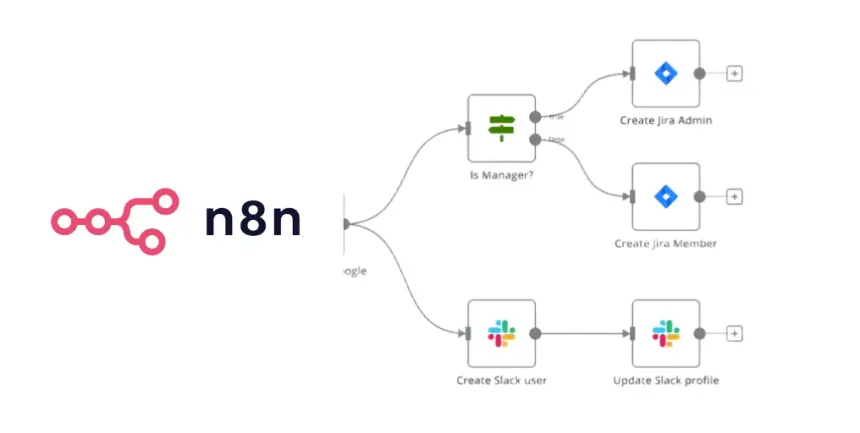
N8n self-hosting on AWS is the practice of deploying the open-source n8n automation platform on your own AWS EC2 server instead of paying for a managed SaaS subscription. The question of n8n self-hosting on AWS step by step is one of the most common automation infrastructure topics technical teams research today.
Self-hosting n8n on AWS means deploying the open-source workflow automation platform on your own EC2 server using Docker, giving you full control over data, integrations, and cost. Unlike n8n Cloud’s subscription pricing, a self-hosted instance runs your workflows for the flat cost of the server. The tradeoff is real: you own the security, scaling, and maintenance. The official n8n documentation warns that self-hosting demands genuine technical expertise — server configuration, container management, and security hardening included.
Quick Summary: n8n Self-Hosting on AWS
- Cost reality: A self-hosted n8n instance on an AWS EC2 t3.small typically runs roughly $15-$25/month (compute plus storage and data transfer), versus n8n Cloud’s tiered subscription model.
- Setup time: A clean Docker-based deployment takes 60-90 minutes for an experienced engineer; expect a full day if you’re learning AWS along the way.
- Stack: EC2 + Docker + Docker Compose + Nginx reverse proxy + Let’s Encrypt SSL + a custom domain.
- Security is non-negotiable: the n8n documentation explicitly flags data loss, security breaches, and downtime as self-hosting risks.
- DIY vs done-for-you: Non-technical SMEs should weigh DevOps skill gaps against the cost of a managed deployment.
- 400+ integrations ship with n8n, plus native AI agent capabilities, per the official n8n GitHub repository.
Published: June 6, 2026. This guide reflects general n8n self-hosting practice and the publicly available n8n documentation as of that date; pricing tiers and instance recommendations should always be re-checked against the current n8n website and AWS pricing pages before you commit.
What Is n8n and Why Self-Host It on AWS?
n8n is a fair-code (source-available) workflow automation platform that gives technical teams the flexibility of code with the speed of no-code, shipping with 400+ integrations and native AI capabilities, according to the official n8n GitHub repository and the n8n features page. “Fair-code” means the source is publicly available and free to self-host, but it is not OSI-certified open source — certain commercial usage restrictions apply, so it’s worth reading the license if you plan to embed n8n in a product. Self-hosting it on AWS means you run the entire engine on infrastructure you control, eliminating subscription fees and keeping data inside your own perimeter.
The motivation is rarely vanity. Practitioners generally self-host for two reasons: cost predictability and data privacy. n8n Cloud is sold as managed tiers; a self-hosted EC2 box runs your workflows for the flat price of the server regardless of execution volume. For a team firing tens of thousands of webhook events a month, that flat-cost model is the central appeal.
Privacy drives the rest. When customer emails, CRM records, or payment metadata flow through your workflows, routing them through a third-party cloud creates compliance friction. Self-hosting keeps the data resident on your AWS account, which matters for businesses subject to GDPR or regional data-residency rules. Note: data residency on your own infrastructure is not the same as compliance — it is one input. Achieving GDPR or similar conformance still requires the right access controls, logging, and processes around the instance.
“The most critical step is self-hosting n8n on a secure VPS like AWS rather than using the cloud tier,” notes the team at n8nlab.io in their April 2026 guide on building 24/7 AI assistants. One important caveat from common practice: self-hosting without a hardening plan is worse than the cloud, not better. An exposed n8n instance is an open door to your entire integration stack. That’s the part most tutorials skip, and it’s exactly where the n8n self-hosting on AWS step by step process earns its complexity.
How Does n8n Self-Hosting on AWS Step by Step Actually Work?
n8n self-hosting on AWS step by step runs through several stages: launch an EC2 instance, install Docker, configure n8n via Docker Compose, point a domain at the server, add an Nginx reverse proxy with SSL, then harden and monitor. A competent engineer completes this in 60-90 minutes; the DEV Community step-by-step EC2 guide walks through a similar sequence with command-level detail.
Below is a typical deployment sequence, ordered the way you’ll actually execute it.
Step-by-Step n8n Deployment on AWS EC2
- Launch an EC2 instance. Choose a t3.small (2 vCPU, 2GB RAM) for light-to-moderate workloads. Select Ubuntu 22.04 LTS as the AMI. A t3.micro works for testing but tends to choke under real workflow volume.
- Configure the security group. Open ports 22 (SSH), 80 (HTTP), and 443 (HTTPS) only. Restrict SSH to your own IP — never leave 22 open to 0.0.0.0/0.
- SSH in and update the system. Run
sudo apt update && sudo apt upgrade -ybefore installing anything. - Install Docker and Docker Compose. Use the official Docker convenience script, then add your user to the docker group so you skip sudo on every command.
- Create a Docker Compose file for n8n. Define the n8n service, mount a persistent volume for workflow data, set environment variables (timezone, encryption key, basic auth), and pin the image version rather than using
latest. A minimal service block looks like this:n8n:
image: n8nio/n8n:1.x.x
restart: always
ports:
- "127.0.0.1:5678:5678"
environment:
- N8N_HOST=automation.example.com
- N8N_PROTOCOL=https
- WEBHOOK_URL=https://automation.example.com/
- N8N_ENCRYPTION_KEY=<your-long-random-string>
volumes:
- ./n8n_data:/home/node/.n8nBinding the port to
127.0.0.1rather than0.0.0.0keeps n8n reachable only through your reverse proxy. - Point your domain at the EC2 public IP. Add an A record in your DNS provider (Route 53, Cloudflare, or your registrar) targeting the instance’s Elastic IP. Allocate an Elastic IP so the address survives reboots.
- Install Nginx as a reverse proxy. Route external HTTPS traffic to n8n’s internal port 5678. Nginx handles SSL termination and shields the app from direct exposure.
- Generate an SSL certificate with Let’s Encrypt. Use Certbot to issue and auto-renew a free certificate for your domain. Without HTTPS, your n8n login credentials travel in plaintext.
- Launch and verify. Run
docker compose up -d, then visit your domain. A successful start logs a line similar toEditor is now accessible via: https://automation.example.com/. Set the owner account, enable two-factor authentication, and confirm the SSL padlock.
The DEV Community AWS guide stresses one prerequisite people miss: you must own the custom domain you plan to use. n8n’s webhook URLs and OAuth callbacks break without a stable, owned domain. Deployments commonly stall for hours because someone tried to point an unowned subdomain at their instance.
Pin your n8n version. Running :latest means an unexpected breaking change can land during an unattended update. The safer pattern is to tag a specific release and upgrade deliberately, testing in staging first.
How Much Does n8n Self-Hosting on AWS Step by Step Cost vs n8n Cloud?
Self-hosting n8n on AWS typically costs roughly $15-$25/month for a t3.small EC2 instance with storage and data transfer, compared to n8n Cloud’s managed subscription tiers. For the current, authoritative figures, always check the official n8n website directly — published pricing tiers change, and quoting a stale number here would do you a disservice. The structural difference is what matters: AWS bills you for infrastructure regardless of how many workflows run, while n8n Cloud bills a managed subscription.
A note on cost transparency: the ~$15-$25/month range above is a planning estimate for a single t3.small. Your actual bill varies with EC2 pricing in your region, EBS storage size, data egress, whether you commit to a Savings Plan, and whether you add a managed database (RDS) instead of running Postgres in a container. Treat the figure as a starting point, not a guarantee.
| Factor | n8n Self-Hosted on AWS | n8n Cloud |
|---|---|---|
| Monthly cost | ~$15-$25 (t3.small + storage, region-dependent) | Tiered subscription — see n8n.io |
| Execution limits | Hardware-bound, not metered | Defined by plan |
| Data residency | Your AWS account | n8n’s infrastructure |
| Maintenance burden | You own it | Managed by n8n |
| Setup effort | 60-90 min + DevOps skill | Sign up, done |
| Security responsibility | Yours | Shared |
| Scaling | Manual (bigger instance/queue mode) | Automatic |
Total cost of ownership isn’t just the server bill, though. Factor in the hidden “DevOps tax”: the engineering hours spent on patching, backups, and incident response. For a technical team, that’s near zero. For a non-technical SME, it can erase the savings entirely — which is exactly why a structured ROI calculator is useful to model self-hosted infrastructure cost against a cloud subscription and the value of a done-for-you deployment.
An honest framing: if you have an engineer who’s comfortable with Docker and Linux, self-hosting is usually a clear win on cost. If you don’t, the math changes. It’s not uncommon for an SME to spend far more in lost productivity fighting a misconfigured instance than the subscription it was trying to avoid. Run your own numbers before you commit.
What Security Hardening Does a Self-Hosted n8n Instance Need?
Self-hosted n8n instances need several security hardening measures at minimum: SSL/TLS encryption (HTTPS on port 443), two-factor authentication, a locked-down security group restricting inbound traffic, a strong encryption key, automated backups, and deliberate patching. The n8n documentation explicitly lists data loss, security breaches, and downtime as the core self-hosting risks — every item below directly counters one of them.
Security is where most DIY deployments fail silently. An n8n instance is a master key to your stack: it holds API credentials for your CRM, email, payment processor, and databases. A breach there isn’t one leak — it’s all of them.
Self-Hosted n8n Security Checklist
- Force HTTPS everywhere. Terminate SSL at Nginx with a Let’s Encrypt certificate and redirect all HTTP to HTTPS. Plaintext logins are non-negotiable.
- Enable two-factor authentication on the n8n owner account immediately after setup.
- Lock the security group. SSH (port 22) restricted to your IP. Only 80 and 443 face the internet. Bind n8n’s internal port to localhost so it’s never directly reachable.
- Set a strong encryption key. n8n encrypts stored credentials with the
N8N_ENCRYPTION_KEYenvironment variable. Generate a long random string and back it up — lose it and you lose access to every saved credential. - Automate backups. Snapshot the EC2 volume and back up the n8n data directory and database daily. Test a restore — an untested backup is a wish, not a plan.
- Pin and patch deliberately. Tag a specific n8n version, watch the GitHub releases, and upgrade in staging first.
- Run a firewall. Enable UFW on Ubuntu as a second layer behind the AWS security group.
- Restrict webhook exposure. Use n8n’s basic auth or header authentication on webhook endpoints that don’t need to be public.
For compliance-conscious businesses, this checklist is the floor, not the ceiling. Teams operating in regulated sectors typically layer in audit logging, IP allowlisting, and encrypted secrets management. Treat your n8n server like the credential vault it actually is — because a single exposed instance can compromise every system it touches. If hardening sounds like a full-time job, that’s because at scale, it is. Managed AI automation services exist to handle this layer so your team doesn’t become an accidental security team.
When Should You DIY vs Hire an Expert for n8n Deployment?
DIY n8n self-hosting makes sense when you have an in-house engineer fluent in Docker, Linux, and AWS networking. Hiring an expert makes sense when you lack DevOps skills, operate under compliance requirements, or run mission-critical workflows where downtime costs real money. The break-even point is skill, not company size.
Self-hosting isn’t free even when the software is. The n8n documentation recommends self-hosting primarily for expert users precisely because the failure modes — silent backup gaps, expired certificates, unpatched vulnerabilities — punish the unprepared. Here’s a decision framework that holds up well in practice.
The DIY vs Done-For-You Decision Framework
- Go DIY if: you have an engineer who’s deployed Docker in production, your workflows tolerate occasional downtime, and you have time to own maintenance long-term.
- Hire an expert if: nobody on your team has touched a Linux terminal, you handle sensitive customer data, downtime directly costs revenue, or you want to ship workflows instead of babysitting servers.
- Hybrid path: have an expert deploy and harden the instance, then hand your team a documented, monitored environment to operate.
The trap that recurs constantly is the “it’s just open source” mindset. The software is free; the operational reliability is not. A common failure pattern: an SME self-hosts n8n successfully — until their certificate expires, OAuth callbacks break, and days of customer-facing automations fail before anyone notices. No monitoring, no alert, and the “savings” evaporate in a single weekend of lost orders.
This is where deterministic, monitored deployment beats DIY guesswork. The reliable pattern is to treat self-hosted n8n like production infrastructure: health checks, automated certificate renewal, backup verification, and uptime alerts baked in from day one. A properly deployed self-hosted instance can pay for itself over time relative to a recurring SaaS subscription — but only if the operational layer is genuinely solid. Before deciding which path fits, it’s worth comparing self-hosting against a fully custom build using an automation strategy guide.
Actionable Takeaways: Your n8n Self-Hosting Action Plan
Ready to move? Here’s the condensed path from zero to a production-grade self-hosted n8n instance on AWS.
- Calculate first, deploy second. Run your projected workflow volume and team time through an ROI model. If your usage is light and your team is non-technical, an n8n Cloud tier may be cheaper than your time — confirm current pricing at n8n.io.
- Provision a t3.small, not a t3.micro. The extra dollar or two a month buys you headroom that prevents mysterious crashes under load.
- Own your domain before you start. Webhooks and OAuth break without a stable, owned domain pointed via an Elastic IP.
- Treat security as step one, not step ten. SSL, 2FA, locked security groups, and a strong encryption key go in before your first live workflow.
- Automate backups and monitoring day one. Daily volume snapshots, certificate auto-renewal, and uptime alerts turn a fragile box into reliable infrastructure.
- Know your exit. If maintenance eats more than a few hours a month, the done-for-you path is often cheaper than the DIY illusion.
Self-hosting n8n on AWS in 2026 isn’t a question of whether you can — it’s whether you should own the operational weight. The teams winning with automation aren’t the ones with the cheapest server; they’re the ones whose workflows never quietly break at 2 a.m. Build deterministically, monitor relentlessly, and let the savings compound. The next breakthrough in your operations may not come from another SaaS subscription — it may come from infrastructure you actually control.
Frequently Asked Questions
Is n8n free to self-host on AWS?
n8n’s core is free and source-available (fair-code), so the software itself costs nothing to self-host, per the official n8n GitHub repository. You only pay for AWS infrastructure — roughly $15-$25/month for a t3.small EC2 instance with storage, varying by region and usage. The real “cost” is the engineering time for setup, security hardening, and ongoing maintenance.
What AWS instance size do I need for self-hosting n8n?
A t3.small (2 vCPU, 2GB RAM) handles light-to-moderate workflow loads comfortably for most SMEs. A t3.micro works only for testing and tends to crash under real volume. High-throughput operations running many concurrent executions should move to a t3.medium or larger, or enable n8n’s queue mode for horizontal scaling.
Is self-hosted n8n more secure than n8n Cloud?
Self-hosted n8n is more private — your data stays in your own AWS account — but it’s only more secure if you harden it properly. The n8n documentation explicitly warns that self-hosting carries risks of data loss and security breaches. Without SSL, 2FA, locked security groups, and backups, a self-hosted instance is less secure than the managed cloud.
How long does it take to set up n8n self-hosting on AWS step by step?
An experienced engineer completes the n8n self-hosting on AWS step by step process in 60-90 minutes, including Docker, Nginx, SSL, and domain configuration. If you’re learning AWS and Docker along the way, budget a full day. Production hardening, monitoring, and backup automation add several more hours on top.
Do I need a custom domain to self-host n8n?
Yes, a custom domain you own is effectively required for production n8n self-hosting on AWS. Webhook URLs, OAuth callbacks, and SSL certificates all depend on a stable owned domain. The DEV Community AWS guide flags domain ownership as a hard prerequisite — attempting to use an unowned or shared subdomain causes deployments to break.
Sources & References
- Hosting n8n on Amazon Web Services — n8n Docs (self-hosting prerequisites, AWS setup, and stated risks)
- n8n-io/n8n — GitHub repository (fair-code license, 400+ integrations, native AI capabilities, release versions)
- n8n — official platform and pricing (current cloud tiers and feature set)
- n8n Features (workflow automation capabilities)
- Self Hosting n8n on AWS EC2 instance (Step-by-Step Guide) — DEV Community (command-level EC2 walkthrough and custom-domain prerequisite)
- Build an AI Assistant That Runs 24/7 With n8n Automation — n8nlab.io (April 2026) (self-hosting on a secure VPS for AI agents)
- n8n AI Agent Guide 2026 — Simplilearn (March 2026) (self-hosting and business use cases)
This article provides general, instructive guidance based on the public n8n documentation and the sources above. It is not affiliated with or endorsed by n8n. Pricing, instance recommendations, and license terms can change — verify current details against the linked primary sources before deploying.
Last updated: 2026-06-06